
SyncMyFiles
TuxViper Productivity In-app purchases
Sync and backup your cell phone to your PC or NAS via SMB, WebDAV, and SFTP.
- Downloads
- 17.2K+
- on Google Play
- Price
- Free
- In-app purchases
- Updated
- Sep 7
- 2026 · v2.3.6
Screenshots
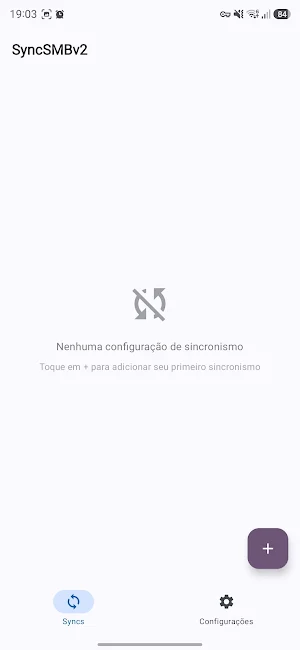
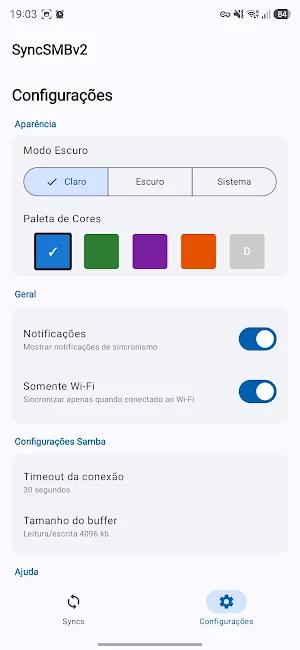
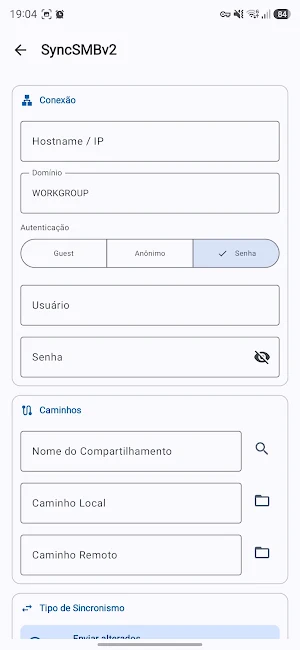
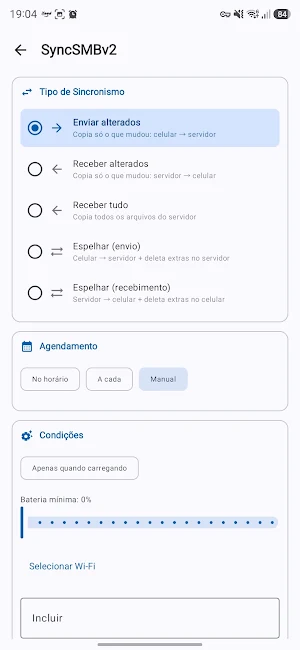


About SyncMyFiles
Sync and backup your files, photos, and documents from your cell phone to your computer, NAS, or cloud server via Wi-Fi, USB tethering, VPN, or wired network. Supports three protocols: SMB/Samba, WebDAV (Nextcloud, ownCloud, Apache), and SFTP (SSH). No extra installation required — use what your server already offers.
Schedule automatic syncs by time interval, fixed time, days of the week, when connecting to a specific Wi-Fi, or when plugging into the charger. Syncing happens in the background, even with the screen off.
Features:
• Three protocols: SMB (Windows/Samba/NAS), WebDAV (Nextcloud/ownCloud), and SFTP (Linux/SSH)
• Switch protocols without losing settings — each connection is saved independently
• Bidirectional synchronization: send or receive files
• Mirror and copy modes: sync only changed files or mirror everything (including deletions)
• Filters by file type (include/exclude with glob patterns)
• 3 verification modes: new only, fast (size + date), or full (MD5 hash)
• Automatic discovery of SMB shares on the network
• Remote folder browsing directly in the app (SMB, WebDAV, and SFTP)
• Integrated Ed25519 SSH key generation — no terminal required
• Wake-on-LAN: turn on your computer automatically before syncing
• Detailed history of each execution with a list of processed files
• Notifications with real-time progress, speed, and ETA
• Support for self-signed certificates (WebDAV HTTPS)
• Compatible with SMB2 and SMB3 (Windows, Samba on Linux, macOS, Synology/QNAP/etc. NAS)
Server requirements:
• SMB: Folder sharing must be enabled. On Windows, right-click the folder → Properties → Sharing. On Linux/Mac, configure Samba. NAS devices come with SMB enabled by default.
• WebDAV: Any WebDAV server with HTTPS (Nextcloud, ownCloud, Apache with mod_dav, Synology WebDAV Server).
• SFTP: Any server with SSH enabled (Linux, macOS, NAS with active SSH service).
Schedule automatic syncs by time interval, fixed time, days of the week, when connecting to a specific Wi-Fi, or when plugging into the charger. Syncing happens in the background, even with the screen off.
Features:
• Three protocols: SMB (Windows/Samba/NAS), WebDAV (Nextcloud/ownCloud), and SFTP (Linux/SSH)
• Switch protocols without losing settings — each connection is saved independently
• Bidirectional synchronization: send or receive files
• Mirror and copy modes: sync only changed files or mirror everything (including deletions)
• Filters by file type (include/exclude with glob patterns)
• 3 verification modes: new only, fast (size + date), or full (MD5 hash)
• Automatic discovery of SMB shares on the network
• Remote folder browsing directly in the app (SMB, WebDAV, and SFTP)
• Integrated Ed25519 SSH key generation — no terminal required
• Wake-on-LAN: turn on your computer automatically before syncing
• Detailed history of each execution with a list of processed files
• Notifications with real-time progress, speed, and ETA
• Support for self-signed certificates (WebDAV HTTPS)
• Compatible with SMB2 and SMB3 (Windows, Samba on Linux, macOS, Synology/QNAP/etc. NAS)
Server requirements:
• SMB: Folder sharing must be enabled. On Windows, right-click the folder → Properties → Sharing. On Linux/Mac, configure Samba. NAS devices come with SMB enabled by default.
• WebDAV: Any WebDAV server with HTTPS (Nextcloud, ownCloud, Apache with mod_dav, Synology WebDAV Server).
• SFTP: Any server with SSH enabled (Linux, macOS, NAS with active SSH service).
What’s new
Version 2.3.6 · Updated September 7, 2026
bump version
Alternatives to SyncMyFiles
Looking for apps like SyncMyFiles? Here are 6 similar Android apps on Google Play. The highest rated is DarkGPT AI Assistant (3.3/5), and 5 of the 6 are free to download.
-
Quotify Routine: Quote & Habit
-
Cuevana : Movies & TV Shows
-
جزارة النخبة
-
DarkGPT AI Assistant 3.3
-
Habit Grid: Streak Tracker
-
Smart Pdf Editor : All In One
| App | Rating | Price | Installs | Last updated | Compare |
|---|---|---|---|---|---|
| SyncMyFiles | – | Free | 10,000+ | Sep 7, 2026 | |
| Quotify Routine: Quote & Habit | – | Free | 5+ | Aug 6, 2026 | Compare |
| Cuevana : Movies & TV Shows | – | Free | 100+ | Jul 24, 2026 | Compare |
| جزارة النخبة | – | Free | 10+ | Aug 2, 2026 | Compare |
| DarkGPT AI Assistant | 3.3 / 5 | Free | 10,000+ | Aug 6, 2026 | Compare |
| Habit Grid: Streak Tracker | – | Free | 10+ | – | Compare |
| Smart Pdf Editor : All In One | – | 0.49 USD | 100+ | – | Compare |
Compare SyncMyFiles with the top alternatives: ratings, updates, ASO score and keyword gaps →
Similar apps on Google Play
- Quotify Routine: Quote & Habit
- Cuevana : Movies & TV Shows
- جزارة النخبة
- DarkGPT AI Assistant
- Habit Grid: Streak Tracker
- Smart Pdf Editor : All In One
- 1xbet
- eTWP-AD
- Anime slayer
- ShopNote: Easy Shopping List
- Average & Median Calculator
- StyleUp - AI Virtual Try-On
- SpendBook - Expense Tracker
- Consistent: Trading Journal
- AI Humanizer - Rewrite Text
- PDF Reader & Viewer
- 67Movies-Watch HD Movies
- Shapr3D App Advices
- mystash
- Wend: Routine Widget & Timer
- Translate: Voice & Photo
- NoteIt
- PDF Reader - Editor & Viewer
- الشيخ محمود البنا
- Dreamz RFID Z2 - Zebra Antenna