

Screen Mirroring Samsung TV
Productivity In-app purchases Contains ads
Connect: Mirror, Cast, Stream
- Rating
- 4.1
- 8.8K ratings
- Downloads
- 538K+
- on Google Play
- Price
- Free
- In-app purchases
- Updated
- Jul 31
- 2026 · v3.37
Screenshots


About Screen Mirroring Samsung TV
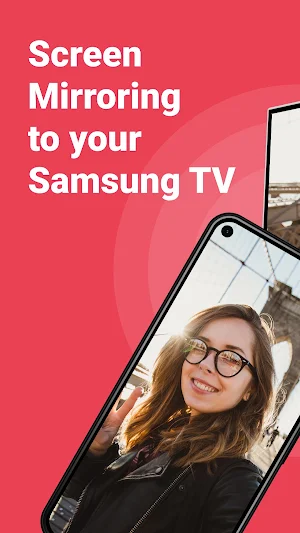
Stop staring at the small screen of your phone. Avoid eyestrain & frustrations of clunky cables. Easily enjoy all content on your Samsung Smart TV from your phone & tablet.
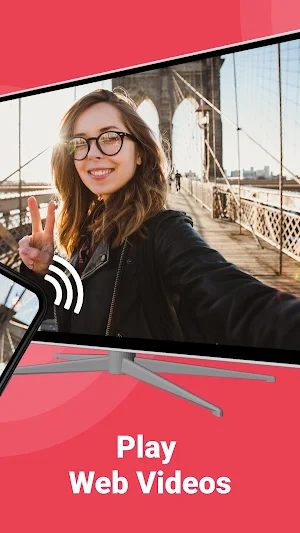
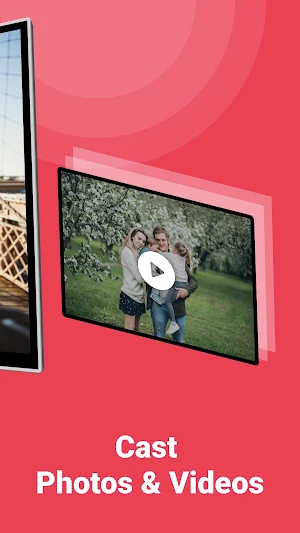
Discover this app and play online videos and watch movies or series. Experience the breaking news straight from your phone onto your Samsung TV. Or, show your photos on the big screen of your television.
With this app, you get the most out of your television. Easily improve your home entertainment experience, impress your loved-ones and make your life more comfortable today. Discover all the benefits of wireless screen mirroring and try this app.
A few things you can do with this application:
- Enjoy everything on Samsung TV from your phone & tablet.
- Watch movies.
- Play web videos.
- Binge-watch series & shows.
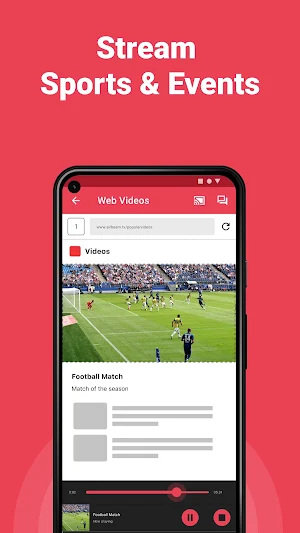
- Stream sports.
- Watch breaking news.
- Show photos to loved-ones on your Samsung TV and impress friends & family.
- Full control with your phone or tablet.
Just try it. Don't worry, you won't be charged.
Requirements:
It only takes a few things to enjoy this screen mirroring app, namely:
1) WiFi
2) Mobile phone or tablet + Samsung Smart TV
3) The TV needs to be on the same network as your phone/tablet.
After you download this application, it will automatically open a quick guide when you open it. With this you can easily find out how the app works. It can also find your Samsung Smart TV with one push of a button.
Pay attention:
Some apps block the screen mirroring technique. This is also known as DRM. It is then not possible to have the content of those apps appear via a telephone or tablet or TV. Unfortunately, our app cannot change this. This DRM restriction was enabled by the organisation that developed the content app.
Our Terms of Use: http://bit.ly/ABTV-TOU21
Our privacy policy: http://bit.ly/ABTVPrivacy
Do you have any questions or do you want to learn more? Visit this page: https://www.airbeam.tv/brands/mirror-for-samsung-tv/
Discover this app and play online videos and watch movies or series. Experience the breaking news straight from your phone onto your Samsung TV. Or, show your photos on the big screen of your television.
With this app, you get the most out of your television. Easily improve your home entertainment experience, impress your loved-ones and make your life more comfortable today. Discover all the benefits of wireless screen mirroring and try this app.
A few things you can do with this application:
- Enjoy everything on Samsung TV from your phone & tablet.
- Watch movies.
- Play web videos.
- Binge-watch series & shows.
- Stream sports.
- Watch breaking news.
- Show photos to loved-ones on your Samsung TV and impress friends & family.
- Full control with your phone or tablet.
Just try it. Don't worry, you won't be charged.
Requirements:
It only takes a few things to enjoy this screen mirroring app, namely:
1) WiFi
2) Mobile phone or tablet + Samsung Smart TV
3) The TV needs to be on the same network as your phone/tablet.
After you download this application, it will automatically open a quick guide when you open it. With this you can easily find out how the app works. It can also find your Samsung Smart TV with one push of a button.
Pay attention:
Some apps block the screen mirroring technique. This is also known as DRM. It is then not possible to have the content of those apps appear via a telephone or tablet or TV. Unfortunately, our app cannot change this. This DRM restriction was enabled by the organisation that developed the content app.
Our Terms of Use: http://bit.ly/ABTV-TOU21
Our privacy policy: http://bit.ly/ABTVPrivacy
Do you have any questions or do you want to learn more? Visit this page: https://www.airbeam.tv/brands/mirror-for-samsung-tv/
Alternatives to Screen Mirroring Samsung TV
Looking for apps like Screen Mirroring Samsung TV? Here are 6 similar Android apps on Google Play. The highest rated is Roku Screen Mirroring + Cast (3.9/5), and 4 of the 6 are free to download.
-
Roku Screen Mirroring + Cast 3.9
-
Fire TV & Firestick Mirroring 3.3
-
LG TV Cast & Screen Mirroring 3.6
-
AirBeamTV Screen Mirroring fro
-
Panasonic TV Screen Mirroring
-
Chromecast Screen Mirroring TV
| App | Rating | Price | Installs | Last updated | Compare |
|---|---|---|---|---|---|
| Screen Mirroring Samsung TV | 4.1 / 5 | Free | 500,000+ | Jul 31, 2026 | |
| Roku Screen Mirroring + Cast | 3.9 / 5 | Free | 1,000,000+ | – | Compare |
| Fire TV & Firestick Mirroring | 3.3 / 5 | Free | 100,000+ | Aug 17, 2026 | Compare |
| LG TV Cast & Screen Mirroring | 3.6 / 5 | Free | 100,000+ | – | Compare |
| AirBeamTV Screen Mirroring fro | – | Free | 100,000+ | Apr 8, 2026 | Compare |
| Panasonic TV Screen Mirroring | – | – | 100,000+ | Jul 31, 2026 | Compare |
| Chromecast Screen Mirroring TV | – | – | 50,000+ | Jul 31, 2026 | Compare |