
Applock : Personal Security
WIFI - Hotspot Sharing Community & Security Tools Tools In-app purchases Contains ads
Hide Your Personal App , Photo , Video and Document, Use Applock.
- Downloads
- 1.3K+
- on Google Play
- Price
- Free
- In-app purchases
- Updated
- Mar 16
- 2026 · v1.1.3
Screenshots
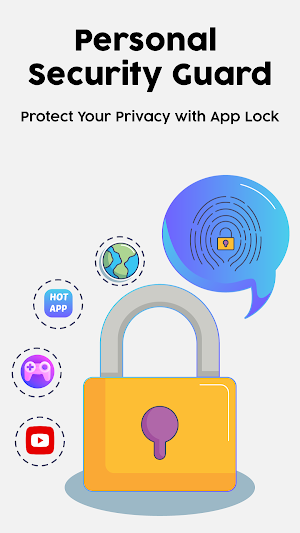
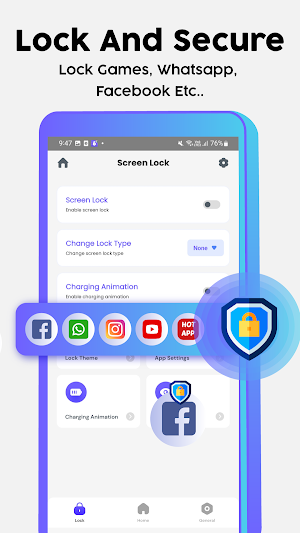
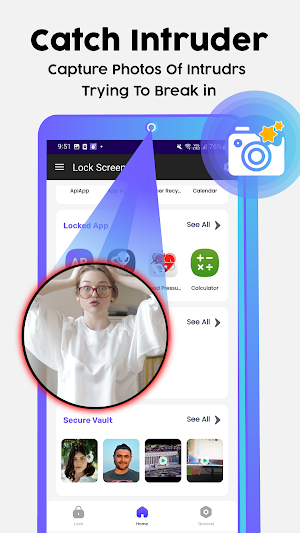
About Applock : Personal Security
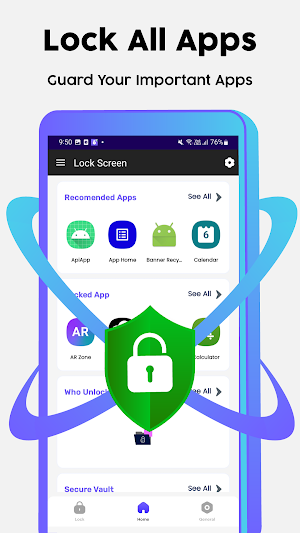
Applock Personal Security is the ultimate solution to protect your device's privacy. With advanced features such as lock any app , intruder detection, and vault for photos and videos, this app ensures complete security for your personal data.
How To Use :
Step 1 : Download and install Applock : Personal Security from the Google Play Store.
Step 2 : Open the app and set a pattern or password to lock your apps, photos, and videos. You can also set up the intruder detection feature to receive alerts when someone tries to access your device without permission.
Step 3 : To lock an app, go to the "Lock" section, select the app you want to lock, and tap on the lock icon.
Step 4 : To lock your photos and videos, go to the "Vault" section, select the photos or videos you want to protect, and tap on the "Move to Vault" option.
Step 5 : To unlock an app, go to the "Lock" section, select the app you want to unlock, and enter your pattern or password.
Step 6 : To access your locked photos and videos, go to the "Vault" section, select the item you want to view, and enter your pattern or password.
That's it! Applock : Personal Security is easy to use and provides seamless security features to protect your personal data. If you have any further questions or need help using the app, please don't hesitate to reach out to our support team.
How App Works:
AI App Lock: Personal Security uses advanced algorithms and artificial intelligence to provide seamless security features. It is easy to use, with a user-friendly interface, and allows you to lock your apps, photos, and videos using a password or pattern. The app's intruder detection system notifies you when someone tries to access your device without permission, making it a perfect tool for personal security.
How App Useful for Any User:
This App is useful for anyone who wants to protect their device's privacy. It is particularly beneficial for parents who want to ensure their children do not access inappropriate content on their devices. With the vault feature, you can store your personal photos and videos securely, knowing they are protected from unauthorized access.
Disclaimer:
Applock : Personal Security provides enhanced security features but does not guarantee 100% protection against all threats. The app is not responsible for any loss or damage to your device or data.
If you find App useful, please consider leaving a 5-star rating on the app store. Your feedback helps us improve the app and provide better security features to our users.
In conclusion, Applock : Personal Security is the ultimate security app for your device. With advanced features, seamless performance, and a user-friendly interface, it is the perfect tool to protect your personal data. So, download App today and secure your device's privacy like never before!
How To Use :
Step 1 : Download and install Applock : Personal Security from the Google Play Store.
Step 2 : Open the app and set a pattern or password to lock your apps, photos, and videos. You can also set up the intruder detection feature to receive alerts when someone tries to access your device without permission.
Step 3 : To lock an app, go to the "Lock" section, select the app you want to lock, and tap on the lock icon.
Step 4 : To lock your photos and videos, go to the "Vault" section, select the photos or videos you want to protect, and tap on the "Move to Vault" option.
Step 5 : To unlock an app, go to the "Lock" section, select the app you want to unlock, and enter your pattern or password.
Step 6 : To access your locked photos and videos, go to the "Vault" section, select the item you want to view, and enter your pattern or password.
That's it! Applock : Personal Security is easy to use and provides seamless security features to protect your personal data. If you have any further questions or need help using the app, please don't hesitate to reach out to our support team.
How App Works:
AI App Lock: Personal Security uses advanced algorithms and artificial intelligence to provide seamless security features. It is easy to use, with a user-friendly interface, and allows you to lock your apps, photos, and videos using a password or pattern. The app's intruder detection system notifies you when someone tries to access your device without permission, making it a perfect tool for personal security.
How App Useful for Any User:
This App is useful for anyone who wants to protect their device's privacy. It is particularly beneficial for parents who want to ensure their children do not access inappropriate content on their devices. With the vault feature, you can store your personal photos and videos securely, knowing they are protected from unauthorized access.
Disclaimer:
Applock : Personal Security provides enhanced security features but does not guarantee 100% protection against all threats. The app is not responsible for any loss or damage to your device or data.
If you find App useful, please consider leaving a 5-star rating on the app store. Your feedback helps us improve the app and provide better security features to our users.
In conclusion, Applock : Personal Security is the ultimate security app for your device. With advanced features, seamless performance, and a user-friendly interface, it is the perfect tool to protect your personal data. So, download App today and secure your device's privacy like never before!
Alternatives to Applock : Personal Security
Looking for apps like Applock : Personal Security? Here are 4 similar Android apps on Google Play. The highest rated is Wifi Unlocker : Wifi Password (4.4/5), and all 4 are free to download.
-
Wifi Unlocker : Wifi Password 4.4
-
Chat AI - Ask me anything
-
Pic.Editor : Edit Photo Online
-
Voice Lock
| App | Rating | Price | Installs | Last updated | Compare |
|---|---|---|---|---|---|
| Applock : Personal Security | – | Free | 1,000+ | Mar 16, 2026 | |
| Wifi Unlocker : Wifi Password | 4.4 / 5 | Free | 10,000+ | Jul 11, 2023 | Compare |
| Chat AI - Ask me anything | – | Free | 100+ | Jul 16, 2023 | Compare |
| Pic.Editor : Edit Photo Online | – | Free | 100+ | – | Compare |
| Voice Lock | – | Free | 100+ | Mar 15, 2023 | Compare |