
EZCast Pro – Wireless Presentation Solution
Winner Wave Co.,Ltd. Productivity Contains ads
This app is designed to work with EZCast Pro, the wireless display solutions.
- Rating
- 3.4
- 3.2K ratings
- Downloads
- 500K+
- on Google Play
- Price
- Free
- No in-app purchases
- Updated
- Jun 5
- 2020 · v2.11.0.1261
Screenshots


About EZCast Pro – Wireless Presentation Solution
Thank you for choosing EZCast Pro!
EZCast Pro app is designed to work with EZCast Pro, a leading innovator of wireless display and smart office solutions.
#Features:
1. Wireless presentations - Make wireless presentations for more efficient meetings.
2. 4 screen split - Display up to 4 presentations simultaneously in a 4 screen split.
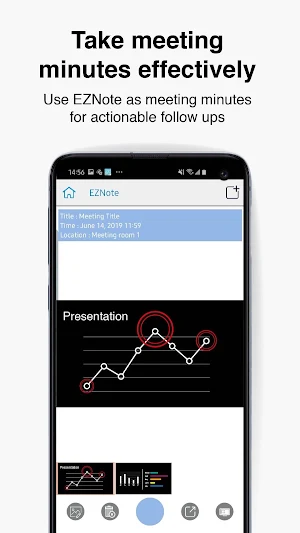
3. Take meeting minutes effectively – Use EZNote to save, annotate and edit presentation slides in real-time as meeting minutes for actionable follow-ups.
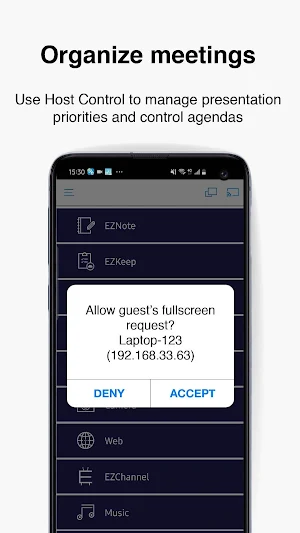
4. Organize meetings - Use Host Control to manage presentation priorities and control agendas.
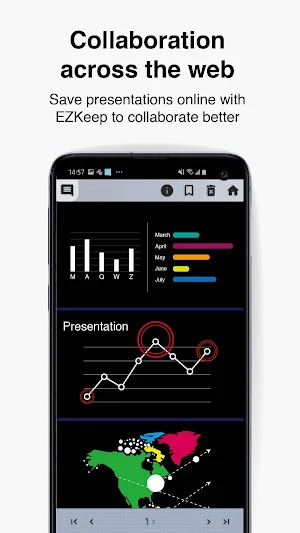
5. Collaboration across the web - Save presentations online with EZKeep to collaborate better.
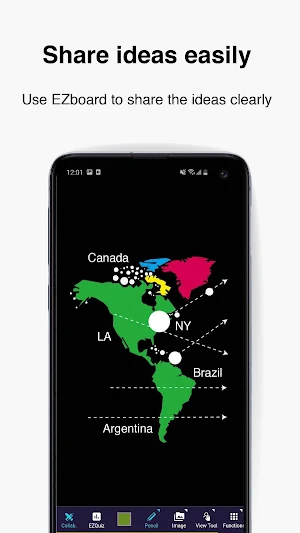
6. Share ideas easily – Use EZBoard to share ideas clearly to students or colleagues and give them a quiz.
7. A simpler way to broadcast – Use AirView to broadcast the presentations to attendees’ smart devices.
8. Cloud integration – Share presentations across Dropbox or other online storage service platforms for more flexible collaboration.
9. Supports OTA – Ongoing firmware upgrades to keep your dongle up to date.
10. Ensures data security – Supports encrypted transmission to keep your data safe.
EZCast Pro app is designed to work with EZCast Pro, a leading innovator of wireless display and smart office solutions.
#Features:
1. Wireless presentations - Make wireless presentations for more efficient meetings.
2. 4 screen split - Display up to 4 presentations simultaneously in a 4 screen split.
3. Take meeting minutes effectively – Use EZNote to save, annotate and edit presentation slides in real-time as meeting minutes for actionable follow-ups.
4. Organize meetings - Use Host Control to manage presentation priorities and control agendas.
5. Collaboration across the web - Save presentations online with EZKeep to collaborate better.
6. Share ideas easily – Use EZBoard to share ideas clearly to students or colleagues and give them a quiz.
7. A simpler way to broadcast – Use AirView to broadcast the presentations to attendees’ smart devices.
8. Cloud integration – Share presentations across Dropbox or other online storage service platforms for more flexible collaboration.
9. Supports OTA – Ongoing firmware upgrades to keep your dongle up to date.
10. Ensures data security – Supports encrypted transmission to keep your data safe.
What’s new
Version 2.11.0.1261 · Updated June 5, 2020
- Enable HTTPS for secure Internet access - Fixed video crash issues
User reviews

good app
Bravo...

Awesome app

good

Tnx

awesome
Alternatives to EZCast Pro – Wireless Presentation Solution
Looking for apps like EZCast Pro – Wireless Presentation Solution? Here are 6 similar Android apps on Google Play. The highest rated is Just Mode (3.4/5), and all 6 are free to download.
-
EZCast – Cast Media to TV 3.2
-
Vivitek QumiCast 2.3
-
Just Mode 3.4
-
Optoma HDCast Pro 1.9
-
Hyshare
-
AVer AW Share
| App | Rating | Price | Installs | Last updated | Compare |
|---|---|---|---|---|---|
| EZCast Pro – Wireless Presentation Solution | 3.4 / 5 | Free | 500,000+ | Jun 5, 2020 | |
| EZCast – Cast Media to TV | 3.2 / 5 | Free | 5,000,000+ | – | Compare |
| Vivitek QumiCast | 2.3 / 5 | Free | 10,000+ | May 3, 2017 | Compare |
| Just Mode | 3.4 / 5 | Free | 100,000+ | Jan 6, 2014 | Compare |
| Optoma HDCast Pro | 1.9 / 5 | Free | 50,000+ | Jul 10, 2017 | Compare |
| Hyshare | – | Free | 500+ | Sep 17, 2026 | Compare |
| AVer AW Share | – | Free | 100+ | – | Compare |