
Acer eDisplay Pro
Winner Wave Co.,Ltd. Video Players & Editors
The eDisplay app works only with Acer MWA3 wireless adapter and projectors.
- Rating
- 2.1
- 197 ratings
- Downloads
- 50K+
- on Google Play
- Price
- Free
- No in-app purchases
- Updated
- Jul 7
- 2017 · v1.12.70.755
Screenshots
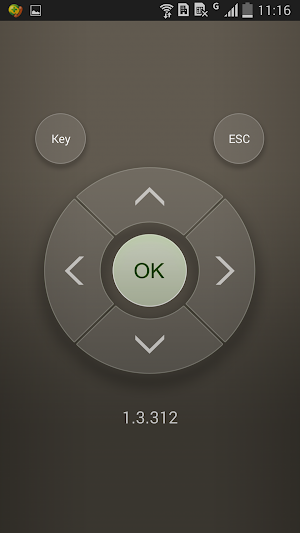
About Acer eDisplay Pro
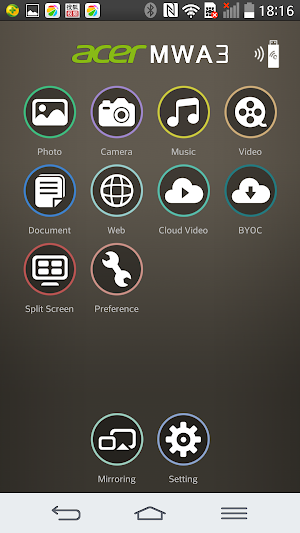
There're some new advanced features like host control, preferred device, 4 split screens display and others,
and it also keeps most popular functions like Multimedia streaming, On-line video, Document viewer and Live camera...etc.
New features for SW:
1. Split Screen: Allow 4 different devices to connect and display content on Acer projectors.
2. Host Control: Add Host role to control split screen
3. Preferred device: Remember the current device and WiFi environment as a favorite one to save the connection method
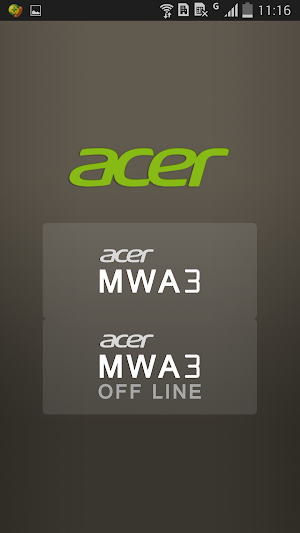
4. Off-line mode: Allow you to enter app and use some features without connect to wireless adapters
5. Conference control: Administrator mode to control all connections via Web browser
6. Client mode discovery: Can discover Acer projector and control under subnet instead of only peer to peer WiFi connection
Requirements:
OS:Android 4.4 above
Device Hardware: 1GHz CPU and 1GB+ DDR are prefered
Supports:
Local photo display, Local Music/Video Streaming
Web browsing and Internet Video Streaming
Office document presentation
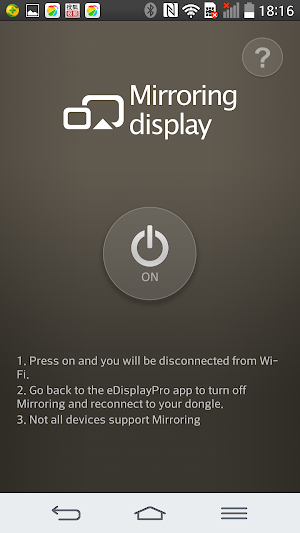
Mirroring Display
For further information and user's guide, please refer to Acer official site: www.acer.com
and it also keeps most popular functions like Multimedia streaming, On-line video, Document viewer and Live camera...etc.
New features for SW:
1. Split Screen: Allow 4 different devices to connect and display content on Acer projectors.
2. Host Control: Add Host role to control split screen
3. Preferred device: Remember the current device and WiFi environment as a favorite one to save the connection method
4. Off-line mode: Allow you to enter app and use some features without connect to wireless adapters
5. Conference control: Administrator mode to control all connections via Web browser
6. Client mode discovery: Can discover Acer projector and control under subnet instead of only peer to peer WiFi connection
Requirements:
OS:Android 4.4 above
Device Hardware: 1GHz CPU and 1GB+ DDR are prefered
Supports:
Local photo display, Local Music/Video Streaming
Web browsing and Internet Video Streaming
Office document presentation
Mirroring Display
For further information and user's guide, please refer to Acer official site: www.acer.com
What’s new
Version 1.12.70.755 · Updated July 7, 2017
1. fix: compatibility issue of android 7.0 2. fix: cannot play youtube videos
User reviews

Nice

Making best job

Likes

Best app ever created

Yes
Amazing
Alternatives to Acer eDisplay Pro
Looking for apps like Acer eDisplay Pro? Here are 6 similar Android apps on Google Play. The highest rated is EZCast Pro – Wireless Presenta (3.5/5), and all 6 are free to download.
-
EZCast – Cast Media to TV 3.2
-
EZCast Pro – Wireless Presenta 3.5
-
Optoma HDCast Pro 2.0
-
Vivitek QumiCast 2.3
-
Hyshare
-
AVer AW Share
| App | Rating | Price | Installs | Last updated | Compare |
|---|---|---|---|---|---|
| Acer eDisplay Pro | 2.1 / 5 | Free | 50,000+ | Jul 7, 2017 | |
| EZCast – Cast Media to TV | 3.2 / 5 | Free | 5,000,000+ | – | Compare |
| EZCast Pro – Wireless Presenta | 3.5 / 5 | Free | 1,000,000+ | Sep 22, 2026 | Compare |
| Optoma HDCast Pro | 2.0 / 5 | Free | 50,000+ | Jul 10, 2017 | Compare |
| Vivitek QumiCast | 2.3 / 5 | Free | 10,000+ | May 3, 2017 | Compare |
| Hyshare | – | Free | 500+ | Sep 17, 2026 | Compare |
| AVer AW Share | – | Free | 100+ | – | Compare |
Compare Acer eDisplay Pro with the top alternatives: ratings, updates, ASO score and keyword gaps →