
OpenMotion: Stop Motion Maker
Video Players & Editors
Create smooth frame-by-frame stop motion animations, claymation & brickfilms.
- Downloads
- 50+
- on Google Play
- Price
- Free
- No in-app purchases
- Updated
- Sep 4
- 2026 · v1.0
Screenshots


About OpenMotion: Stop Motion Maker
Capture every subtle movement with manual precision and assemble sequences into finished animated videos without complex workflows.
Camera & Filming Controls:
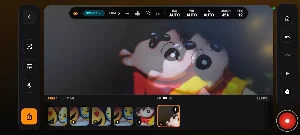
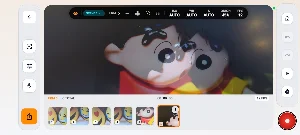
Onion Skin Overlay: Compare live camera view against previous frames to align movements and ensure consistent animation continuity.
Hardware Trigger Support: Capture frames using physical device volume buttons to eliminate camera shake and ensure steady tripod setups.
Framing & Aspect Ratios: Choose standard aspect ratios including 16:9 widescreen, 4:3 classic, 1:1 square, and 9:16 vertical.
Custom Frame Rates: Adjust project speeds across multiple playback presets including 8, 12, 15, 24, or 30 FPS to find the ideal motion timing.
Manual Exposure Monitoring: Keep track of ISO, white balance, and shutter status for uniform lighting across your production.
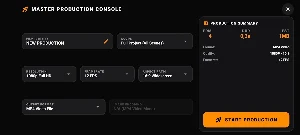
Production & Export Console:
Full HD Output: Render your frame sequences into high-definition 1080p MP4 video files.
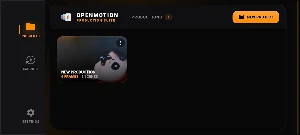
Project Organization: Manage separate scenes and productions easily from an organized studio dashboard.
Dark Studio Interface: An obsidian-themed production UI designed to keep your focus on lighting and animation detail.
Whether you are crafting your first claymation clip or producing a detailed brickfilm scene, OpenMotion gives you the essential frame-by-frame tools to animate with confidence.
Download OpenMotion: Stop Motion Maker and bring your characters to life.
What’s new
Version 1.0 · Updated September 4, 2026
What's new in this release: -Professional frame-by-frame stop-motion camera suite -Real-time onion skinning overlay for seamless continuity -Hardware volume button trigger for shake-free capture -Multi-aspect ratio support (16:9, 4:3, 1:1, 9:16) -Custom frame rates (8–30 FPS) & manual exposure monitoring -Full HD (1080p) MP4 video export -Performance improvements and dark studio UI optimizations
Alternatives to OpenMotion: Stop Motion Maker
Looking for apps like OpenMotion: Stop Motion Maker? Here are 4 similar Android apps on Google Play. The highest rated is Bubble Level: AR Sight HUD Pro (4.4/5), and all 4 are free to download.
-
JustPDF: Text Watermark
-
Printable Notebook Paper Maker
-
Vlog Floating Teleprompter
-
Bubble Level: AR Sight HUD Pro 4.4
| App | Rating | Price | Installs | Last updated | Compare |
|---|---|---|---|---|---|
| OpenMotion: Stop Motion Maker | – | Free | 50+ | Sep 4, 2026 | |
| JustPDF: Text Watermark | – | Free | 1+ | – | Compare |
| Printable Notebook Paper Maker | – | Free | 100+ | – | Compare |
| Vlog Floating Teleprompter | – | Free | 50+ | – | Compare |
| Bubble Level: AR Sight HUD Pro | 4.4 / 5 | Free | 100,000+ | Aug 22, 2026 | Compare |