

QRaccess: QR access control
Events
Access control with QR, capacity status count, stats. Managed from site web
- Downloads
- 448+
- on Google Play
- Price
- Free
- No in-app purchases
- Updated
- Sep 13
- 2026 · v26-9-14
Screenshots


About QRaccess: QR access control
More information on the QRACCESS platform: https://qracceso.com
Privacy QRACCESO: https://qracceso.com/aviso-legal#qracceso
For any questions or to request a test account or the deletion of a current account: [email protected] or preferably at URL: [contact]
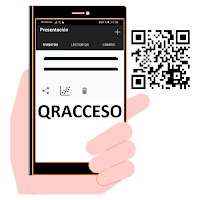
With the web control panel and the QRACCESO mobile application for Android from Abarcando, you can control the entry and exit of people using QR codes that should be sent by SMS to the guests from QRACCESS WEB panel.
This service is useful for managing entry and exit control at conferences, events, training classes, buildings, control of work schedules, access to community pools or other shared resources, manual entry control to condominiums, etc.
Each user of the QRACCESS platform can access the QRACCESO web panel with their account (email+password) (English version associated with QRACCESS APP: https://panel.qraccess.com), where you can import people from a .csv file or add them individually. You can also send the QR code by SMS or download the imported attendees file in a CSV file to process it as you wish.
Each person with access has a unique QR code that they will have received by SMS on their mobile phone or another way of delivering the code, depending on how each event manager decides to deliver the invitations.
At the place to be controlled, an entrance station is established where the guest shows the QR code (on the mobile screen or printed on a piece of paper). An operator validates the code using this QRACCESO app and allows you access if the code is valid.
What’s new
Version 26-9-14 · Updated September 13, 2026
• NEW: DELIVERY mode. When enabled on the dashboard, the app speaks in deliveries ("DELIVERY", "Delivered", "Already delivered") and counts deliveries and returns: hampers, gifts or vouchers. • It records why a step wasn't registered: closing the window, cancelling or denying leave distinct records. • An exit by someone not checked in is flagged as a warning, even offline. • History and detail show each action by name, and warnings as warnings. • Capacity is unchanged: warnings never add.
Alternatives to QRaccess: QR access control
Looking for apps like QRaccess: QR access control? Here are 2 similar Android apps on Google Play. All of them are free to download.

| App | Rating | Price | Installs | Last updated | Compare |
|---|---|---|---|---|---|
| QRaccess: QR access control | – | Free | 100+ | Sep 13, 2026 | |
| QRacceso online + offline | – | Free | 100+ | Sep 13, 2026 | Compare |
| QRacceso: Control de acceso QR | – | Free | 5,000+ | Sep 14, 2026 | Compare |