
Badger Badger
SpecialEffect Strategy
Protect Badger’s home from Mole! Supports multiple accessible input methods.
- Downloads
- 239+
- on Google Play
- Price
- Free
- No in-app purchases
- Updated
- Nov 3
- 2025 · v2.2
Screenshots
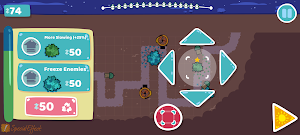


About Badger Badger
Created to enable players to use their preferred controls on Android, the game is designed to be played with one of the following input methods: touch, a mouse cursor, switch access, a game controller or a keyboard. The app opens in landscape mode only.
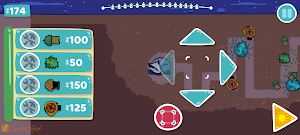
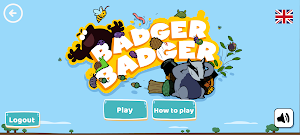
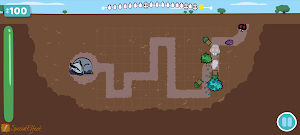
Badger has the best home in the forest. And Mole wants it! Protect Badger and her home from Mole and his waves of critters who will try to wake up Badger. Set up traps to protect Badger and help her sleep through as many days in a row as you can.
Try out different traps and upgrades, different trap positions and different combinations to work out what will work best against different combinations of critters.
SUPPORTED CONTROL INPUTS:
TOUCH - A single tap on the onscreen targets activates them. No swiping or holds are required.
MOUSE CURSOR - Using a single left click on the onscreen targets activates them. No drags or holds are required. The Auto-Click option in Android is also compatible with the game.
SWITCH ACCESS - To scan through the onscreen targets using a switch, the use of the Google Switch Access app and a compatible switch interface or device is required.
KEYBOARD - The Arrow keys navigate and highlight the onscreen targets and the Enter key is used to select one, when highlighted.
GAME CONTROLLER - Using an Android compatible controller, the Left Stick, Right Stick or D-Pad is used to navigate the onscreen targets. Any of the face buttons or triggers on your compatible controller can be used to select an onscreen target, when highlighted.
SpecialEffect is a registered UK charity (1121004) that helps physically disabled players to access video games. Please visit https://www.specialeffect.org.uk/ for more information.
Badger has the best home in the forest. And Mole wants it! Protect Badger and her home from Mole and his waves of critters who will try to wake up Badger. Set up traps to protect Badger and help her sleep through as many days in a row as you can.
Try out different traps and upgrades, different trap positions and different combinations to work out what will work best against different combinations of critters.
SUPPORTED CONTROL INPUTS:
TOUCH - A single tap on the onscreen targets activates them. No swiping or holds are required.
MOUSE CURSOR - Using a single left click on the onscreen targets activates them. No drags or holds are required. The Auto-Click option in Android is also compatible with the game.
SWITCH ACCESS - To scan through the onscreen targets using a switch, the use of the Google Switch Access app and a compatible switch interface or device is required.
KEYBOARD - The Arrow keys navigate and highlight the onscreen targets and the Enter key is used to select one, when highlighted.
GAME CONTROLLER - Using an Android compatible controller, the Left Stick, Right Stick or D-Pad is used to navigate the onscreen targets. Any of the face buttons or triggers on your compatible controller can be used to select an onscreen target, when highlighted.
SpecialEffect is a registered UK charity (1121004) that helps physically disabled players to access video games. Please visit https://www.specialeffect.org.uk/ for more information.
What’s new
Version 2.2 · Updated November 3, 2025
unity update
Play today's Threadline puzzle
Draw one line through every cell, visiting the numbers in order. A free daily puzzle from Fiplay, same board for everyone. It plays right here, no download.
Alternatives to Badger Badger
Looking for apps like Badger Badger? Here are 6 similar Android apps on Google Play. All of them are free to download.
-
Open Drive
-
Snakes & Ramps
-
Solitaire Gem Quest
-
Sudoku Monsters
-
SpecialEffect's Sudoku
-
SpecialEffect's Checkers
| App | Rating | Price | Installs | Last updated | Compare |
|---|---|---|---|---|---|
| Badger Badger | – | Free | 100+ | Nov 3, 2025 | |
| Open Drive | – | Free | 100+ | Dec 4, 2025 | Compare |
| Snakes & Ramps | – | Free | 1,000+ | Nov 3, 2025 | Compare |
| Solitaire Gem Quest | – | Free | 100+ | – | Compare |
| Sudoku Monsters | – | Free | 100+ | Nov 6, 2025 | Compare |
| SpecialEffect's Sudoku | – | Free | 50+ | Nov 6, 2025 | Compare |
| SpecialEffect's Checkers | – | Free | 10+ | – | Compare |
Compare Badger Badger with the top alternatives: ratings, updates, ASO score and keyword gaps →