

Win XP Simulator
Simulation Contains ads
Travel back to 2001 and experience what it's like to own a Windows XP computer.
- Rating
- 3.2
- 5.2K ratings
- Downloads
- 653K+
- on Google Play
- Price
- Free
- No in-app purchases
- Updated
- May 8
- 2026 · v28
Screenshots


About Win XP Simulator
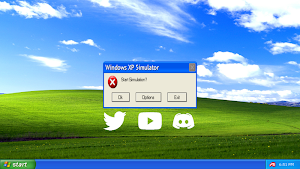
Click the "Yes" or "Ok" button to stop the simulation, you will be greeted with the Blue Screen of Death!
For more help and information, visit: http://malgow.net/WindowsXPSimulator
or, talk to me on discord!: https://discord.com/invite/gdu7dZk
"Feel as if you're using a Windows XP computer with this realistic simulator!" - MALGOW
jk
How To Play:
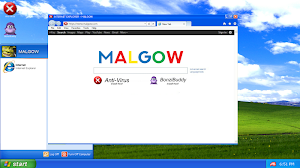
Opening Internet Explorer
STEP 1: Click on the "Start Menu"
STEP 2: Click on "Internet Explorer"
STEP 3: Wait 20 Seconds for Internet Explorer to fully load up
IMPORTANT*: Do not close the start menu during this process!
STEP 4: Internet Explorer will have now opened, you can install your apps from here
STEP 5: Done!
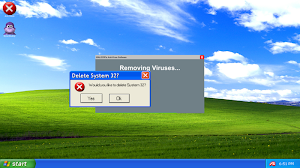
Removing Viruses
STEP 1: Launch "Anti Virus" after installing it from Internet Explorer
STEP 2: Wait 30 Seconds*
STEP 3: The Anti Virus software will now display "Viruses Successfully Removed"
STEP 4: Done!
Using Bonzi Buddy
STEP 1: Launch "Bonzi Buddy" after installing it from Internet Explorer
STEP 2: Bonzi Buddy will begin with a short introduction of himself
STEP 3: He will then tell a few (bad) jokes
STEP 4: Done!
First Easter Egg
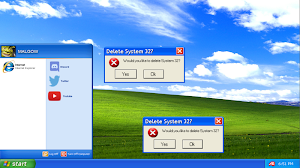
STEP 1: Click and open the Start Menu
STEP 2: Click my profile image or name ten times
STEP 3: The first easter egg will now begin
STEP 4: Done!
For more help and information, visit: http://malgow.net/WindowsXPSimulator
or, talk to me on discord!: https://discord.com/invite/gdu7dZk
"Feel as if you're using a Windows XP computer with this realistic simulator!" - MALGOW
jk
How To Play:
Opening Internet Explorer
STEP 1: Click on the "Start Menu"
STEP 2: Click on "Internet Explorer"
STEP 3: Wait 20 Seconds for Internet Explorer to fully load up
IMPORTANT*: Do not close the start menu during this process!
STEP 4: Internet Explorer will have now opened, you can install your apps from here
STEP 5: Done!
Removing Viruses
STEP 1: Launch "Anti Virus" after installing it from Internet Explorer
STEP 2: Wait 30 Seconds*
STEP 3: The Anti Virus software will now display "Viruses Successfully Removed"
STEP 4: Done!
Using Bonzi Buddy
STEP 1: Launch "Bonzi Buddy" after installing it from Internet Explorer
STEP 2: Bonzi Buddy will begin with a short introduction of himself
STEP 3: He will then tell a few (bad) jokes
STEP 4: Done!
First Easter Egg
STEP 1: Click and open the Start Menu
STEP 2: Click my profile image or name ten times
STEP 3: The first easter egg will now begin
STEP 4: Done!
What’s new
Version 28 · Updated May 8, 2026
Google requires me to update my apps to avoid them from being removed.
User reviews

I just enjoy this.

This 5 star rating exists just because the game is cool

This exp is a bit bad, BUT I LIKE THIS APP and that's it :)

Madness

wow, this simulator is so cool!

I see people give one stars but the person worked hard and I give it five stars b cause you worked hard :)
Frequently asked questions
How do I play the Win XP Simulator?
To play the Win XP Simulator, open Internet Explorer by clicking on the "Start Menu" and then selecting "Internet Explorer". Wait for 20 seconds for it to fully load up. Make sure not to close the start menu during this process. Once Internet Explorer is opened, you can install your apps from there.
How can I remove viruses on the Win XP Simulator?
To remove viruses on the Win XP Simulator, launch the "Anti Virus" software after installing it from Internet Explorer. Wait for 30 seconds and the Anti Virus software will display "Viruses Successfully Removed".
Alternatives to Win XP Simulator
Looking for apps like Win XP Simulator? Here are 5 similar Android apps on Google Play. The highest rated is The Big Shaq Button Unlimited (5.0/5), and all 5 are free to download.
-
W10 Simulator 3.7
-
(un)politeBot
-
The Big Shaq Button Unlimited 5.0
-
The Yeah Boi Button Unlimited 4.5
-
The Yee Button Unlimited 4.6
| App | Rating | Price | Installs | Last updated | Compare |
|---|---|---|---|---|---|
| Win XP Simulator | 3.2 / 5 | Free | 500,000+ | May 8, 2026 | |
| W10 Simulator | 3.7 / 5 | Free | 500,000+ | May 8, 2026 | Compare |
| (un)politeBot | – | Free | 1,000+ | – | Compare |
| The Big Shaq Button Unlimited | 5.0 / 5 | Free | 1,000+ | Apr 4, 2018 | Compare |
| The Yeah Boi Button Unlimited | 4.5 / 5 | Free | 50,000+ | Oct 3, 2018 | Compare |
| The Yee Button Unlimited | 4.6 / 5 | Free | 10,000+ | Apr 22, 2017 | Compare |
Compare Win XP Simulator with the top alternatives: ratings, updates, ASO score and keyword gaps →