
VibeStory: Smart Media Editor
Friends AppStation Video Players & Editors Contains ads
VibeStory: Smart media gallery, pro photo & video editor and stories maker.
- Downloads
- 40+
- on Google Play
- Price
- Free
- No in-app purchases
- Updated
- Aug 10
- 2026 · v2
Screenshots
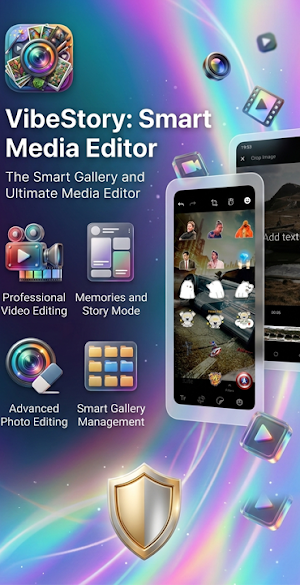
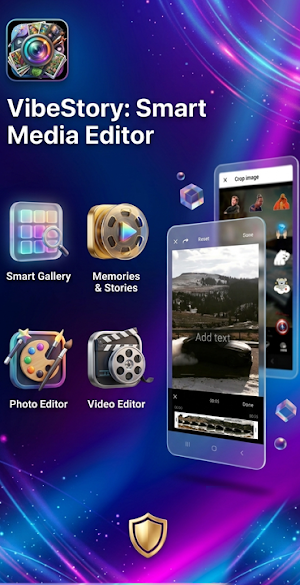
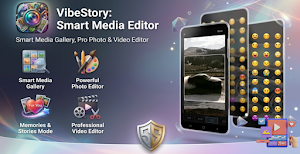
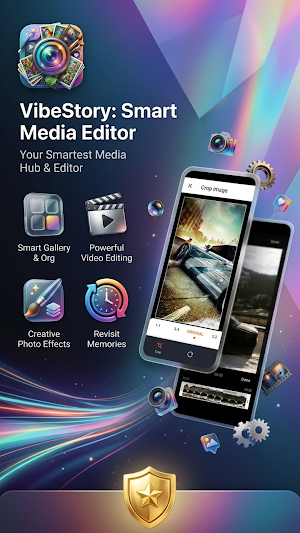
About VibeStory: Smart Media Editor
📸 Welcome to VibeStory: Smart Media Editor!
🎥 The ultimate smart gallery, photo, and video editor for Android!
✂️ Say goodbye to cluttered folders and boring media viewing.
✨ VibeStory combines a lightning-fast media gallery with professional editing tools.
📱 Relive your memories in a stylish, Instagram-like Stories format.
🧹 Free up precious storage and create stunning content in seconds!
📸 Advanced Smart Media Gallery
🖼️ All-in-One Media View: View all your photos and videos together in one clean, seamless list.
🔍 Gesture Zoom: Easily change the gallery grid size from 2 to 8 columns with a simple pinch gesture.
📁 Smart Album Management: Organize files into folders with a clear grid view, file counters, and quick access.
⏱️ Video Preview: See video duration and a play indicator directly from the main gallery screen.
⭐ Favorites Collection: Add or remove photos and videos from your personal favorites list with a single tap.
🔎 Deep Search Engine: Find exact files by name, full date, specific month, or year within seconds.
ℹ️ Full Media Details: View comprehensive file data—name, resolution, size, duration, and file type.
🌌 One-Click Wallpaper: Set any photo as your home screen, lock screen, or both, using a built-in crop tool.
🎞️ Memories & Stories Mode ("For You")
✨ Relive the Best Moments: A dynamic feed displaying random past memories organized by year.
📱 Popular Story Style: Watch your memories play automatically like an interactive story.
👆 Easy Touch Gestures: Short tap to skip forward or backward, long press to pause, and swipe to switch categories.
🎨 Powerful Photo Editor
✂️ Smart Crop & Transform: Crop using preset aspect ratios or freeform, and rotate or flip with ease.
🖌️ Digital Magic Eraser: Clean up blemishes and unwanted objects with a full Undo/Redo system.
🎨 Drawing Studio & Brushes: Draw freely on your photos with full control over brush size, opacity, and colors.
💬 Custom Text & Stickers: Add text in any color, cool stickers, or emojis, and easily resize them.
🌈 Pro Filter Pack: Apply stunning visual effects instantly (Sepia, Pencil Sketch, Comic, Pixelate, and more).
🎛️ Advanced Manual Adjustments: Fine-tune brightness, contrast, saturation, and blur using smooth sliders.
🎬 Professional Video Editor (FFmpeg Powered)
➕ Video Merger: Combine multiple videos into a single file with smooth Fade In/Fade Out transitions.
🎵 Background Music: Easily add audio tracks and music to your videos, or mute the original sound completely.
📱 Picture-in-Picture (PIP): Overlay a secondary video or photo on top of the main video with full placement and size control.
✂️ Precise Video Trimming: Cut sections of your video using a visual timeline with video previews for perfect accuracy.
📐 Aspect Ratio Changer: Instantly adapt your videos for leading social networks (16:9, 9:16, 1:1, 4:5).
⏩ Speed Control: Create slow-motion (Slow-mo), fast-motion, or creative stop-motion videos.
🔄 Reverse Video Loop: Play your video and audio completely backward for mind-blowing effects.
📐 Flip & Rotate: Fix crooked videos instantly with quick horizontal/vertical flip and rotation tools.
🚀 Performance & User Experience
🛠️ Modern Material 3 Design: A beautiful, clean, and premium interface that adapts to Light or Dark Mode.
⚡ Fast & Optimized Performance: Built with Media3 ExoPlayer and Kotlin code for ultra-smooth playback.
🧹 Quick Cache Cleaner: Clear the app's cache directly from the settings to free up valuable device space.
🌍 Multi-Language Support: Fully translated into a variety of languages (Spanish, French, Hebrew, German, Italian, Portuguese, and more).
🤖 Next-Gen Android Support: Fully optimized from Android 9 all the way up to Android 17 (including 16KB page sizes support).
🔥 Download VibeStory: Smart Media Editor today!
👑 Unlock the true potential of your media gallery!
🚀 Start editing, managing, and enjoying your memories the right way!
🎥 The ultimate smart gallery, photo, and video editor for Android!
✂️ Say goodbye to cluttered folders and boring media viewing.
✨ VibeStory combines a lightning-fast media gallery with professional editing tools.
📱 Relive your memories in a stylish, Instagram-like Stories format.
🧹 Free up precious storage and create stunning content in seconds!
📸 Advanced Smart Media Gallery
🖼️ All-in-One Media View: View all your photos and videos together in one clean, seamless list.
🔍 Gesture Zoom: Easily change the gallery grid size from 2 to 8 columns with a simple pinch gesture.
📁 Smart Album Management: Organize files into folders with a clear grid view, file counters, and quick access.
⏱️ Video Preview: See video duration and a play indicator directly from the main gallery screen.
⭐ Favorites Collection: Add or remove photos and videos from your personal favorites list with a single tap.
🔎 Deep Search Engine: Find exact files by name, full date, specific month, or year within seconds.
ℹ️ Full Media Details: View comprehensive file data—name, resolution, size, duration, and file type.
🌌 One-Click Wallpaper: Set any photo as your home screen, lock screen, or both, using a built-in crop tool.
🎞️ Memories & Stories Mode ("For You")
✨ Relive the Best Moments: A dynamic feed displaying random past memories organized by year.
📱 Popular Story Style: Watch your memories play automatically like an interactive story.
👆 Easy Touch Gestures: Short tap to skip forward or backward, long press to pause, and swipe to switch categories.
🎨 Powerful Photo Editor
✂️ Smart Crop & Transform: Crop using preset aspect ratios or freeform, and rotate or flip with ease.
🖌️ Digital Magic Eraser: Clean up blemishes and unwanted objects with a full Undo/Redo system.
🎨 Drawing Studio & Brushes: Draw freely on your photos with full control over brush size, opacity, and colors.
💬 Custom Text & Stickers: Add text in any color, cool stickers, or emojis, and easily resize them.
🌈 Pro Filter Pack: Apply stunning visual effects instantly (Sepia, Pencil Sketch, Comic, Pixelate, and more).
🎛️ Advanced Manual Adjustments: Fine-tune brightness, contrast, saturation, and blur using smooth sliders.
🎬 Professional Video Editor (FFmpeg Powered)
➕ Video Merger: Combine multiple videos into a single file with smooth Fade In/Fade Out transitions.
🎵 Background Music: Easily add audio tracks and music to your videos, or mute the original sound completely.
📱 Picture-in-Picture (PIP): Overlay a secondary video or photo on top of the main video with full placement and size control.
✂️ Precise Video Trimming: Cut sections of your video using a visual timeline with video previews for perfect accuracy.
📐 Aspect Ratio Changer: Instantly adapt your videos for leading social networks (16:9, 9:16, 1:1, 4:5).
⏩ Speed Control: Create slow-motion (Slow-mo), fast-motion, or creative stop-motion videos.
🔄 Reverse Video Loop: Play your video and audio completely backward for mind-blowing effects.
📐 Flip & Rotate: Fix crooked videos instantly with quick horizontal/vertical flip and rotation tools.
🚀 Performance & User Experience
🛠️ Modern Material 3 Design: A beautiful, clean, and premium interface that adapts to Light or Dark Mode.
⚡ Fast & Optimized Performance: Built with Media3 ExoPlayer and Kotlin code for ultra-smooth playback.
🧹 Quick Cache Cleaner: Clear the app's cache directly from the settings to free up valuable device space.
🌍 Multi-Language Support: Fully translated into a variety of languages (Spanish, French, Hebrew, German, Italian, Portuguese, and more).
🤖 Next-Gen Android Support: Fully optimized from Android 9 all the way up to Android 17 (including 16KB page sizes support).
🔥 Download VibeStory: Smart Media Editor today!
👑 Unlock the true potential of your media gallery!
🚀 Start editing, managing, and enjoying your memories the right way!
What’s new
Version 2 · Updated August 10, 2026
Enjoy with your Media...
Alternatives to VibeStory: Smart Media Editor
Looking for apps like VibeStory: Smart Media Editor? Here are 6 similar Android apps on Google Play. All of them are free to download.
-
Speed Glass HUD for Car
-
RaceStick - Off-Road Physics
-
Physics Precision Parking 3D
-
AnyShot AI: Dual Smart Camera
-
DualScreen Recorder Ultimate
-
Jet Master - Canyon Avoid
| App | Rating | Price | Installs | Last updated | Compare |
|---|---|---|---|---|---|
| VibeStory: Smart Media Editor | – | Free | 10+ | Aug 10, 2026 | |
| Speed Glass HUD for Car | – | Free | 50+ | – | Compare |
| RaceStick - Off-Road Physics | – | Free | 100+ | Jul 25, 2026 | Compare |
| Physics Precision Parking 3D | – | Free | 10+ | Sep 3, 2026 | Compare |
| AnyShot AI: Dual Smart Camera | – | Free | 10+ | Sep 3, 2026 | Compare |
| DualScreen Recorder Ultimate | – | Free | 10+ | Sep 3, 2026 | Compare |
| Jet Master - Canyon Avoid | – | Free | 10+ | – | Compare |
Similar apps on Google Play
- Speed Glass HUD for Car
- RaceStick - Off-Road Physics
- Physics Precision Parking 3D
- AnyShot AI: Dual Smart Camera
- DualScreen Recorder Ultimate
- Jet Master - Canyon Avoid
- AirLook Global Forecast
- Astro Dash 3D
- בינה יהודית - סיפרייה וחידונים
- Theory Rocket 26 - License
- Cat Bombs
- iMelamed
- Shiduchin - Jewish Social
- Friends Reels - Social