

Monthly Expense
Finance
Monitor daily expenses, create a travel budget
- Downloads
- 7+
- on Google Play
- Price
- Free
- No in-app purchases
- Updated
- May 24
- 2026 · v2.2
Screenshots


About Monthly Expense
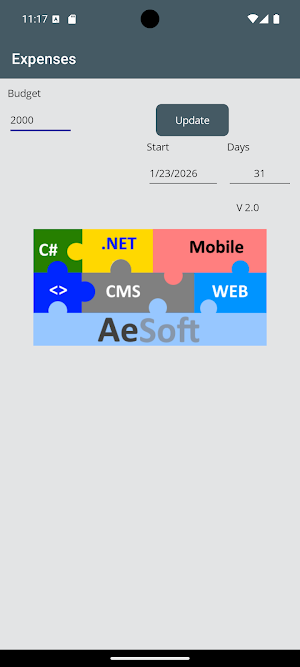
1. Enter budget
2. Select start date
3. Click Update
These simple steps allow you to control your budget over the specified period.
By default, the days correspond to one month.
However, the specified days can be changed as desired.
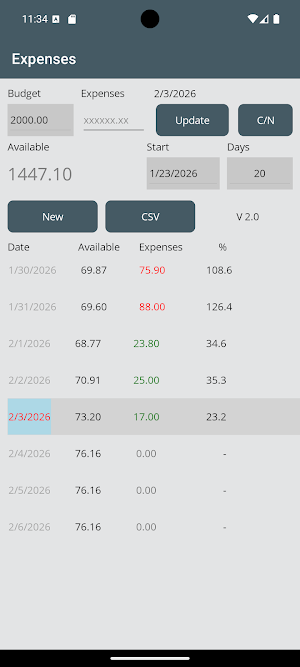
By selecting the current day (shown in light blue),
the expenses must be entered and confirmed with “Update.”
If the expenses are less than the available amount, they are marked in green; otherwise, they are marked in red.
After entering the amount, the remaining amount will be distributed over the remaining days.
The % column shows the percentage of expenditure.
The “C/N” key (Credit Note) can be used to add a credit note to the total amount available.
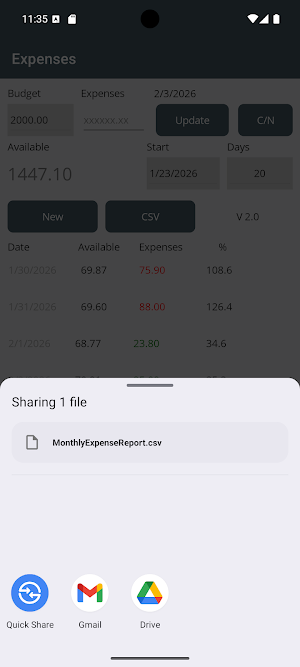
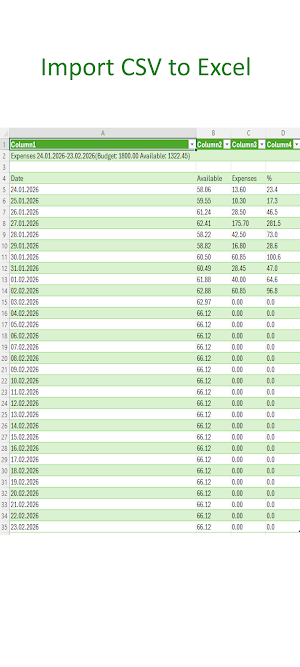
An Excel file can be sent at any time via a standard communication channel using CSV.
Clicking “New” resets the data and allows you to start a new month with a new budget.
2. Select start date
3. Click Update
These simple steps allow you to control your budget over the specified period.
By default, the days correspond to one month.
However, the specified days can be changed as desired.
By selecting the current day (shown in light blue),
the expenses must be entered and confirmed with “Update.”
If the expenses are less than the available amount, they are marked in green; otherwise, they are marked in red.
After entering the amount, the remaining amount will be distributed over the remaining days.
The % column shows the percentage of expenditure.
The “C/N” key (Credit Note) can be used to add a credit note to the total amount available.
An Excel file can be sent at any time via a standard communication channel using CSV.
Clicking “New” resets the data and allows you to start a new month with a new budget.
What’s new
Version 2.2 · Updated May 24, 2026
Text corrections
Alternatives to Monthly Expense
Looking for apps like Monthly Expense? Here are 4 similar Android apps on Google Play. The highest rated is My Feelings Wheel (5.0/5), and 3 of the 4 are free to download.




| App | Rating | Price | Installs | Last updated | Compare |
|---|---|---|---|---|---|
| Monthly Expense | – | Free | 5+ | May 24, 2026 | |
| DigiBudget: Expense Tracker | – | Free | 5,000+ | Aug 31, 2023 | Compare |
| My Feelings Wheel | 5.0 / 5 | Free | 10,000+ | Aug 1, 2026 | Compare |
| Barre Teja | – | Free | 1,000+ | Jun 26, 2026 | Compare |
| CookEasy – Recipes & Timer | – | – | – | Jan 30, 2026 | Compare |
Compare Monthly Expense with the top alternatives: ratings, updates, ASO score and keyword gaps →