
Face Boss for Pebble
Personalization In-app purchases Contains ads
Photo Powered Watch Face with Pebble Health Integration
- Downloads
- 469+
- on Google Play
- Price
- Free
- In-app purchases
- Updated
- Oct 6
- 2026 · v3.0.27
Screenshots
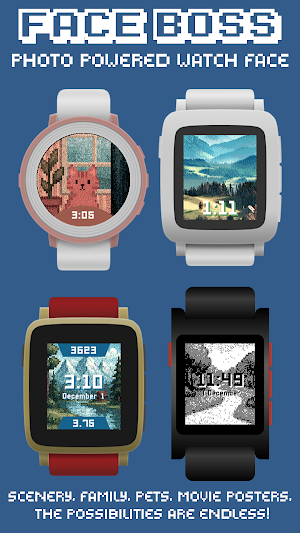
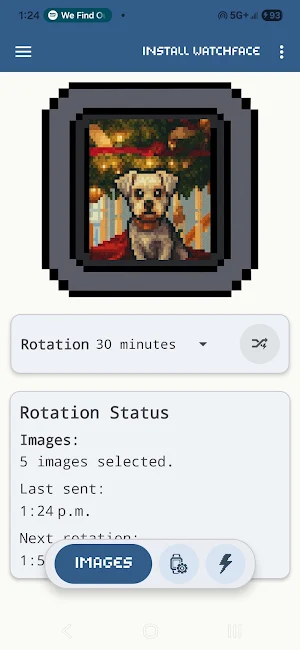
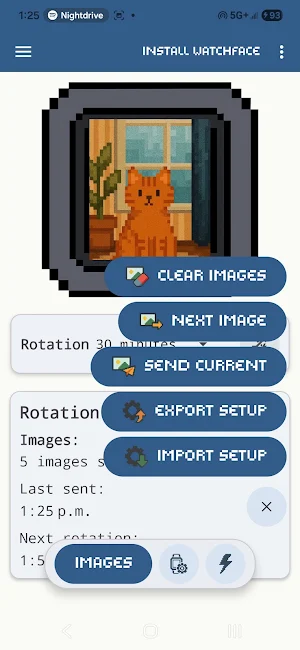


About Face Boss for Pebble
Start instantly with included sample images and all your own Pebble Health data so you can try the watch face for as long as you'd like.
🎨 Fully Customizable
• Customize the Top, Middle and Bottom information sections - choose what information appears and where
• Configure the large Middle block position (Top, Center, or Bottom)
• Set each section’s visibility behavior: Always, On Wrist Flick, or Never
• Display Pebble Health data including steps, distance, sleep, and active time
• Toggle between Metric and Imperial units
• Change date format
• Enable text shadow or background styling for improved readability
• Fine-tune your layout to match any photo for a perfectly balanced watch face
• Pebble Health Integration
Show steps, distance, sleep and active time directly on your photo watch face.
• Automatic Image Rotation
Set the perfect interval for rotating photos. Choose sequential, random order or no rotation (stay on one image).
• Shake-to-Refresh on the Watch
Shake your Pebble to instantly request a new image and reset the rotation timer.
• Background Service
A persistent, optimized sync engine ensures images reach the watch even when your phone is idle or the screen is off (can be optimized).
💎Premium Features (Unlock Required)
• Face Boss can be unlocked with a one-time Lifetime Unlock.
• It can also be unlocked automatically if you subscribe to Music Boss Deluxe - Ongoing Support in the Music Boss Deluxe app (musicboss.ca/ongoingsupport for details).
• Choose Your Own Photos (Premium)
Select any images from your device to use as backgrounds for the Face Boss watch face.
• Full Image Management (Premium)
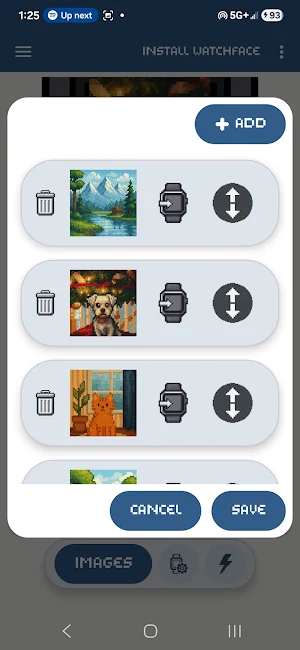
Use the drag-and-drop editor to immediately send any image to the watch, reorder your images, add new ones, or remove existing ones whenever you like.
💖Why You'll Love It
• Clean, modern UI with a pixel-styled aesthetic
• Quick access to key actions
• Maintains rotation state even after long idle periods
• Designed for Pebble lovers, by a long-time Pebble user
⌚Watch Compatibility
Works with Pebble Time, Pebble Time Steel, Pebble Time Round, Pebble 2, Pebble 2 Duo, and Pebble Time 2 and Pebble Round 2.
📱Companion App Compatibility
Face Boss works with the major Pebble companion apps, including:
• Core Pebble App
• Classic Pebble App / Rebble
• microPebble
• Any companion app that supports PebbleKit-Android (Classic)
Face Boss is built to feel like a natural extension of the Pebble experience - simple, customizable, and reliable.
What’s new
Version 3.0.27 · Updated October 6, 2026
Hotfix: 🌦️ Fixed weather not updating on schedule 🕒 New analog marker layout — screen edge or inset ring Last release: 🎨 The biggest Face Boss update yet! ✨ Style every element, add, remove, reorder & freely place layers, add shapes 🕒 9 analog hand options + hour markers 🐘 BIG fonts for clock 📅 Custom text, Calendar and Notification info options 🖼 Preset gallery — apply or save your own and pin your favourites 🎵 Now-playing info & live album art
Alternatives to Face Boss for Pebble
Looking for apps like Face Boss for Pebble? Here are 2 similar Android apps on Google Play. The highest rated is Music Boss Deluxe for Pebble (5.0/5), and all 2 are free to download.


| App | Rating | Price | Installs | Last updated | Compare |
|---|---|---|---|---|---|
| Face Boss for Pebble | – | Free | 100+ | Oct 6, 2026 | |
| Music Boss Deluxe for Pebble | 5.0 / 5 | Free | 1,000+ | – | Compare |
| Music Time for Pebble | 4.1 / 5 | Free | 10,000+ | Sep 15, 2026 | Compare |