
Knights Tour Chess Board Games
Board
Knight's Tour Chess Puzzle Offline Board Games no ads, nags, or in app purchases
- Rating
- 4.6
- 12 ratings
- Downloads
- 3K+
- on Google Play
- Price
- Free
- No in-app purchases
- Updated
- Aug 10
- 2026 · v1.0.7
Screenshots
Save to Pinterest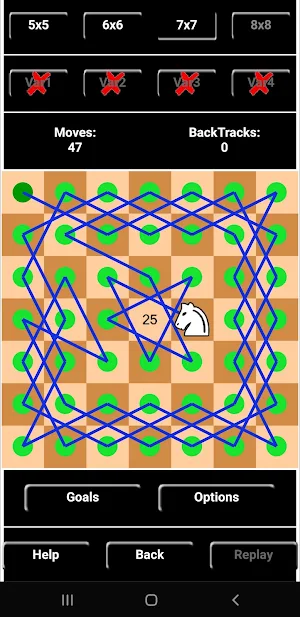
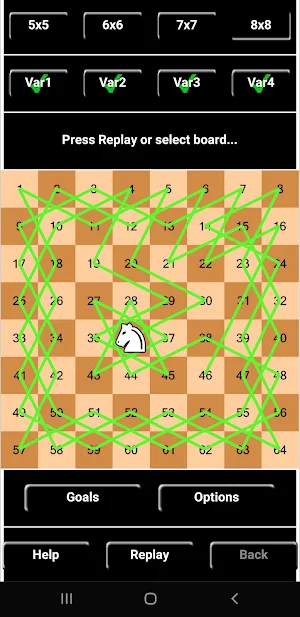
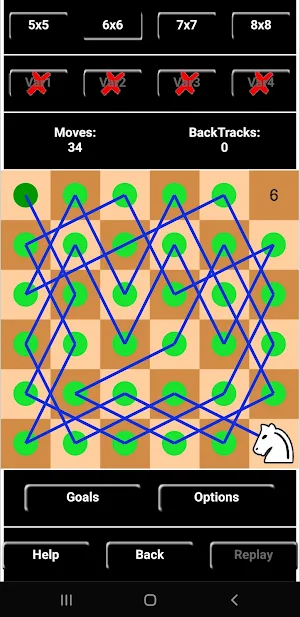


About Knights Tour Chess Board Games
Knight's Tour Chess Puzzle Offline Board Games no ads, nags, or in app purchases
Walking the board and visiting every square with a single Chess piece is called a tour of the board. There are two types of tours in consideration here: an open tour and a closed tour.
An open tour visits each square once and only once.
A closed tour is an open tour that can end on the starting square, thus completing a loop.
Using the movement rules for the Knight in Chess, your task is to tour the board with the Knight.
The board is solved when all squares have been visited, open or closed.
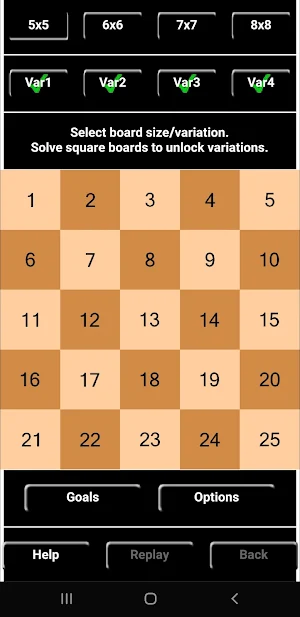
To begin, choose a board size/variation and tap the desired starting square when prompted.
You are presented with puzzles on 5x5, 6x6, 7x7, and 8x8 square boards, and four variations for each board size. Each board can have many solutions, open and/or closed.
To enable the variations, you must first solve the square board and achieve certain goals. Each square board has four goals, and vary depending on if the board is even or odd : Open and/or Closed solution, Start/End on center square or square 1, solve with Backtracks = 0.
Each goal achieved enables one variation. It is possible to have a single solution of a square board achieve all goals simultaneously, thus enabling all four variations. There are no goals for the variations and they may be solved in any way.
Once all four variations are solved, the next size board is enabled. For example, once the 5x5 square board and its four variations are solved, the 6x6 square board will be enabled.
You can land on a square only once. Each move will block that square from being visited again, unless backtracked. You are able to backtrack one move at a time, or tap the board size/variation to reset the square board/variation.
When all square boards and their respective variations are solved, an additional 8 variations are enabled and can be activated via the Vars 5-12 switch under Options.
Several elements allow you to customize certain options:
5x5, 6x6, 7x7, 8x8 = Choose board size.
Var1-4 = Select a variation of the chosen board size.
Number of Moves = Toggle among number of moves, percent complete, or number of squares covered.
Sound = Turn sound On/Off.
Color = Choose black or white Knight.
Numbers = Show the square ordinal numbers.
Show Mark/Path = Turn marker/path On/Off.
Mark/Path Color = Choose marker/path colors. Tap to toggle through common colors or hold to choose a random color. Note that the starting marker is always green.
One approach is to find an open solution, then backtrack until you can possibly close the tour.
Lastly, if you have comments, suggestions, complaints, or otherwise, please email [email protected]
What’s new
Version 1.0.7 · Updated August 10, 2026
TargetSDK=36, per Google requirements.
User reviews

Great Knights Tour puzzle game with many challenging variations. You need to solve the square boards with 4 goals to enable all variations. Extra variations enabled under Options when 8x8 boards are solved. Need to check Goals to see which solutions you have found.
Alternatives to Knights Tour Chess Board Games
Looking for apps like Knights Tour Chess Board Games? Here are 6 similar Android apps on Google Play. The highest rated is 10 WPM CW Morse code trainer (4.1/5), and 3 of the 6 are free to download.
-
10 WPM CW Morse code trainer 4.0
-
Amateur ham radio Q-code quiz
-
Simple Barcode QR-code Scanner
-
Alphanumeric Morse Code Tutor
-
Morse Code Defender TX game
-
4x4 Solo Mini Chess Puzzles
| App | Rating | Price | Installs | Last updated | Compare |
|---|---|---|---|---|---|
| Knights Tour Chess Board Games | 4.6 / 5 | Free | 1,000+ | Aug 10, 2026 | |
| 10 WPM CW Morse code trainer | 4.1 / 5 | Free | 10,000+ | Aug 15, 2026 | Compare |
| Amateur ham radio Q-code quiz | – | Free | 1,000+ | Aug 12, 2026 | Compare |
| Simple Barcode QR-code Scanner | – | Free | 1+ | May 29, 2022 | Compare |
| Alphanumeric Morse Code Tutor | – | 2.99 USD | 10+ | Aug 12, 2026 | Compare |
| Morse Code Defender TX game | – | 2.99 USD | 10+ | Aug 14, 2026 | Compare |
| 4x4 Solo Mini Chess Puzzles | – | 2.99 USD | 10+ | Aug 12, 2026 | Compare |
Similar apps on Google Play
- 10 WPM CW Morse code trainer
- Knights Tour Chess Board Games
- Amateur ham radio Q-code quiz
- Simple Barcode QR-code Scanner
- Alphanumeric Morse Code Tutor
- Morse Code Defender TX game
- 4x4 Solo Mini Chess Puzzles
- 10-40WPM Morse Code RX trainer
- 4 Piece Mini Chess Puzzles
- Math Brain Teaser Puzzle Games
- CW Morse code iambic practice
- Morse code practice oscillator
- 和文モールス練習 Japanese Morse code
- Amateur Radio Grid Square Tool
- 15 WPM CW Morse code trainer
- 30 WPM CW Morse code trainer
- 25 WPM CW Morse code trainer
- 20 WPM CW Morse code trainer
- 20 Second Tap the Shapes Fast
- CW Morse practice oscillators
- 20 second Fun Tap It Fast Game
- 16+ Tone DTMF CTCSS Generator
- 4x4 Solo Mini Chess LS test