

Device Info
Tools
Get complete insights into your mobile device with this system information app
- Downloads
- 496+
- on Google Play
- Price
- Free
- No in-app purchases
- Updated
- Sep 7
- 2026 · v1.0.6
Screenshots
About Device Info
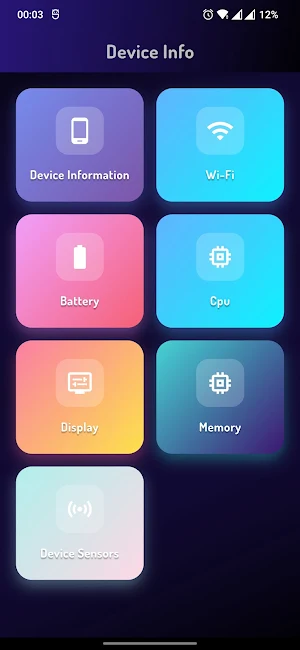
Get complete insights into your mobile device with this sleek, professional system information app. Featuring a modern dark interface with intuitive navigation, Device Info provides comprehensive hardware and software details at your fingertips.
Core Features:
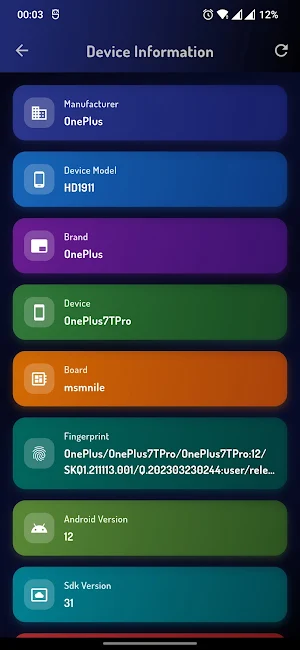
📱 Device Information
Model name, manufacturer, and build details
Android version and security patch level
Hardware specifications overview
📶 Wi-Fi Analysis
Connected network details and signal strength
Network speed and latency testing
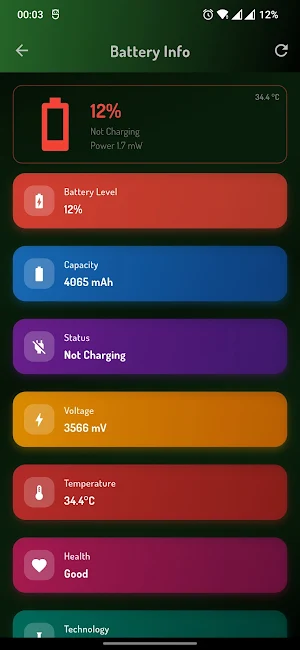
🔋 Battery Monitor
Real-time battery percentage and health status
Estimated usage time remaining
⚙️ CPU Performance
Processor model, architecture, and core count
Real-time CPU usage and temperature
Clock speeds and performance states
🖥️ Display Properties
Screen resolution, density, and refresh rate
Color depth and display technology
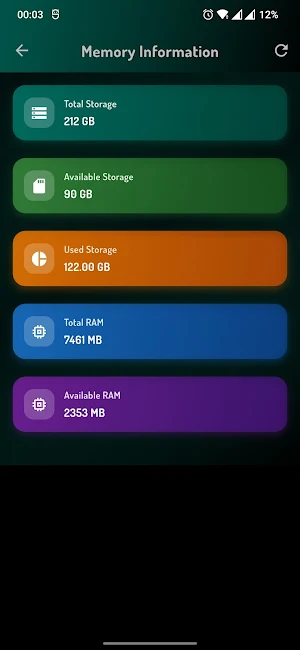
💾 Memory & Storage
RAM usage (total, used, available)
Internal and external storage breakdown
Key Benefits:
Clean, dark-themed interface easy on the eyes
No root/jailbreak required
Lightweight and fast performance
Perfect for developers, IT professionals, tech enthusiasts, or anyone wanting to understand their device better. Monitor performance, troubleshoot issues, and make informed decisions about your mobile device.
Core Features:
📱 Device Information
Model name, manufacturer, and build details
Android version and security patch level
Hardware specifications overview
📶 Wi-Fi Analysis
Connected network details and signal strength
Network speed and latency testing
🔋 Battery Monitor
Real-time battery percentage and health status
Estimated usage time remaining
⚙️ CPU Performance
Processor model, architecture, and core count
Real-time CPU usage and temperature
Clock speeds and performance states
🖥️ Display Properties
Screen resolution, density, and refresh rate
Color depth and display technology
💾 Memory & Storage
RAM usage (total, used, available)
Internal and external storage breakdown
Key Benefits:
Clean, dark-themed interface easy on the eyes
No root/jailbreak required
Lightweight and fast performance
Perfect for developers, IT professionals, tech enthusiasts, or anyone wanting to understand their device better. Monitor performance, troubleshoot issues, and make informed decisions about your mobile device.
Alternatives to Device Info
Looking for apps like Device Info? Here are 2 similar Android apps on Google Play. All of them are free to download.


| App | Rating | Price | Installs | Last updated | Compare |
|---|---|---|---|---|---|
| Device Info | – | Free | 100+ | Sep 7, 2026 | |
| Chess Offline | – | Free | 10,000+ | Sep 12, 2026 | Compare |
| Stat For CR | – | Free | 10+ | Sep 5, 2026 | Compare |
Compare Device Info with the top alternatives: ratings, updates, ASO score and keyword gaps →