

MyLekha Customer Display
MyLekha Tech Solutions Business
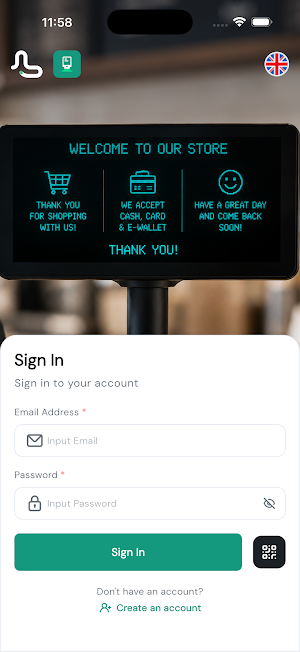
Customer-facing display for Mylekha POS — show orders & accept QR payments.
- Downloads
- 22+
- on Google Play
- Price
- Free
- No in-app purchases
- Updated
- Jun 24
- 2026 · v1.0.0
Screenshots


About MyLekha Customer Display
Mylekha Customer Display transforms any tablet or secondary screen into a
smart customer-facing display for your Mylekha point-of-sale system.
KEY FEATURES
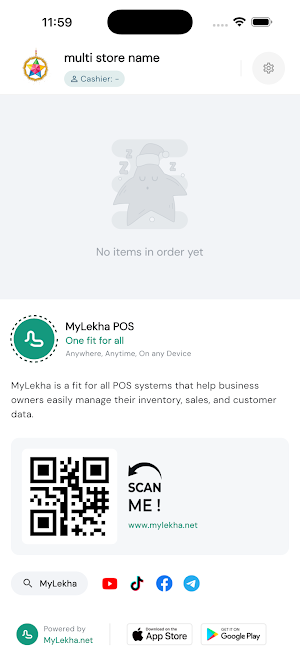
• Live Order View — customers see each item, quantity, and price update in
real time as the cashier adds them to the cart.
• Order Summary & Total — clearly shows subtotals, taxes, discounts, and
the amount due before payment is confirmed.
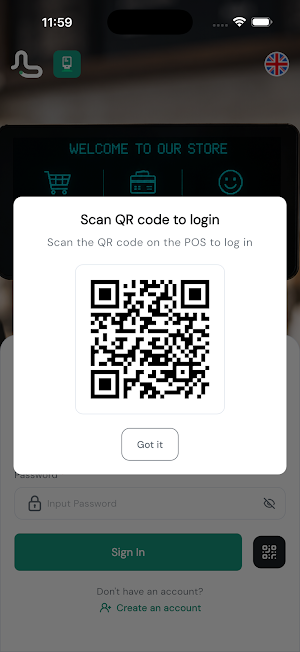
• QR Self-Order — customers can scan a QR code to browse the menu and place
or add to their own order directly from their phone.
• Spin & Win Promotions — engage customers at checkout with interactive
promotional moments tied to their purchase.
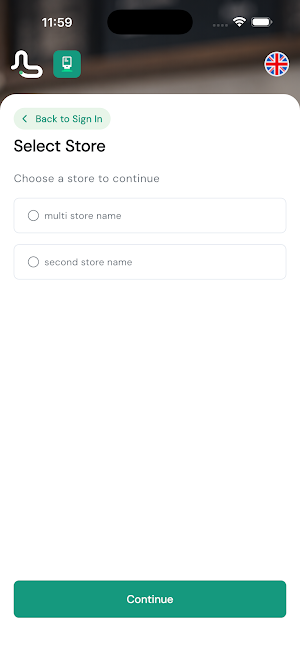
• Multi-Outlet Ready — supports multiple store locations and kitchen stations
from a single app install using built-in flavor configuration.
• Always On — lightweight and stable, designed to run continuously on
dedicated display hardware without interruption.
REQUIREMENTS
Requires an active Mylekha merchant account and a configured POS terminal
running the Mylekha POS app on the same network.
For setup and support visit mylekha.app or contact [email protected].
smart customer-facing display for your Mylekha point-of-sale system.
KEY FEATURES
• Live Order View — customers see each item, quantity, and price update in
real time as the cashier adds them to the cart.
• Order Summary & Total — clearly shows subtotals, taxes, discounts, and
the amount due before payment is confirmed.
• QR Self-Order — customers can scan a QR code to browse the menu and place
or add to their own order directly from their phone.
• Spin & Win Promotions — engage customers at checkout with interactive
promotional moments tied to their purchase.
• Multi-Outlet Ready — supports multiple store locations and kitchen stations
from a single app install using built-in flavor configuration.
• Always On — lightweight and stable, designed to run continuously on
dedicated display hardware without interruption.
REQUIREMENTS
Requires an active Mylekha merchant account and a configured POS terminal
running the Mylekha POS app on the same network.
For setup and support visit mylekha.app or contact [email protected].
What’s new
Version 1.0.0 · Updated June 24, 2026
Live order view — customers see items and totals update in real time • QR self-order — scan to browse the menu and place orders from any phone • Spin & Win — interactive promotions at checkout • Supports multiple store locations and kitchen stations • Designed to run continuously on dedicated display hardware
Alternatives to MyLekha Customer Display
Looking for apps like MyLekha Customer Display? Here are 3 similar Android apps on Google Play. All of them are free to download.


| App | Rating | Price | Installs | Last updated | Compare |
|---|---|---|---|---|---|
| MyLekha Customer Display | – | Free | 10+ | Jun 24, 2026 | |
| MyLekha Kitechen Display | – | Free | 10+ | Jun 24, 2026 | Compare |
| MyLekha POS | – | Free | 1,000+ | Jul 14, 2026 | Compare |
| MyLekha Dashboard | – | Free | 5,000+ | – | Compare |