

CLauncher
MLM Games Art & Design
A minimal home launcher, but With All Apps Hidden
- Downloads
- 3K+
- on Google Play
- Price
- Free
- No in-app purchases
- Updated
- Sep 12
- 2026 · vv5.3.0
Screenshots
About CLauncher
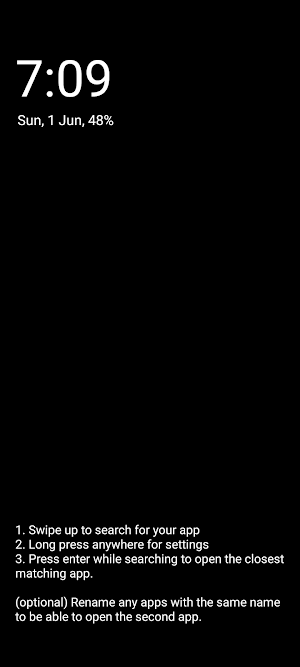
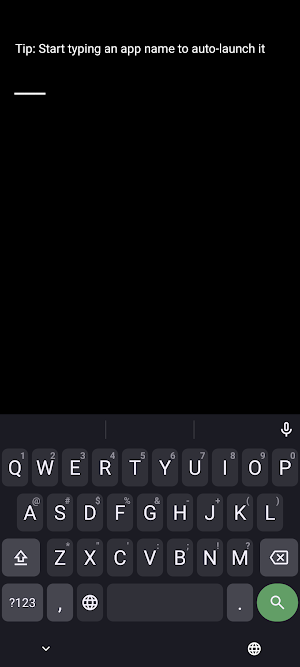
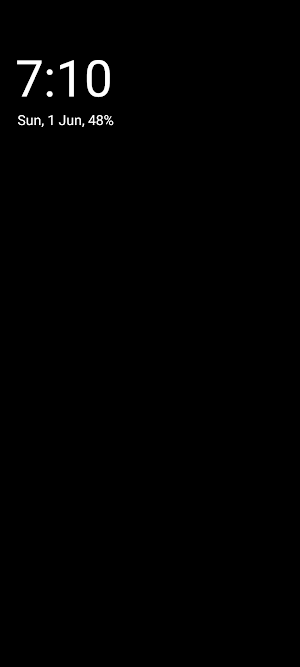
A home screen launcher which is yet another Olauncher fork where apps are invisible by default. You only need to type the name of the app you want to open. This helps reduce your screen time by preventing you from opening apps you didn't plan on using.
Would recommend using a grey or black wallpaper (for immersion).
FEATURES
- No ads
- FOSS forever
- Clean, fast and lightweight
HOW TO USE
- Swipe up to see all the apps and quick search
- Swipe down for notification drawer
- Long press home apps to change them
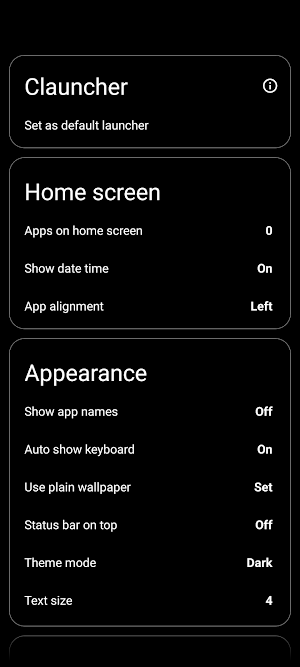
- Important: Long press on empty space to open settings
Once you open the settings, you'll see all the available options.
Accessibility Service:
This app uses the AccessibilityService API exclusively to enable the optional double-tap-to-lock screen gesture. It is disabled by default, is completely optional, and does not collect, store, or share any data.
Would recommend using a grey or black wallpaper (for immersion).
FEATURES
- No ads
- FOSS forever
- Clean, fast and lightweight
HOW TO USE
- Swipe up to see all the apps and quick search
- Swipe down for notification drawer
- Long press home apps to change them
- Important: Long press on empty space to open settings
Once you open the settings, you'll see all the available options.
Accessibility Service:
This app uses the AccessibilityService API exclusively to enable the optional double-tap-to-lock screen gesture. It is disabled by default, is completely optional, and does not collect, store, or share any data.
User reviews

good
Alternatives to CLauncher
Looking for apps like CLauncher? Here are 6 similar Android apps on Google Play.





| App | Rating | Price | Installs | Last updated | Compare |
|---|---|---|---|---|---|
| CLauncher | – | Free | 1,000+ | Sep 12, 2026 | |
| Miniter | – | 2.99 USD | 1+ | Oct 21, 2026 | Compare |
| Mages | – | 2.99 USD | 0+ | Oct 9, 2026 | Compare |
| Cavern Cravers | – | 2.99 USD | 0+ | – | Compare |
| IRemote | – | 0.99 USD | 1+ | Aug 15, 2026 | Compare |
| Forigon | – | 1.99 USD | 0+ | – | Compare |
| Yadaw | – | 4.99 USD | 1+ | – | Compare |
Compare CLauncher with the top alternatives: ratings, updates, ASO score and keyword gaps →