
XLS | XLSX to PDF Converter
GD Techlab Productivity Contains ads
Quick & easy to convert the Excel workbook (.xlsx & .xls files) into PDF format
- Downloads
- 100+
- on Google Play
- Price
- Free
- No in-app purchases
- Updated
- Feb 22
- 2024 · v2.0
Screenshots


About XLS | XLSX to PDF Converter
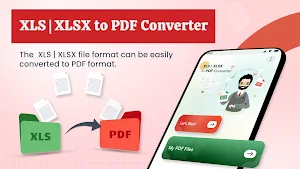
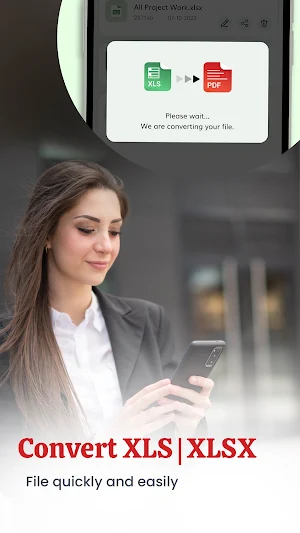
XLS | XLSX to PDF Converter app is the ultimate tool for seamless and efficient Excel to PDF conversion. The app will effortlessly convert your .xlsx and .xls spreadsheets into PDF documents with just a few taps.
How to Convert the XLS & XLSX files into PDF?
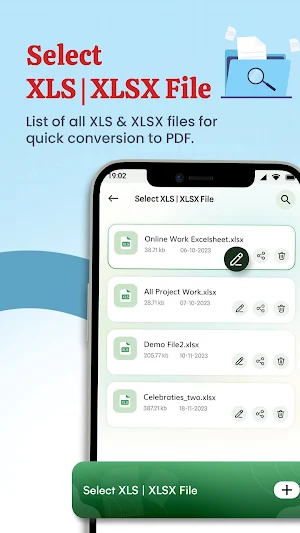
1. Select your .xlsx spreadsheet or .xls sheet, the all Excel file listing.
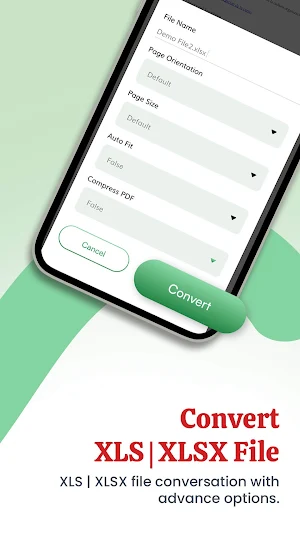
2. You can rename, select page orientation, page size, auto-fit, and compress the PDF.
3. Click on Convert.
And yeah! In just a few seconds, your Excel file will be converted into a PDF file. You can view the file after the conversion. Share option, to share the converted file directly from the list to others.
If you want to remove the blank pages or any other unwanted pages, then it is possible with this app. You have to enter the page numbers that you want to remove and click on Remove. You can view the file with the removed pages.
With this Excel to PDF conversion tool, you can quickly convert your Excel XLS & XLSX files into PDFs without losing any formatting or data. Whether the file contains complex tables, formulas, or charts, this converter tool ensures a smooth transition from Excel spreadsheets into PDF documents.
Key Features:
1. Page Orientation:
You can customize the PDF's orientation by choosing between portrait, landscape, or default orientation. You can select your preferred orientation to complete your specific requirements.
2. Page Size:
You can choose the preferred page size for your PDF files. You will get the Letter, Tabloid, Legal, Statement, Executive, A3, A4, A5, B4, B5, and default page sizes options.
3. Auto Fit:
You enable or disable the auto-fit options for your PDF documents.
4. Compress:
Optimize your PDF files by compressing them without losing their quality. Our app includes a compression feature, allowing you to reduce file sizes for easier sharing and storage.
This app is a quick and easy way to convert Excel workbooks (.xlsx & .xls) into PDF format.
How to Convert the XLS & XLSX files into PDF?
1. Select your .xlsx spreadsheet or .xls sheet, the all Excel file listing.
2. You can rename, select page orientation, page size, auto-fit, and compress the PDF.
3. Click on Convert.
And yeah! In just a few seconds, your Excel file will be converted into a PDF file. You can view the file after the conversion. Share option, to share the converted file directly from the list to others.
If you want to remove the blank pages or any other unwanted pages, then it is possible with this app. You have to enter the page numbers that you want to remove and click on Remove. You can view the file with the removed pages.
With this Excel to PDF conversion tool, you can quickly convert your Excel XLS & XLSX files into PDFs without losing any formatting or data. Whether the file contains complex tables, formulas, or charts, this converter tool ensures a smooth transition from Excel spreadsheets into PDF documents.
Key Features:
1. Page Orientation:
You can customize the PDF's orientation by choosing between portrait, landscape, or default orientation. You can select your preferred orientation to complete your specific requirements.
2. Page Size:
You can choose the preferred page size for your PDF files. You will get the Letter, Tabloid, Legal, Statement, Executive, A3, A4, A5, B4, B5, and default page sizes options.
3. Auto Fit:
You enable or disable the auto-fit options for your PDF documents.
4. Compress:
Optimize your PDF files by compressing them without losing their quality. Our app includes a compression feature, allowing you to reduce file sizes for easier sharing and storage.
This app is a quick and easy way to convert Excel workbooks (.xlsx & .xls) into PDF format.
Alternatives to XLS | XLSX to PDF Converter
Looking for apps like XLS | XLSX to PDF Converter? Here are 6 similar Android apps on Google Play. The highest rated is Man Leather Coat Photo Editor (4.5/5), and all 6 are free to download.
-
Army Man Photo Editor 4.2
-
Man Muscle Editor, Biceps, Six 2.4
-
Man Leather Coat Photo Editor 4.5
-
Family Photo: Frame & Collage
-
Arab Man Dress Photo Studio 3.7
-
Hairstyles step by step easy,
| App | Rating | Price | Installs | Last updated | Compare |
|---|---|---|---|---|---|
| XLS | XLSX to PDF Converter | – | Free | 100+ | Feb 22, 2024 | |
| Army Man Photo Editor | 4.2 / 5 | Free | 500,000+ | – | Compare |
| Man Muscle Editor, Biceps, Six | 2.4 / 5 | Free | 100,000+ | – | Compare |
| Man Leather Coat Photo Editor | 4.5 / 5 | Free | 100,000+ | Nov 8, 2024 | Compare |
| Family Photo: Frame & Collage | – | Free | 10,000+ | – | Compare |
| Arab Man Dress Photo Studio | 3.7 / 5 | Free | 50,000+ | Sep 23, 2025 | Compare |
| Hairstyles step by step easy, | – | Free | 1,000,000+ | Aug 14, 2025 | Compare |
Similar apps on Google Play
- Army Man Photo Editor
- Man Muscle Editor, Biceps, Six
- Man Leather Coat Photo Editor
- Family Photo: Frame & Collage
- Arab Man Dress Photo Studio
- Hairstyles step by step easy,
- Eyebrow Shape Changer and Edit
- Grimace Call Sim: Audio|Video
- Man Shirt with Tie Photo Edito
- African Man Latest Photo Suit
- Letter Photo Collage Editor
- PUB to PDF File Converter
- Horror & Scary Soundboard
- Celebrity Prank Videocall|Chat
- Text to AI Photo Art Generator
- Cake Maker: Virtual Happy Bday
- Time Warp Scan & Face Filter
- AI Photo Blur Remover
- Hairstyles for short hair Girl
- Marathi Traditional Pheta Edit
- Man Traditional Photo Suit Edi
- Six Pack Tattoo Body Photo Edi
- Man T-Shirt Fashion Photo Edit
- Man Stylish Fashion Kurta Kame
- Man Latest Blazer Photo Editor
- Eyelashes Photo Editor - Eye B
- 3D Cube Photo Live Wallpaper L
- Remove Acne from Face
- Body Shape Changer - Slim Body