
LCD Radar Watch Face
Stray Watch Personalization
LCD-style WearOS watch face with tons of features
- Downloads
- 1+
- on Google Play
- Price
- $0.99
- No in-app purchases
- Updated
- Feb 12
- 2023 · v1.2
Screenshots

About LCD Radar Watch Face
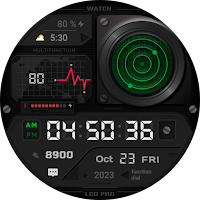
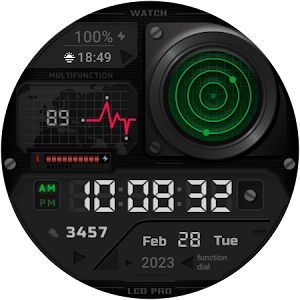
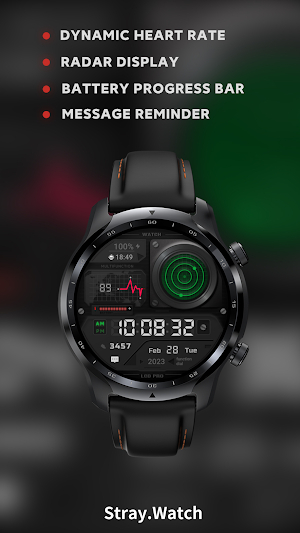
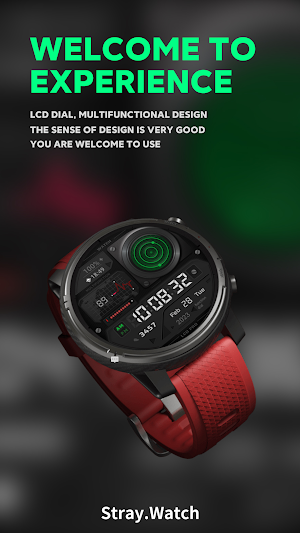
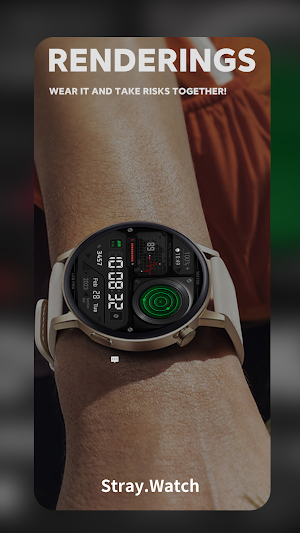
Newly designed LCD-style Wear OS watch face, radar time display, dynamic heart rate, luminous time system, full of design details.
The outermost dot of the radar is the second hand, and the inner dot is the minute hand.
This watch face supports all Wear OS devices with API Level 28+ like Samsung Galaxy Watch 4, Galaxy Watch 5, Pixel Watch etc.
Watch face features:
- Battery percent and progress bar display
- Sunrise and sunset time display
- Automatic measurement and display of heart rate (click on the heart rate area to perform manual measurement)
- AM/PM/24H display
- Display of exercise steps
- Unread notification status
*Heart Rate Notes:
The watch face does not automatically measure and does not automatically display the HR result when installed.
To view your current heart rate data you’ll need to take a manual measurement. To do this, tap on the heart rate display area. Wait a few seconds. The watch face will take a measurement and display the current result.
Make sure you have allowed the use of the sensors when installed the watchface otherwise swap with another watch face and then come back to this to enable the sensors. .
After the first manual measurement, the watch face can automatically measure your heart rate every 10 minutes. Manual measurement will also be possible.
**some features may not be available on some watches.
Thanks for supporting Stray Watch!
The outermost dot of the radar is the second hand, and the inner dot is the minute hand.
This watch face supports all Wear OS devices with API Level 28+ like Samsung Galaxy Watch 4, Galaxy Watch 5, Pixel Watch etc.
Watch face features:
- Battery percent and progress bar display
- Sunrise and sunset time display
- Automatic measurement and display of heart rate (click on the heart rate area to perform manual measurement)
- AM/PM/24H display
- Display of exercise steps
- Unread notification status
*Heart Rate Notes:
The watch face does not automatically measure and does not automatically display the HR result when installed.
To view your current heart rate data you’ll need to take a manual measurement. To do this, tap on the heart rate display area. Wait a few seconds. The watch face will take a measurement and display the current result.
Make sure you have allowed the use of the sensors when installed the watchface otherwise swap with another watch face and then come back to this to enable the sensors. .
After the first manual measurement, the watch face can automatically measure your heart rate every 10 minutes. Manual measurement will also be possible.
**some features may not be available on some watches.
Thanks for supporting Stray Watch!
Alternatives to LCD Radar Watch Face
Looking for apps like LCD Radar Watch Face? Here are 6 similar Android apps on Google Play.
-
Cell of Art Watch Face
-
Wheel Watch Face
-
Memory Watch Face
-
Strange Disk
-
Purely Watch Face
-
Dragonscale Watch Face
| App | Rating | Price | Installs | Last updated | Compare |
|---|---|---|---|---|---|
| LCD Radar Watch Face | – | $0.99 | 1+ | Feb 12, 2023 | |
| Cell of Art Watch Face | – | 0.99 USD | 0+ | Aug 22, 2024 | Compare |
| Wheel Watch Face | – | 0.49 USD | 0+ | Feb 13, 2023 | Compare |
| Memory Watch Face | – | 0.49 USD | 0+ | Feb 13, 2023 | Compare |
| Strange Disk | – | 0.99 USD | 0+ | Feb 13, 2023 | Compare |
| Purely Watch Face | – | 0.49 USD | 0+ | Feb 13, 2023 | Compare |
| Dragonscale Watch Face | – | 0.99 USD | 0+ | Feb 17, 2023 | Compare |