Saffron Building Society
Download our Mobile banking app and manage your Savings Accounts ‘On the Go’
About Saffron Building Society
How to register
To use our mobile app you must be registered to use our online banking service. If you aren’t already registered to use our online banking service, please call us on 0800 072 1100 or visit your local branch; opening times are available on our website.
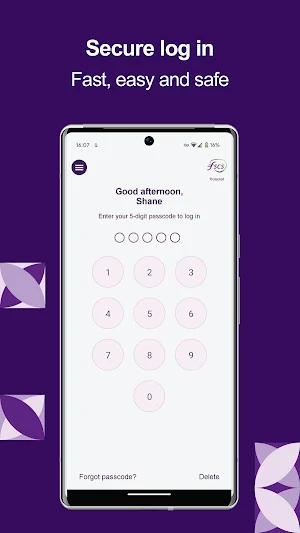
During the app registration process you will need to enter your online banking User ID, password and memorable details into the app. You will then need to set up a 5 digit pass code for the app which you can use next time you log in.
What can you do?
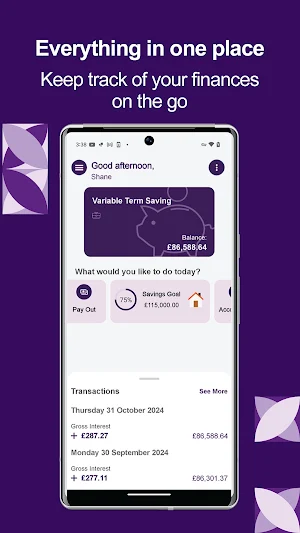
• View all your savings accounts in one place (personal and corporate)
• View your account balance and current interest rate
• View transactions and those scheduled for the future
• View and manage your personal details
• View, send and receive secure messages
• View your account documents
• Transfer money to another Saffron savings account
• Transfer money to your existing nominated bank account
• Set up and manage transfers to your existing nominated bank account for a future date
• Change the name of your accounts to something more personal, like ‘Rainy Day Savings’
• View information about our branches , such as locations, opening times and facilities
Important Information
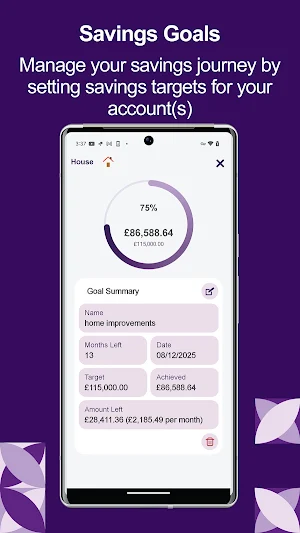
• Set up a Savings Goal on your account(s)
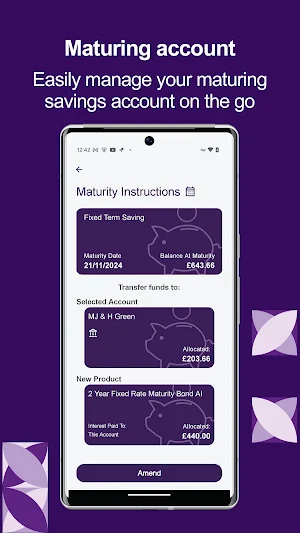
• Tell us your maturity instructions
• Reset your login information within the app
• Please ensure you have the latest software on your phone so that our app works efficiently and is easy to use
• We’ve created some mobile app terms and conditions; these can be found within our app or on https://www.saffronbs.co.uk/mobile-app-terms-and-conditions/
• If you have any questions about our app, please visit our FAQs, these can be found within our app or on https://www.saffronbs.co.uk/savings/savings-online-faqs/
• Google Play and the Google Play logo are trademarks of Google Inc.
Saffron Building Society is authorised by the Prudential Regulation Authority and regulated by the Financial Conduct Authority and the Prudential Regulation Authority (Financial Services Register no. 100015) except for Commercial and Investment Buy to Let Mortgages. Registered office: Saffron House, 1a Market Street, Saffron Walden, Essex CB10 1HX.
Similar Apps

Legendary Investors
Discover how the greatest investors build their portfolios

Abhilekh iSmart
Abhilekh iSmart is smart mobile banking and finance app for customers.

Kele Personal Banking
Experience convenience with Kele; send and receive money and pay your bills

Coaxlure
Turn your shopping into a rewarding experience with digital gold cashback

SEND
Send money to your loved ones back home, with clear pricing at your fingertips.

Bath Building Society
Secure, safe access to your Bath Building Society savings & mortgage accounts.