

FridgeChef AI
天橋科技有限公司 Food & Drink Contains ads
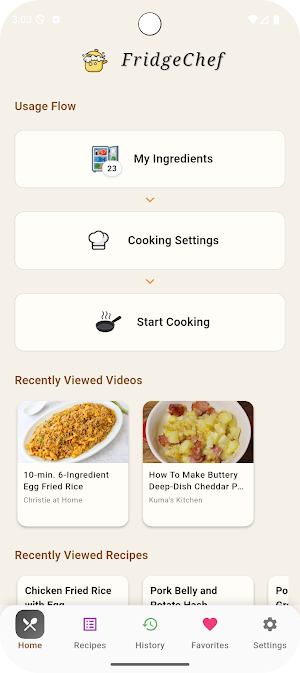
FridgeChef AI finds recipes from your fridge — fast, simple, and fun!
- Rating
- 5.0
- 5 ratings
- Downloads
- 50+
- on Google Play
- Price
- Free
- No in-app purchases
- Updated
- Nov 6
- 2025 · v1.2.0
Screenshots


About FridgeChef AI
🧊 FridgeChef AI — Your Smart Kitchen Assistant
Don’t know what to cook tonight? Let FridgeChef AI decide for you!
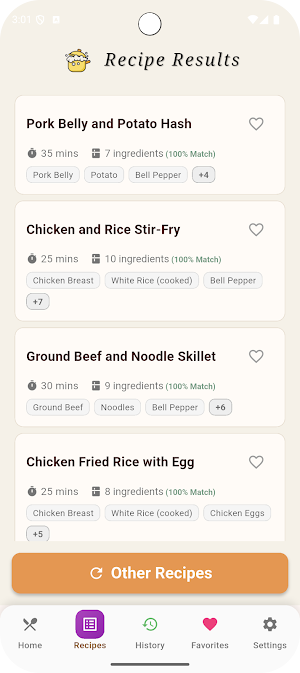
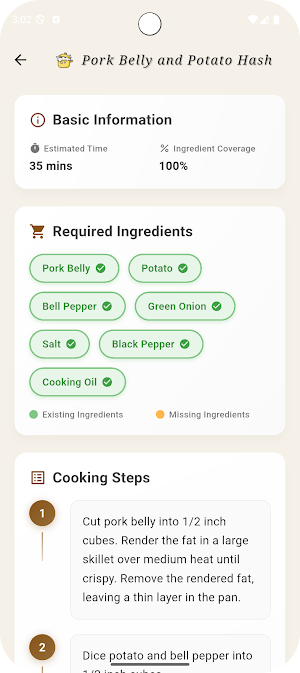
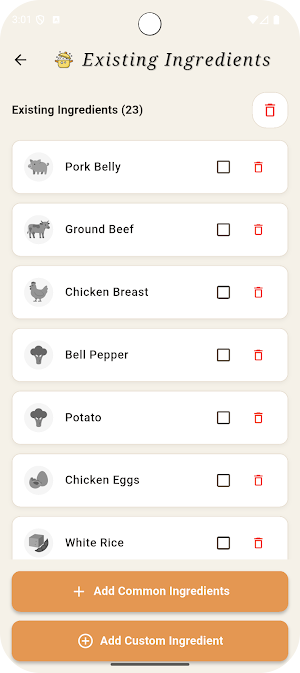
Simply enter what’s in your fridge, and the AI instantly creates multiple recipe ideas — from quick meals to creative dishes using leftovers.
🍳 Personalized Cooking Experience
Choose your preferred cuisine (Chinese, Japanese, Korean, Western, etc.), dish type (main course, soup, dessert…), and even add personal notes. The AI adapts its recipes to your taste and ingredients — perfect for beginners or experienced cooks alike.
🎥 Watch and Cook with YouTube
Each recipe comes with related YouTube tutorials so you can follow along visually while cooking.
⚡ Fast, Simple, and Free to Use
No subscriptions, no complicated setup — just open the app, add your ingredients, and start your cooking adventure right away.
Let FridgeChef AI turn your fridge into a world of culinary possibilities!
Don’t know what to cook tonight? Let FridgeChef AI decide for you!
Simply enter what’s in your fridge, and the AI instantly creates multiple recipe ideas — from quick meals to creative dishes using leftovers.
🍳 Personalized Cooking Experience
Choose your preferred cuisine (Chinese, Japanese, Korean, Western, etc.), dish type (main course, soup, dessert…), and even add personal notes. The AI adapts its recipes to your taste and ingredients — perfect for beginners or experienced cooks alike.
🎥 Watch and Cook with YouTube
Each recipe comes with related YouTube tutorials so you can follow along visually while cooking.
⚡ Fast, Simple, and Free to Use
No subscriptions, no complicated setup — just open the app, add your ingredients, and start your cooking adventure right away.
Let FridgeChef AI turn your fridge into a world of culinary possibilities!
What’s new
Version 1.2.0 · Updated November 6, 2025
Corrected ingredient matching in Simplified Chinese version. Added full Korean language support. Added Simplified Chinese language option.
Alternatives to FridgeChef AI
Looking for apps like FridgeChef AI? Here are 3 similar Android apps on Google Play. All of them are free to download.



| App | Rating | Price | Installs | Last updated | Compare |
|---|---|---|---|---|---|
| FridgeChef AI | 5.0 / 5 | Free | 50+ | Nov 6, 2025 | |
| 愛迪英語 | – | Free | 10+ | Oct 20, 2025 | Compare |
| 等紅燈 | – | Free | 10+ | Sep 3, 2024 | Compare |
| inWedding for friends | – | Free | 50,000+ | Nov 17, 2025 | Compare |
Compare FridgeChef AI with the top alternatives: ratings, updates, ASO score and keyword gaps →