
AI Draw Sketch & Trace
Salma Naz Art & Design Contains ads
AI Draw Sketch & Trace, Draw Trace Anything, Sketch Trace, Trace to draw
- Downloads
- 500+
- on Google Play
- Price
- Free
- No in-app purchases
- Updated
- Aug 24
- 2023 · v1.1
Screenshots


About AI Draw Sketch & Trace
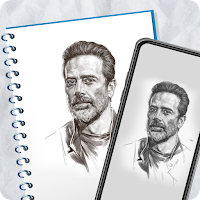
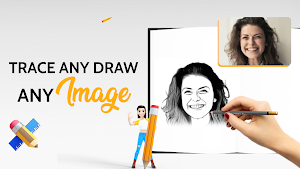
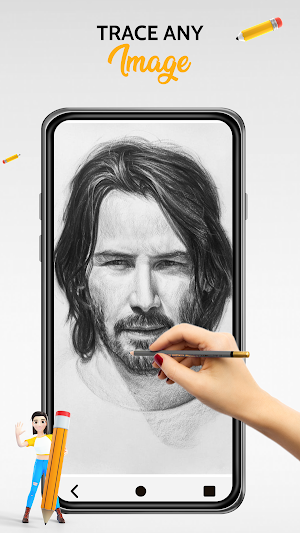
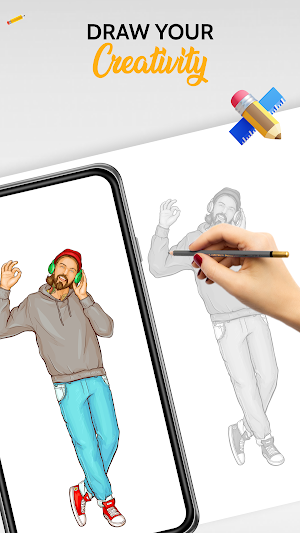
AI Draw Sketch & Trace is a drawing and sketch app that you can use to create any drawing from scratch. Instead of offering a huge variety of pencils, brushes, and paintbrushes, with this app, Trace and sketch any photo or image like using a tracing paper. Surprise your dear ones by drawing their caricature and send it to them.Kids can use this application to learn drawing by tracing their favorite animals, flowers, comic characters etc.Take picture of your dear ones and crop it as you like. Select a canvas image and adjust the transparency of the photo so that you can comfortably trace and sketch over it. Use different brush patterns, colors and sizes to make your sketch more artistic. Share your sketch on your favorite social media.
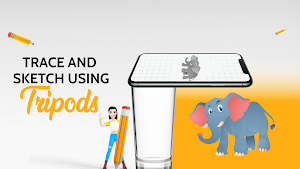
Using this you may learn and practice drawing. Also make tracing an image easy. Just select an image will appear on screen. Place phone about 1feet above and look into the phone and draw on paper.
Turn your desire to be a sketch artist by using this Draw Sketch & Trace App. AI Draw Sketch & Trace has a special design to easily start learning sketching, drawing, and tracing with your smart device. The app Includes a variety of features such as the ability to adjust photos on screen with your choice, Select and apply photos from the gallery and camera, change the color of the trace, and adjust brightness with your needs of the drawing. One of the best tools to easily start learning sketching and tracing your way.
AI Draw Sketch & Trace Features
* Crop image before sketching
* Adjust pixel size, opacity and color of the brush
* More than ten different brush patterns
* Choose any color using a simple color picker.
* Adjust the pixel size of the eraser.
* Redo and undo your strokes.
* Paint bucket fill with tap to color contours.
* Duplicate sketches to work on the same sketch in different ways.
* Add canvas from photo gallery or fill with color.
* Pinch zoom and drag to make accurate drawing.
* Autosaving changes.
* Adjust the transparency of the canvas
* Export your sketch in desired size and frame.
* Share your drawing on different social media.
* All your sketches are saved inside the application.
* Edit or retouch your drawings and share it at any time.
Using this you may learn and practice drawing. Also make tracing an image easy. Just select an image will appear on screen. Place phone about 1feet above and look into the phone and draw on paper.
Turn your desire to be a sketch artist by using this Draw Sketch & Trace App. AI Draw Sketch & Trace has a special design to easily start learning sketching, drawing, and tracing with your smart device. The app Includes a variety of features such as the ability to adjust photos on screen with your choice, Select and apply photos from the gallery and camera, change the color of the trace, and adjust brightness with your needs of the drawing. One of the best tools to easily start learning sketching and tracing your way.
AI Draw Sketch & Trace Features
* Crop image before sketching
* Adjust pixel size, opacity and color of the brush
* More than ten different brush patterns
* Choose any color using a simple color picker.
* Adjust the pixel size of the eraser.
* Redo and undo your strokes.
* Paint bucket fill with tap to color contours.
* Duplicate sketches to work on the same sketch in different ways.
* Add canvas from photo gallery or fill with color.
* Pinch zoom and drag to make accurate drawing.
* Autosaving changes.
* Adjust the transparency of the canvas
* Export your sketch in desired size and frame.
* Share your drawing on different social media.
* All your sketches are saved inside the application.
* Edit or retouch your drawings and share it at any time.
User reviews

Sketch photo maker best working application and i love this

Trace & Draw Trace to sketch this application is very fast and so beautiful application

Sketching app amazing application and i love this application

Trace & Draw Trace to sketch this application is very easy download from play store good application

Sketching app i like it very much very easy and very

Trace & Draw Trace to sketch very great and so useful easy application
Alternatives to AI Draw Sketch & Trace
Looking for apps like AI Draw Sketch & Trace? Here are 3 similar Android apps on Google Play. The highest rated is USA Phone Number Receive SMS (3.5/5), and all 3 are free to download.



| App | Rating | Price | Installs | Last updated | Compare |
|---|---|---|---|---|---|
| AI Draw Sketch & Trace | – | Free | 500+ | Aug 24, 2023 | |
| USA Phone Number Receive SMS | 3.5 / 5 | Free | 10,000+ | Sep 19, 2023 | Compare |
| Recieve SMS Temp Phone Number | – | Free | 5,000+ | Aug 7, 2023 | Compare |
| Wifi Analyzer Show Password | – | Free | 1,000+ | Oct 1, 2023 | Compare |