
Complication Info 2
AZWatch Personalization
Displaying some information from smartphone on the WearOS watchface.
- Downloads
- 215+
- on Google Play
- Price
- Free
- No in-app purchases
- Updated
- Nov 7
- 2025
Screenshots


About Complication Info 2
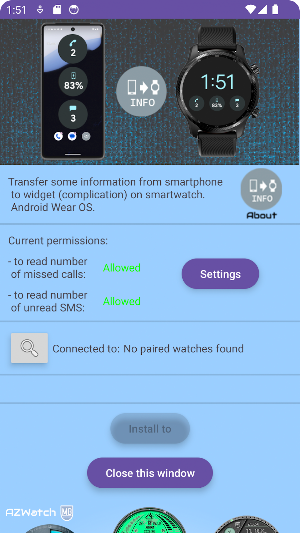
A lightweight app for receiving the following information from a paired smartphone on your Wear OS watch face:
- smartphone battery percentage
- number of missed calls
- number of unread SMS.
The app works as a complication: just select the widget you need from the list of complications (tap in the center of the watch face - settings - complications).
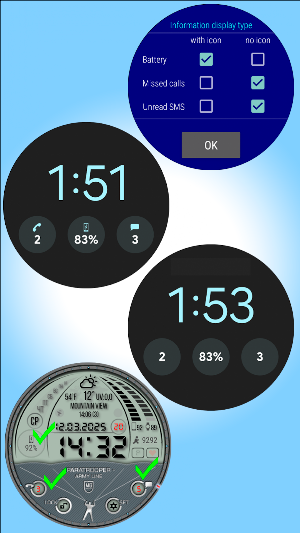
When you launch the app on the watch, you can choose the option to display the information - with or without an icon.
The version without an icon is useful when the watch face already has an icon drawn.
Tapping on a complication forces the information to be refreshed.
The app consumes almost no energy, since it wakes up only when it receives information from the phone.
In rare cases, it happens that the system resets the application activity. In this case, just tap on the complication. Tapping initiates a restart of the application, and the phone will respond automatically. In the most extreme case, restart the application from the list of applications.
Testing shows that a more stable and long-lasting phone-watch connection is achieved by manually launching the application on the phone.
Note (!): the application only works in conjunction with the companion application on the smartphone. Both apps must be installed and running.
Important! If you want the watch face to display the number of missed calls and/or unread SMS,
the app on your phone must be granted the appropriate permissions.
Data security: the app cannot work with calls and cannot read SMS.
Permissions are needed ONLY to determine the quantity of missed calls and the quantity of unread SMS.
- smartphone battery percentage
- number of missed calls
- number of unread SMS.
The app works as a complication: just select the widget you need from the list of complications (tap in the center of the watch face - settings - complications).
When you launch the app on the watch, you can choose the option to display the information - with or without an icon.
The version without an icon is useful when the watch face already has an icon drawn.
Tapping on a complication forces the information to be refreshed.
The app consumes almost no energy, since it wakes up only when it receives information from the phone.
In rare cases, it happens that the system resets the application activity. In this case, just tap on the complication. Tapping initiates a restart of the application, and the phone will respond automatically. In the most extreme case, restart the application from the list of applications.
Testing shows that a more stable and long-lasting phone-watch connection is achieved by manually launching the application on the phone.
Note (!): the application only works in conjunction with the companion application on the smartphone. Both apps must be installed and running.
Important! If you want the watch face to display the number of missed calls and/or unread SMS,
the app on your phone must be granted the appropriate permissions.
Data security: the app cannot work with calls and cannot read SMS.
Permissions are needed ONLY to determine the quantity of missed calls and the quantity of unread SMS.
What’s new
Updated November 7, 2025
Stable version
Alternatives to Complication Info 2
Looking for apps like Complication Info 2? Here are 5 similar Android apps on Google Play. All of them are free to download.
| App | Rating | Price | Installs | Last updated | Compare |
|---|---|---|---|---|---|
| Complication Info 2 | – | Free | 100+ | Nov 7, 2025 | |
| Orbit Watchface | – | Free | 1,000+ | – | Compare |
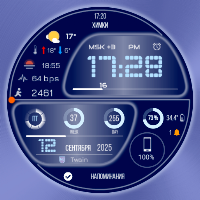
| Twain Watchface | – | Free | 1,000+ | – | Compare |
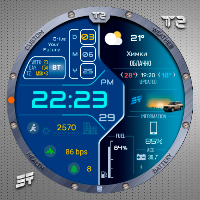
| Jett2 Watchface | – | Free | 5,000+ | Feb 8, 2026 | Compare |
| Complication Info | – | Free | 10+ | Mar 27, 2025 | Compare |
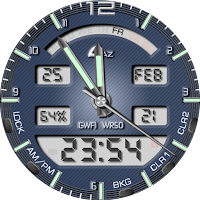
| GWF1 Watchface | – | Free | 5+ | Mar 15, 2022 | Compare |