
iThemes- Icon & Widget Control
TF Incredible Apps Personalization In-app purchases Contains ads
Control Widgets, Themes & Icons - Customise your Phone in style.
- Downloads
- 50K+
- on Google Play
- Price
- Free
- In-app purchases
- Updated
- Aug 31
- 2026
Screenshots


About iThemes- Icon & Widget Control
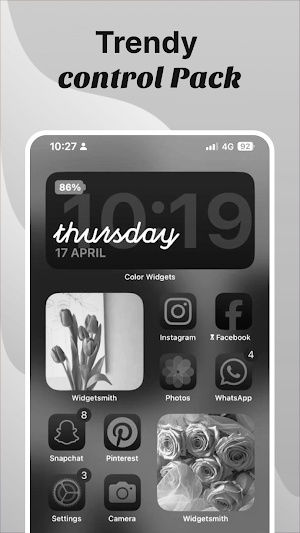
iThemes gives you themes, icons, widgets and a built-in control panel so you can style your home screen exactly the way you want it, without jumping between apps.
Most customisation apps pick one thing and do it. iThemes does all of it.
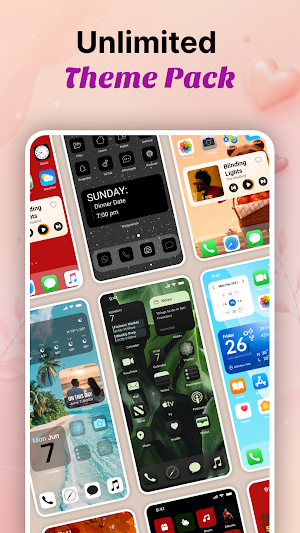
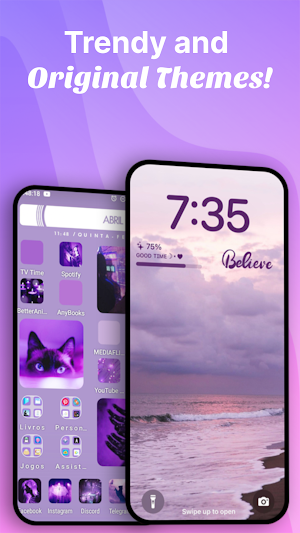
Choose from a wide library of aesthetic themes sorted into categories, so you can find a clean minimal look, a bold colour-forward design, or something in between without scrolling forever. Every theme is built to make your home screen feel intentional and put together.
Browse icon packs or build your own. The custom icon creator lets you design personalised icons from scratch, change shapes, colours and labels, and apply them to any app on your device. No other tool in this category gives you that level of control over your icons in the same place as your themes and widgets.
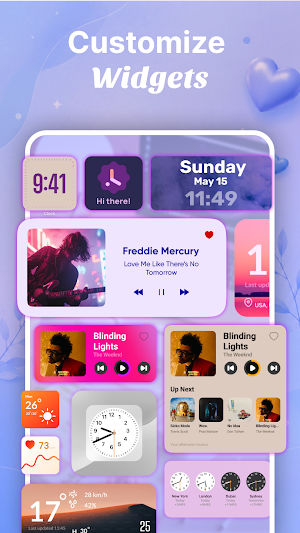
Widgets in iThemes are sorted into categories too, so whether you want a sleek clock, a weather display, a photo frame or a quick-access shortcut, you can find it and drop it onto your home screen in a few taps. Every widget is designed to match the themes in the library so your setup always looks cohesive.
The control panel brings quick-access toggles and shortcuts to your home screen in a single elegant panel. Adjust settings, switch profiles and manage your layout without digging through your device menus. It is the kind of feature usually found in a dedicated utility app, and here it lives alongside everything else you need to personalise your phone.
Key features:
- Large library of themes across multiple categories
- Icon packs with a built-in custom icon creator
- Home screen widgets sorted by style and function
- Integrated control panel for quick access to settings
- Mix and match themes, icons and widgets to build your own aesthetic
- Regular additions to keep your home screen feeling current
Whether you want a setup that looks like it belongs on a design blog or you just want your favourite apps to have matching icons, iThemes gives you the tools to make it happen. Explore the library, build something that is yours, and make your home screen work for you.
Most customisation apps pick one thing and do it. iThemes does all of it.
Choose from a wide library of aesthetic themes sorted into categories, so you can find a clean minimal look, a bold colour-forward design, or something in between without scrolling forever. Every theme is built to make your home screen feel intentional and put together.
Browse icon packs or build your own. The custom icon creator lets you design personalised icons from scratch, change shapes, colours and labels, and apply them to any app on your device. No other tool in this category gives you that level of control over your icons in the same place as your themes and widgets.
Widgets in iThemes are sorted into categories too, so whether you want a sleek clock, a weather display, a photo frame or a quick-access shortcut, you can find it and drop it onto your home screen in a few taps. Every widget is designed to match the themes in the library so your setup always looks cohesive.
The control panel brings quick-access toggles and shortcuts to your home screen in a single elegant panel. Adjust settings, switch profiles and manage your layout without digging through your device menus. It is the kind of feature usually found in a dedicated utility app, and here it lives alongside everything else you need to personalise your phone.
Key features:
- Large library of themes across multiple categories
- Icon packs with a built-in custom icon creator
- Home screen widgets sorted by style and function
- Integrated control panel for quick access to settings
- Mix and match themes, icons and widgets to build your own aesthetic
- Regular additions to keep your home screen feeling current
Whether you want a setup that looks like it belongs on a design blog or you just want your favourite apps to have matching icons, iThemes gives you the tools to make it happen. Explore the library, build something that is yours, and make your home screen work for you.
What’s new
Updated August 31, 2026
🎉 Welcome to iThemes! Customize your phone like never before with: ✨ Aesthetic Themes 🖼️ HD Wallpapers 🎨 Stylish Icons 📱 Beautiful Widgets ⚡ Custom Control Widgets More themes, widgets, and updates coming soon!
Alternatives to iThemes- Icon & Widget Control
Looking for apps like iThemes- Icon & Widget Control? Here are 6 similar Android apps on Google Play. All of them are free to download.
-
AI Photo & Video Maker: MyPic
-
All Video downloader & Player
-
Funny Prank Sounds: Prank App
-
VidNova AI Photo & Video Maker
-
AI Voice Changer Music Pro
-
Drawing Trace: Sketch & Draw
| App | Rating | Price | Installs | Last updated | Compare |
|---|---|---|---|---|---|
| iThemes- Icon & Widget Control | – | Free | 50,000+ | Aug 31, 2026 | |
| AI Photo & Video Maker: MyPic | – | Free | 10,000+ | Sep 11, 2026 | Compare |
| All Video downloader & Player | – | Free | 100,000+ | Nov 6, 2026 | Compare |
| Funny Prank Sounds: Prank App | – | Free | 100,000+ | Sep 12, 2026 | Compare |
| VidNova AI Photo & Video Maker | – | Free | 5,000+ | Oct 14, 2026 | Compare |
| AI Voice Changer Music Pro | – | Free | 100,000+ | Nov 6, 2026 | Compare |
| Drawing Trace: Sketch & Draw | – | Free | 10,000+ | Jul 22, 2026 | Compare |
Similar apps on Google Play
- AI Photo & Video Maker: MyPic
- All Video downloader & Player
- Funny Prank Sounds: Prank App
- VidNova AI Photo & Video Maker
- AI Voice Changer Music Pro
- Drawing Trace: Sketch & Draw
- Live Earth Map: GPS Satellite
- Wallify: Live & HD Wallpapers
- Prank Sound Funny Spark
- Phone Cleaner - Junk Cleaner
- 4K Live Wallpaper - HD WallArt
- Printease: WiFi Print & Scan
- Screen Mirror & Cast to TV