

TravNav
thegenuinegourav Maps & Navigation
TravNav finds the best route for your journey between multiple destinations.
- Downloads
- 10+
- on Google Play
- Price
- Free
- No in-app purchases
- Updated
- Jul 28
- 2020 · v1.0
Screenshots
Save to Pinterest


About TravNav
TravNav acts as "Your Travelling Companion". It is designed for travellers and trip planners, which gives the most optimised & efficient route for multiple destination that one wants to visit. It's solution is based on world class problem known as Travelling Salesman Problem.
How It Works?
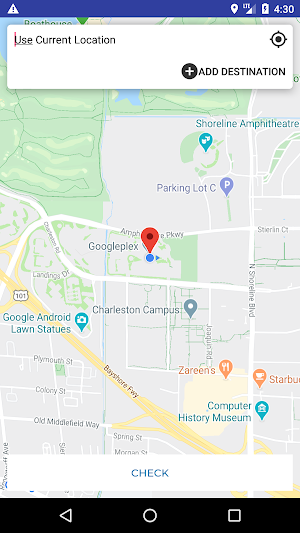
Step 1) Open the app, enter the source (by default, it is set to "Current Location").
Step 2) Click on Add Destination buttion to add multiple destinations.
Step 3) Once you enter the source/destination, click on Search button of your keypad to ensure entered location in the map.
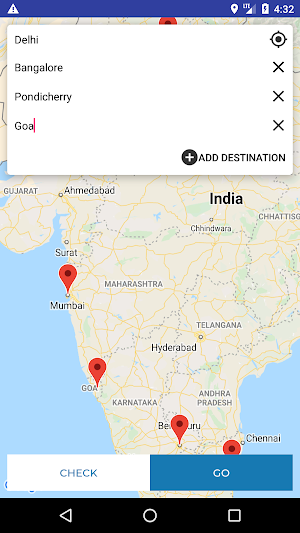
Step 4) (Optional) Once you entered all destinations, click on Check button to get a whole overview of all the places in the map.
Step 5) After that, Click on Go button. TravNav calculate the optimised path for you & will render it rankwise (place to visit first).
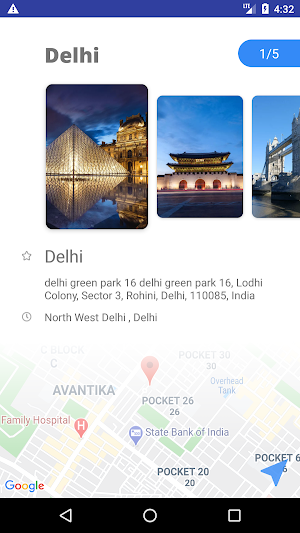
Step 6) Click on Navigate button at rightmost bottom of the screen that will provide the path in the map via different travelling mediums.
This app is "OPEN SOURCE" & available on GitHub. Any contributions are most welcome. Link: https://github.com/thegenuinegourav/TravNav
How It Works?
Step 1) Open the app, enter the source (by default, it is set to "Current Location").
Step 2) Click on Add Destination buttion to add multiple destinations.
Step 3) Once you enter the source/destination, click on Search button of your keypad to ensure entered location in the map.
Step 4) (Optional) Once you entered all destinations, click on Check button to get a whole overview of all the places in the map.
Step 5) After that, Click on Go button. TravNav calculate the optimised path for you & will render it rankwise (place to visit first).
Step 6) Click on Navigate button at rightmost bottom of the screen that will provide the path in the map via different travelling mediums.
This app is "OPEN SOURCE" & available on GitHub. Any contributions are most welcome. Link: https://github.com/thegenuinegourav/TravNav
What’s new
Version 1.0 · Updated July 28, 2020
Algorithm to find best path. Interactive User Interface Design
Alternatives to TravNav
Looking for apps like TravNav? Here are 4 similar Android apps on Google Play. All of them are free to download.




| App | Rating | Price | Installs | Last updated | Compare |
|---|---|---|---|---|---|
| TravNav | – | Free | 10+ | Jul 28, 2020 | |
| Password Pass 2.0 | – | Free | 100+ | Jul 25, 2020 | Compare |
| Secret Walls | – | Free | 50+ | Mar 14, 2017 | Compare |
| Focus! | – | Free | 10,000+ | Sep 11, 2016 | Compare |
| Password Pass | – | Free | 5,000+ | Mar 11, 2017 | Compare |
Compare TravNav with the top alternatives: ratings, updates, ASO score and keyword gaps →