

Computer Chess
Board Contains ads
Play chess against a computer opponent, with 3D or 2D graphics.
- Downloads
- 484+
- on Google Play
- Price
- Free
- No in-app purchases
- Updated
- May 10
- 2026 · v3.2.0
Screenshots
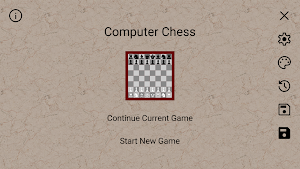
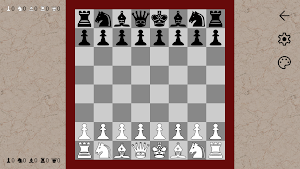
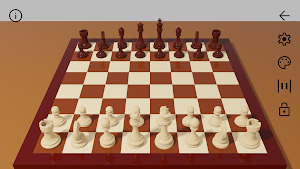
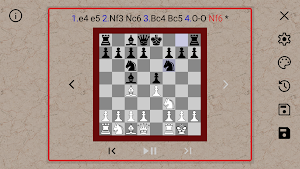


About Computer Chess
• 3D or 2D board representation.
• Optional ray tracing for accurate lighting, including metallic or transparent objects.
• Hardware ray-tracing for compatible devices. Software ray-tracing, or screen-space reflections, for other devices.
• Easy to use interface.
• Save and load games.
• Review the present game and restart from any previous position.
• Adjust the computers ability level to best suit your own game.
• All board and piece colors are fully customizable.
• Optional ray tracing for accurate lighting, including metallic or transparent objects.
• Hardware ray-tracing for compatible devices. Software ray-tracing, or screen-space reflections, for other devices.
• Easy to use interface.
• Save and load games.
• Review the present game and restart from any previous position.
• Adjust the computers ability level to best suit your own game.
• All board and piece colors are fully customizable.
What’s new
Version 3.2.0 · Updated May 10, 2026
Hardware ray-tracing, for compatible devices. Software ray-tracing or screen-space reflections for other devices. Change the field of view of the 3D board. Ambient occlusion. Brightness control.
Alternatives to Computer Chess
Looking for apps like Computer Chess? Here are 5 similar Android apps on Google Play. The highest rated is SparkChess Pro (4.3/5).
-
Chess Session 3D
-
Chess Master Pro 2026 Offline
-
SparkChess Pro 4.3
-
Digital Chinese Chess Board
-
Hanafuda Road
| App | Rating | Price | Installs | Last updated | Compare |
|---|---|---|---|---|---|
| Computer Chess | – | Free | 100+ | May 10, 2026 | |
| Chess Session 3D | – | 2.49 USD | 10+ | Aug 28, 2026 | Compare |
| Chess Master Pro 2026 Offline | – | 1.49 USD | 100+ | Apr 25, 2026 | Compare |
| SparkChess Pro | 4.3 / 5 | 21.99 USD | 5,000+ | – | Compare |
| Digital Chinese Chess Board | – | 1.99 USD | 50+ | Sep 2, 2026 | Compare |
| Hanafuda Road | – | 0.49 USD | 50+ | Jul 29, 2026 | Compare |
Compare Computer Chess with the top alternatives: ratings, updates, ASO score and keyword gaps →