
Exambrowser Android
Miftah Faridl Education
School exam (CBT) application that is safe, light and easy to use.
- Downloads
- 50+
- on Google Play
- Price
- Free
- No in-app purchases
- Updated
- May 11
- 2026 · v1.2
Screenshots


About Exambrowser Android
Exambrowser Android: A Modern & Secure Computer-Based Exam Solution
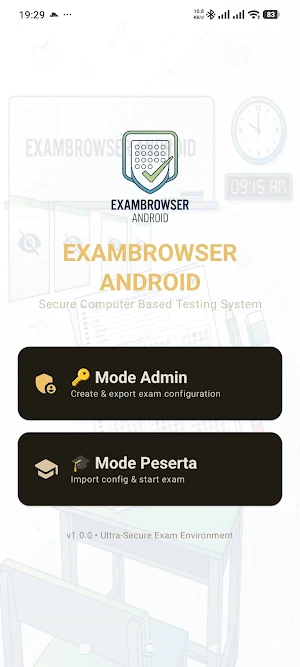
Exambrowser Android is a dedicated application designed to help educational institutions administer computer-based exams (CBT) with high security standards. This application functions as a dedicated exam browser that minimizes student access to other applications, thus maintaining exam integrity.
With a clean interface and lightweight performance, Exambrowser Android ensures students can fully focus on the exam questions without any technical issues.
Key Features:
Secure Exam Mode: Prevents students from switching to other applications or opening additional browsers during the exam.
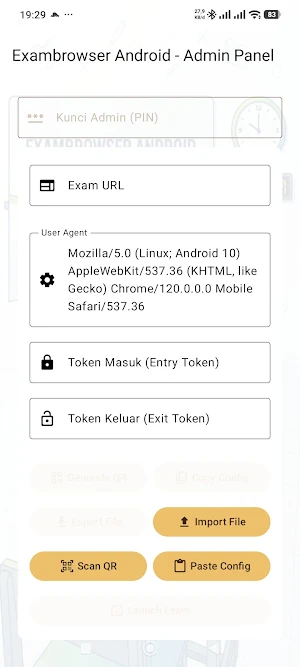
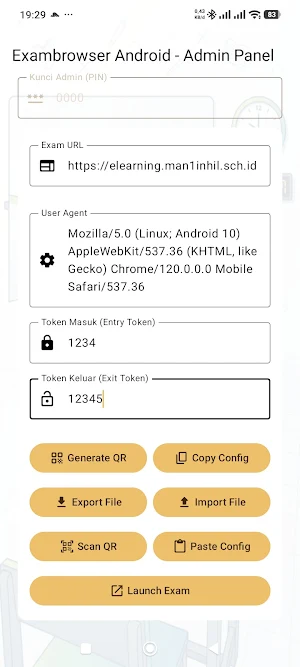
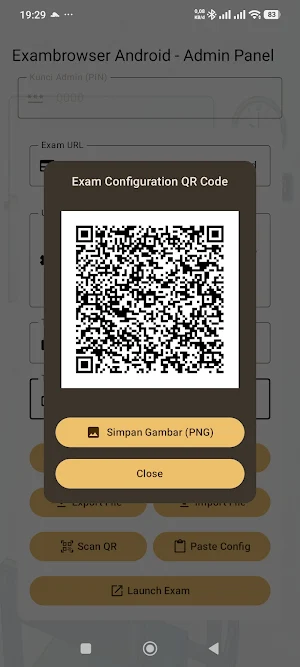
QR Code Scan: Speeds up the exam login process by simply scanning the QR code from the exam card or proctor.
Wide Compatibility: Runs smoothly on various Android versions and smartphone screen sizes.
Lightweight & Efficient: Doesn't require high device specifications to run a stable exam session.
Server Synchronization: Connects quickly to the school's exam server for instant answer delivery.
Why Use Exambrowser Android? This application was developed to provide peace of mind for schools and convenience for students. Its security features help create a fair, honest, and professional exam environment.
How to Use:
Open the Exambrowser Android app.
Grant camera access for the QR scanning feature.
Scan the QR code provided by your school or enter the exam server address.
Enter your username and password.
Take the exam carefully and honestly.
Transform your school's learning assessment system to be more digital and secure with Exambrowser Android.
Exambrowser Android is a dedicated application designed to help educational institutions administer computer-based exams (CBT) with high security standards. This application functions as a dedicated exam browser that minimizes student access to other applications, thus maintaining exam integrity.
With a clean interface and lightweight performance, Exambrowser Android ensures students can fully focus on the exam questions without any technical issues.
Key Features:
Secure Exam Mode: Prevents students from switching to other applications or opening additional browsers during the exam.
QR Code Scan: Speeds up the exam login process by simply scanning the QR code from the exam card or proctor.
Wide Compatibility: Runs smoothly on various Android versions and smartphone screen sizes.
Lightweight & Efficient: Doesn't require high device specifications to run a stable exam session.
Server Synchronization: Connects quickly to the school's exam server for instant answer delivery.
Why Use Exambrowser Android? This application was developed to provide peace of mind for schools and convenience for students. Its security features help create a fair, honest, and professional exam environment.
How to Use:
Open the Exambrowser Android app.
Grant camera access for the QR scanning feature.
Scan the QR code provided by your school or enter the exam server address.
Enter your username and password.
Take the exam carefully and honestly.
Transform your school's learning assessment system to be more digital and secure with Exambrowser Android.
What’s new
Version 1.2 · Updated May 11, 2026
Autoupdate
Alternatives to Exambrowser Android
Looking for apps like Exambrowser Android? Here are 3 similar Android apps on Google Play. All of them are free to download.



| App | Rating | Price | Installs | Last updated | Compare |
|---|---|---|---|---|---|
| Exambrowser Android | – | Free | 50+ | May 11, 2026 | |
| E-Komite MAN 1 Inhil | – | Free | 10+ | Aug 17, 2026 | Compare |
| MAN 1 INDRAGIRI HILIR | – | Free | 50+ | May 11, 2026 | Compare |
| Exam MANSAHIL | – | Free | 1,000+ | – | Compare |