
Privacy Display: Hide Screen
POWER TECH Tools Contains ads
Keep your phone screen private anywhere with Privacy Display: Hide Screen.
- Downloads
- 2.2K+
- on Google Play
- Price
- Free
- No in-app purchases
- Updated
- Oct 8
- 2026
Screenshots
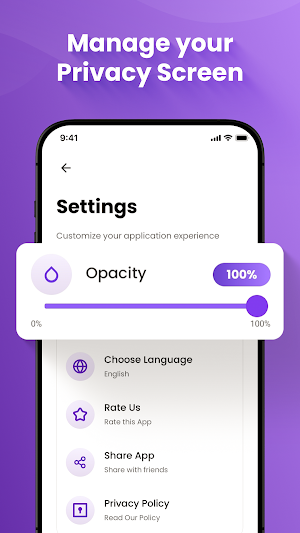

About Privacy Display: Hide Screen
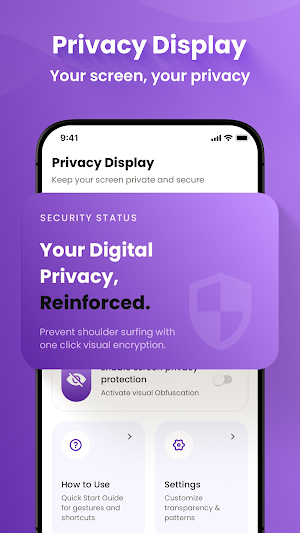
Keep your phone screen private anywhere with Privacy Display: Hide Screen. This simple tool helps hide your screen from people around you when you are using your phone in public places like buses, trains, offices, or cafes.
With Privacy Display: Hide Screen, you can quickly activate a privacy layer so others cannot see what’s on your screen. The app is easy to use and works instantly to protect your personal information.
Key features of Privacy Display: Hide Screen:
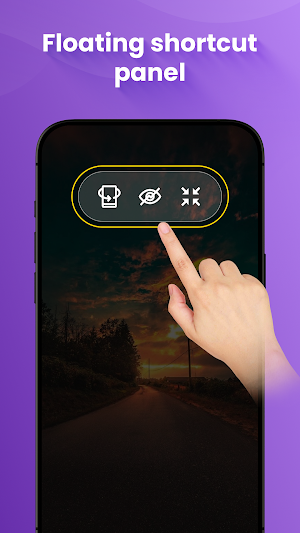
• Floating Control Panel – Access privacy controls anytime with a small floating button on your screen. Turn privacy on or off quickly without leaving your current app.
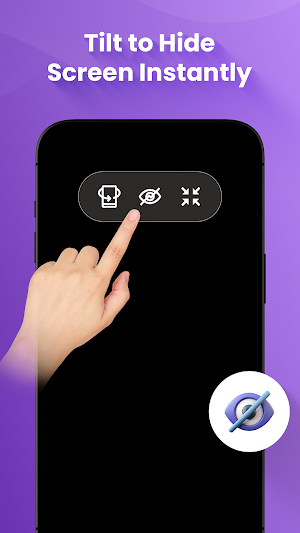
• Tilt Mode – Simply tilt your phone in any direction to hide your screen. This smart feature makes it easy to protect your screen in seconds.
• Always On Mode – Keep the screen privacy filter active all the time until you decide to turn it off. Perfect for constant protection in public spaces.
Use Privacy Display: Hide Screen to keep messages, passwords, and personal data safe from curious eyes. Simple, fast, and reliable privacy protection for your phone.
⚠️ IMPORTANT: HOW THIS APP WORKS ⚠️
Privacy Display: Hide Screen is an orientation-based privacy tool, NOT a polarizing screen filter. When you tilt your phone away from your face, it covers the screen with a black overlay to hide it from onlookers. It does not change your device’s hardware viewing angles.
With Privacy Display: Hide Screen, you can quickly activate a privacy layer so others cannot see what’s on your screen. The app is easy to use and works instantly to protect your personal information.
Key features of Privacy Display: Hide Screen:
• Floating Control Panel – Access privacy controls anytime with a small floating button on your screen. Turn privacy on or off quickly without leaving your current app.
• Tilt Mode – Simply tilt your phone in any direction to hide your screen. This smart feature makes it easy to protect your screen in seconds.
• Always On Mode – Keep the screen privacy filter active all the time until you decide to turn it off. Perfect for constant protection in public spaces.
Use Privacy Display: Hide Screen to keep messages, passwords, and personal data safe from curious eyes. Simple, fast, and reliable privacy protection for your phone.
⚠️ IMPORTANT: HOW THIS APP WORKS ⚠️
Privacy Display: Hide Screen is an orientation-based privacy tool, NOT a polarizing screen filter. When you tilt your phone away from your face, it covers the screen with a black overlay to hide it from onlookers. It does not change your device’s hardware viewing angles.
What’s new
Updated October 8, 2026
Enjoy
Alternatives to Privacy Display: Hide Screen
Looking for apps like Privacy Display: Hide Screen? Here are 3 similar Android apps on Google Play. All of them are free to download.


| App | Rating | Price | Installs | Last updated | Compare |
|---|---|---|---|---|---|
| Privacy Display: Hide Screen | – | Free | 1,000+ | Oct 8, 2026 | |
| IPTV Smart Player PRO: Live TV | – | Free | 1,000,000+ | – | Compare |
| ShowlyX - Popular Short Drama | – | Free | 500+ | Jul 13, 2026 | Compare |
| Everyday Calculator Plus | – | Free | 500+ | – | Compare |