
PDF Merge : Combine PDF Files
Productivity Contains ads
Need to combine pdf files - multiple ? Give a try to Merge PDF / PDF merger now.
- Downloads
- 1+
- on Google Play
- Price
- Free
- No in-app purchases
- Updated
- Jan 20
- 2024 · v1.0.0
Screenshots
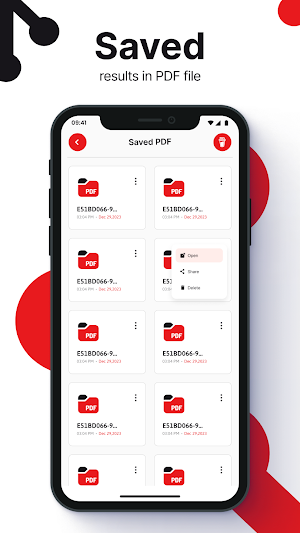


About PDF Merge : Combine PDF Files
📜Introduction to Merge PDF App:
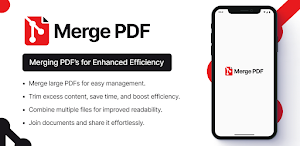
Are you tired to combine multiple pdf into one across your device? Our PDF Merge App is here to combine pdfs online. In this digital age, managing documents efficiently is essential, and our pdf combiner app is designed to make merging PDF files a breeze.
📜How Our PDFs Merging App Works:
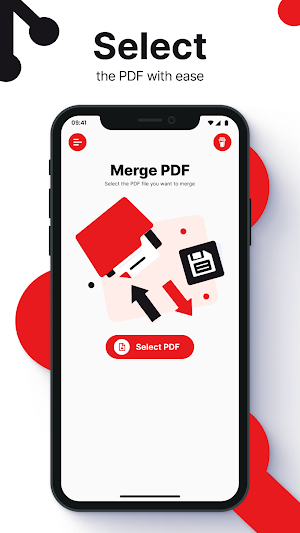
Our pdf file merger is incredibly user-friendly app to merge pdf files in no time. To combine your PDF files, simply follow these easy steps:
- Upload Your PDFs: Start by selecting the PDF files you want. You can add multiple files from your device or cloud storage.
- Arrange the Order: Arrange the PDFs in the desired sequence. You can easily reorder them by dragging and dropping with in this pdf merger app.
- Click Merge: Once you're satisfied with the order, click the "Merge PDF" button. Our app will work its magic and combine PDFs into a single, cohesive merge documents.
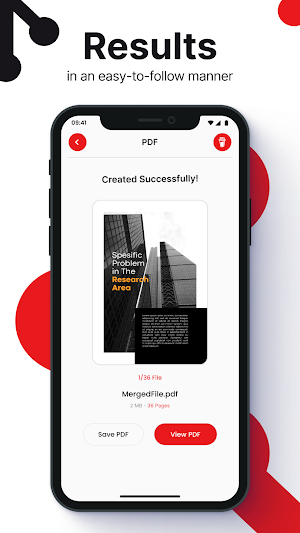
- Download Your Merged PDF: Within moments, your merged PDF file will be ready for download. It's that simple with pdf file merger!
📜Features of This PDF Combiner App:
Our pdf merger app offers a range of powerful features to enhance your PDFs merging experience:
No Installation Required: It's an online tool to merge pdf files, so no need to clutter your device with software.
Cloud Integration: Access and merge PDFs directly from cloud storage services like Google Drive and Dropbox.
Privacy and Security: Your data is safe with us. We prioritize the security and confidentiality of your merge documents.
Customization Options: You can choose settings like page orientation, paper size, and more for your merged PDF.
📜Is It Free to Use PDF Merger?
Yes, our app offers a free version with capability to combine multiple pdf into one. For users who require advanced features or have frequent merging needs, we offer affordable premium plans. This ensures that there's an option to merge documents that will be suitable for everyone.
📜Is It Reliable to Use PDF Combiner?
Absolutely! Our "merge pdf files app" is built with reliability in mind. We understand the importance of your documents, and we ensure that every merge is performed accurately. Thousands of satisfied users trust our app for their PDFs merging needs.
📜Conclusion:
In conclusion, our PDF merger app is the ultimate solution for anyone looking to streamline their document management. Whether you're an individual user or a business professional, our user-friendly interface, powerful features, and reliability make us the go-to choice for merging PDF files.
Experience the convenience of our pdf file merger App for yourself to combine pdf online now. Give a Try to merge PDF app now....
What’s new
Version 1.0.0 · Updated January 20, 2024
The Latest Version Of Merge PDF : Combine PDF Files
Alternatives to PDF Merge : Combine PDF Files
Looking for apps like PDF Merge : Combine PDF Files? Here are 6 similar Android apps on Google Play. The highest rated is Chemical Equation Balancer App (3.2/5), and all 6 are free to download.
-
Chemical Equation Balancer App 3.2
-
Chemical Equation Balancer App
-
Discount Calculator With Tax
-
Text Reverser Upside Down Text
-
Split PDF Remove PDF Pages
-
Fuel Calculator
| App | Rating | Price | Installs | Last updated | Compare |
|---|---|---|---|---|---|
| PDF Merge : Combine PDF Files | – | Free | 1+ | Jan 20, 2024 | |
| Chemical Equation Balancer App | 3.2 / 5 | Free | 100+ | Jan 29, 2023 | Compare |
| Chemical Equation Balancer App | – | Free | 100+ | Dec 1, 2023 | Compare |
| Discount Calculator With Tax | – | Free | 10+ | Jan 2, 2024 | Compare |
| Text Reverser Upside Down Text | – | Free | 0+ | Jan 22, 2024 | Compare |
| Split PDF Remove PDF Pages | – | Free | 1+ | Jan 18, 2024 | Compare |
| Fuel Calculator | – | Free | 50+ | Jan 30, 2024 | Compare |
Similar apps on Google Play
- Chemical Equation Balancer App
- Chemical Equation Balancer App
- Discount Calculator With Tax
- Text Reverser Upside Down Text
- PDF Merge : Combine PDF Files
- Split PDF Remove PDF Pages
- Fuel Calculator
- Real Love Calculator 2024
- Text Repeater: Repeat Text 10K
- Z Score Calculator
- TDEE Calculator Calorie Count
- Temperature Converter - F to C
- Blood Type Checker Blood Group
- Double Integral Calculator
- Limit Calculator with Steps
- Derivative Calculator Solver
- Integral Calculator with Steps