Remote Control for Apple TV
The ultimate Apple TV Remote with Keyboard, Trackpad & App Launching
About Remote Control for Apple TV
Transform your Android device into the ultimate Remote for Apple TV.
Elevate your home entertainment experience with the most comprehensive, user-friendly, and powerful remote control app designed specifically for the Android ecosystem. Whether you have lost your original Siri Remote, are tired of constantly replacing batteries, or simply desire a superior way to navigate and type on your TV, this application is your perfect solution.
Compatible with Apple TV HD and Apple TV 4K (1st, 2nd, and 3rd Generation), our app bridges the gap between your smartphone and your living room, offering features that standard hardware remotes simply cannot match.
🚀 Why Upgrade to Our Digital Remote?
- Unlike traditional plastic remotes that get lost in sofa cushions, your smartphone is always with you. Our app leverages the advanced touchscreen capabilities of your Android device to provide a navigation experience that is smoother, faster, and more intuitive than ever before. We have analyzed the frustrations users face with competitors—intrusive ads, connection failures, and confusing interfaces—to build a remote that prioritizes reliability and user experience.
📺 Key Features & Benefits:
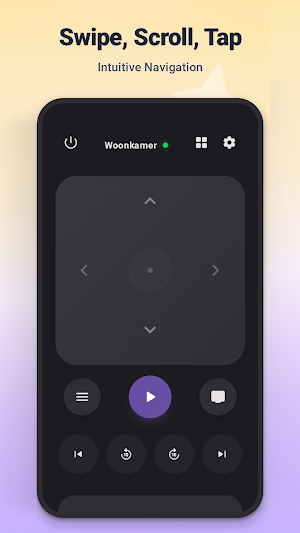
- Smart Trackpad Navigation: Experience fluid control. Swipe, scroll, and tap to navigate menus with the precision of a laptop trackpad. Say goodbye to the clunky "click-click-click" of standard D-pads.
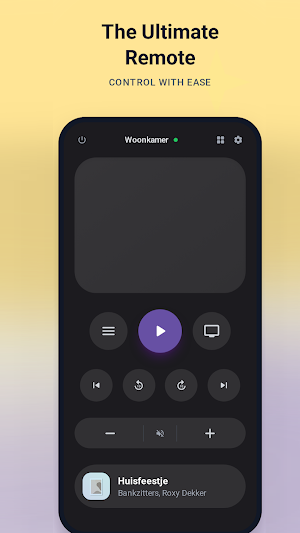
- Full Keyboard Input: Typing on a TV screen is notoriously frustrating. With our Built-in Smart Keyboard, you can use your Android phone to instantly type search queries, login credentials, and Wi-Fi passwords directly onto your Apple TV.
- Media Playback Mastery: Take charge of your viewing. Dedicated buttons for Play, Pause, Fast Forward, Rewind, and Volume Control ensure you never miss a moment of your favorite movies or shows on Netflix, Prime Video, or Disney+.
- Wear OS Support & Tile: Control your TV directly from your wrist. This app includes a dedicated Wear OS Tile, allowing you to access essential remote functions quickly without needing to open the main app on your watch.
- Universal Compatibility: Designed to work seamlessly with all major tvOS versions. Whether you are rocking an older Apple TV HD or the latest 4K powerhouse, our app adapts to your hardware.
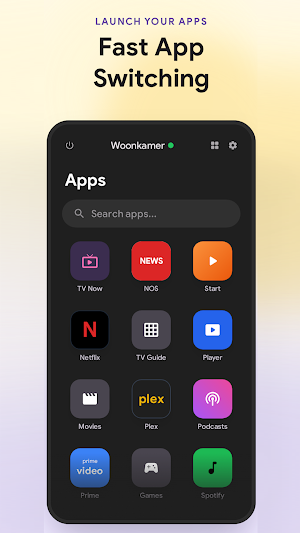
- Control volume using physical volume buttons
🛠️ Troubleshooting & Connection Guide (Read Before Use)
- We are committed to transparency. For the app to function correctly in Wi-Fi Mode, specific network conditions must be met. Most "connection issues" are easily solved by checking the following:
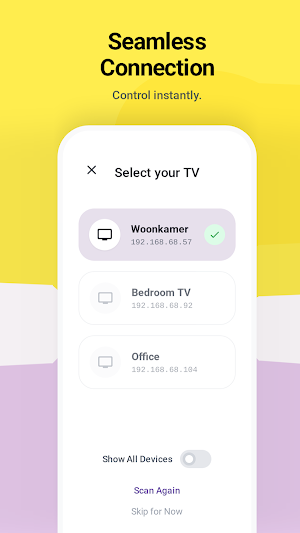
- Same Wi-Fi Network: Your Android phone and your Apple TV MUST be connected to the exact same Wi-Fi network.
Tip: If your router has dual bands (2.4GHz and 5GHz), ensure both devices are on the same band.
- Enable Local Network Access: If your phone prompts you to allow "Local Network Access," you must approve it.
- No Guest Networks: Ensure you are not connected to a "Guest" network, which often blocks device-to-device communication.
- Enter the PIN: On the very first connection, your Apple TV may display a 4-digit PIN. Enter this PIN into the app to establish a secure pairing.
📱 Supported Devices:
- Apple TV 4K (3rd Generation)
- Apple TV 4K (2nd Generation)
- Apple TV 4K (1st Generation)
- Apple TV HD (4th Generation)
Why replace your remote when you can improve it? Download the Remote for Apple TV today and regain full control of your media center. Say goodbye to the panic of lost remotes and hello to a smarter, more connected home.
Disclaimer: This application is an independent utility developed by and is not affiliated with, endorsed by, or associated with Apple Inc. "Apple," "Apple TV," "iPad," and "Siri Remote" are registered trademarks of Apple Inc. in the U.S. and other countries. This app serves purely as a third-party tool to enhance user accessibility and functionality for Apple TV owners using Android devices.
Remote Control for Apple TV details
Remote Control for Apple TV is a free Tools app for Android with 1,000+ installs on Google Play and a 5.0/5 average rating from 1 rating. It was released on January 18, 2026 and last updated on February 28, 2026. It's developed by GardenSnakes. It requires Android 10 or later. The app offers in-app purchases.
- Category
- Tools
- Rating
- 5.0 / 5 (1 rating)
- Installs
- 1,000+
- Price
- Free
- In-app purchases
- Yes
- Ads
- No ads
- Current version
- 1.8.0
- Requires Android
- 10
- Content rating
- PEGI 3
- Released
- January 18, 2026
- Last updated
- February 28, 2026
- Developer
- GardenSnakes
What’s new in Remote Control for Apple TV
- Use physical volume buttons to control the Apple TV volume - Better app icon support in quick-launch menu - Fixed some bugs when the app is launched via the notification tile - Power button now also works for turning on the Apple TV - Power button now colors based on the power state of the Apple TV
Version 1.8.0 · Updated February 28, 2026
Similar Apps

Aurender Conductor
A dedicated remote and library browser for your Aurender music server.
Universal Remote for Smart TV
Enhance viewing experience with Universal TV Remote Control for All Smart TVs.
nugs
Only streaming app dedicated to live music | Official audio, video & livestreams

Yatse: Kodi remote and cast
Original Kodi remote with easy remote control, streaming & more since 2011!

SoundHound ∞ - Music Discovery
Music discovery, identification, & voice-controlled player with 300M+ downloads!

Sonos S1 Controller
This first generation of the Sonos app supports the earliest Sonos products.


