AutoSilent — Auto Silent Mode
Silence your phone automatically by time, place & calendar — auto-restore too.
About AutoSilent — Auto Silent Mode
Tired of forgetting to silence your phone before a meeting — or forgetting to turn the sound back on afterwards? AutoSilent handles both automatically.
Set the rules once. Your phone goes quiet exactly when it should, and the sound comes back on its own when the rule ends.
⏰ AUTOMATE WITH FOUR TRIGGER TYPES
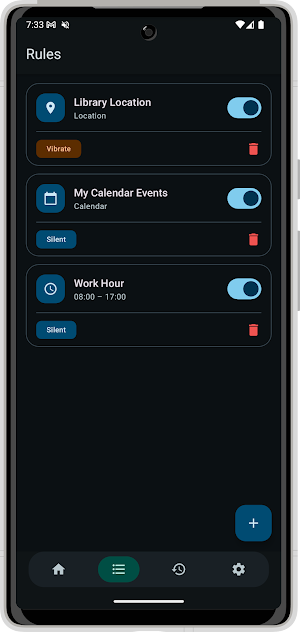
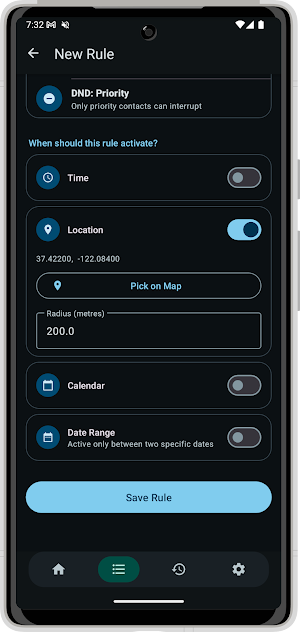
• Time schedules — silence on set hours and days of the week: sleep time, classes, work hours, prayer times
• Locations — go quiet when you arrive at a place (office, library, cinema) and restore when you leave
• Calendar events — stay silent automatically during busy calendar events
• Date range — active only between two specific dates: perfect for holidays, conferences, or vacations
Combine any triggers in a single rule, and create as many rules as you need.
⏱️ QUICK TIMER — NO RULE NEEDED
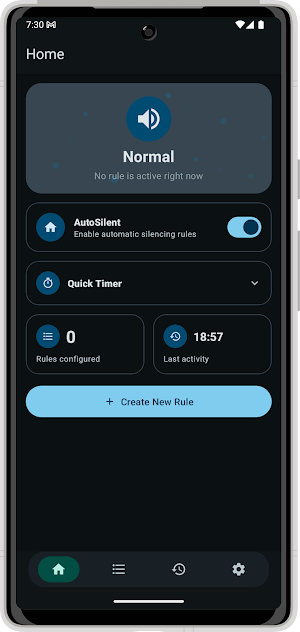
Need silence for the next hour but don't want a permanent rule? Use the Quick Timer on the Home screen. Pick a mode, set the countdown, tap Start — your phone silences immediately and restores automatically when the timer ends. Cancel it any time with one tap.
🔇 CHOOSE WHAT EACH RULE DOES
• Silent — ringer off, no Do Not Disturb side effects
• Vibrate — vibrations only, no sound
• Do Not Disturb (Total) — block all interruptions
• Do Not Disturb (Priority) — only priority contacts get through
When several rules overlap, priorities and a smart restrictiveness order decide the winner — no surprises.
🔄 AUTOMATIC RESTORE
AutoSilent remembers the state your phone was in before a rule activated and restores it automatically when the rule ends. Turn the master switch off any time and AutoSilent immediately stops touching your phone — nothing changes again until you turn it back on.
📋 STAY IN CONTROL
• Live status — the Home screen always shows your phone's actual sound state
• History — a full timeline of every change the app made and which rule caused it
• Default action — choose what happens when no rule is active
• In-app Help — a full guide to every feature, always within reach
• Reliable — survives reboots and keeps working in the background
• Optional always-on mode — switch on a background service so your rules keep applying even when the app is fully closed (shows a small permanent notification while active; off by default)
• Beautiful — Material You design with light, dark, and system themes
🔒 PRIVACY FIRST
All rules and history stay on your device. Location is used only to evaluate your own rules — nothing is uploaded to any server.
Perfect for meetings, lectures, libraries, cinemas, sleep, prayer times, and focused work. Install AutoSilent and never think about your ringer again.
Similar Apps

TAP Kiln Control Mobile
Remote Kiln Control: edit schedules, modify settings, review logs, and more.

ExpertVoice
Pro deals that spark adventure

Blue Sky Vitamin
Health & Wellness
Cubii
Track your workday workout on your Cubii smart desk elliptical trainer.

Pelago
Employer-provided substance use support made just for you

Typhur
Connect your Typhur smart kitchen appliances and explore delicious recipes.
