Merge Multiple PDF
Start merging your multiple PDF files with the powerful Combine PDF Tool.

About Merge Multiple PDF
📄 Combine PDF Files – The Fastest & Easiest Way to Merge PDFs on Your Phone
Tired of juggling multiple PDF files? Want to combine documents into one organized file without compromising quality or security? Look no further. Merge PDF: Combine PDF Files is the ultimate solution to combine PDFs right from your Android device – securely, offline, and hassle-free.
Whether you're a student combining lecture notes, a professional preparing a report, or simply organizing personal files, our app lets you merge multiple PDF files into a single, polished document in seconds and absolutely no technical skills required.
Combine PDF Files Features:
✅ Effortless PDF Merging
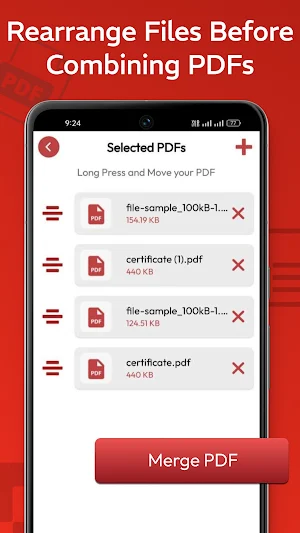
Easily combine two or more PDF files with just a few taps. Select, arrange, and merge—it's that simple.
✅ Offline Access
Merge PDFs anytime, anywhere—even when you're offline. Perfect for travelers, remote workers, and privacy-conscious users.
✅ High-Quality Output
Our smart algorithm ensures that the merged document retains the original layout, images, and formatting—always.
✅ Drag-and-Drop Reordering
Arrange PDFs in the order you want using an intuitive drag-and-drop feature. Control the final output like a pro.
✅ Secure & Private
Your files stay on your device—nothing is uploaded to any server. Your data is safe, private, and yours alone.
✅ Lightweight & Fast
No bloated features or heavy processing. Just a sleek, efficient PDF merger that gets the job done.
✅ Easy File Selection
Automatically detects all PDF files on your device so you can quickly choose the ones you want to combine.
✅ Custom File Naming
Save the merged file with a custom name for better organization and retrieval.
💼 Who Is This Combine PDF Files For?
Students – Combine notes, assignments, and study materials into one neat PDF.
Professionals – Merge reports, presentations, or contracts before sending.
Everyday Users – Combine scanned bills, manuals, or documents for easy storage.
📋 How to Use Combine PDF Files
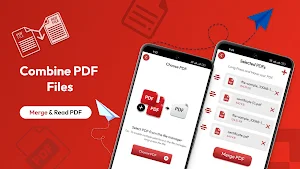
1. Tap "Choose PDF" to select the files from your phone.
2. Use drag-and-drop to arrange them in the order you want.
3. Tap the "Merge" button in the top-right corner.
4. Name your new file and save it instantly.
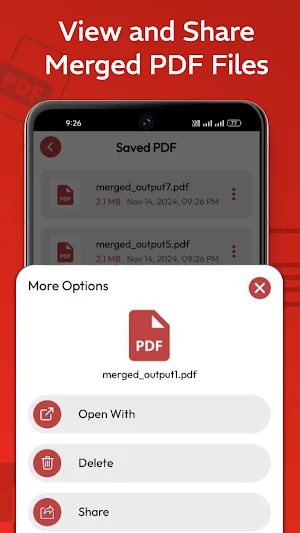
5. Share, print, or store—your PDF is ready!
📥 Download Merge PDF: Combine PDF Files today and take control of your documents.
Similar Apps

Hear Through Walls-Spy Ear
Hear the Unheard by Hearing From Distance with Ear Spy Listening Device

Frequency Sound Generator: Hz
Generate precise tones from 1Hz to 22kHz, Test speakers and tune instruments.
Battery Charge Alarm Notifier
Stop overcharging & protect battery health. Custom sound alerts & charge monitor
Heic to PNG, JPG & PDF Export
Select Heic file and convert it into JPG, JPEG, PNG and PDF format.
Split PDF To Export Pages
Convert a Large PDF into Multiple Smaller Files with the Split PDF.
Convert PDF to JPG/PNG/JPEG
Convert your all pdf pages in a pdf into photos in single click.

