HAM FM Radio (RTL-SDR)
An amateur (HAM) radio using an RTL-SDR dongle or a remote instance of rtl_tcp.
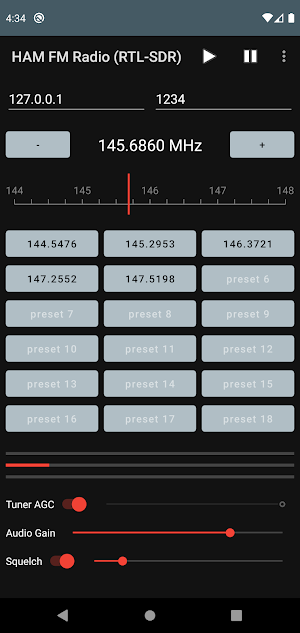
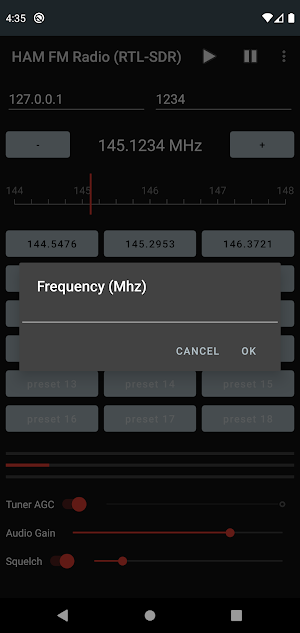
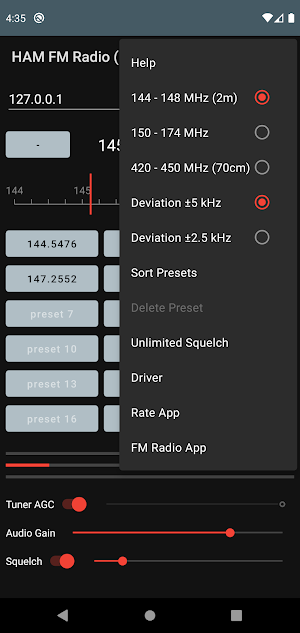

About HAM FM Radio (RTL-SDR)
This application is about having a bit of fun with those amazing little RTL-SDR dongles, whilst listening to HAM radio conversations. It's nice and easy to use so why not give it a try?
Bands:
144 - 148 MHz (2m)
150 - 174 MHz
420 - 450 MHz (70cm)
421 - 470 MHz
Please feel free to request other NFM bands.
There are two ways to use the application. The first is to use an RTL-SDR dongle and an SDR driver, available from Google Play. Selecting the Driver option in the application menu will open the driver page on Google Play. The second way is to connect to an instance of rtl_tcp running on a remote computer, most likely over WiFi. You will need a good network connection for this to work reliably so use of the driver is probably the preferred way to use the application in most cases.
We hope you enjoy using this application.
Similar Apps

ADS-B Radar (RTL-SDR)
DisclaimerThis application is intended for use by hobbyists interested in tracking aircraft...

Airband Radio (RTL-SDR)
*** Disclaimer ***In some parts of the world it is illegal to...

FM Radio (RTL-SDR)
This application is about having a bit of fun with those amazing...

Discrete Fourier Transform (DF
This application applies the Discrete Fourier Transform (DFT) or its inverse (IDFT)...
Surface Plotter 3D Pro
Why not try our free Surface Plotter 3D before purchasing this version...
Surface Plotter 3D
Please see our Surface Plotter 3D Pro if you would prefer a...
Frequently Asked Questions (FAQ)
What is the purpose of the HAM FM Radio (RTL-SDR) application?
What are the supported frequency bands for the application?
Can I request other NFM bands?
How can I use the application?
Which way of using the application is preferable?
Is the application easy to use?

