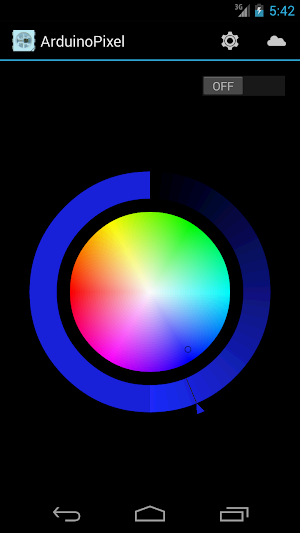
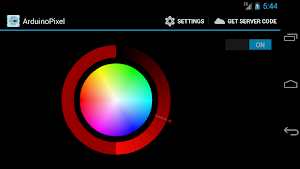
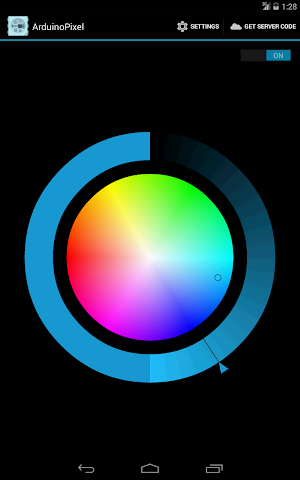
About ArduinoPixel
Control your NeoPixel LED strip from your phone or tablet.
Change the color of the strip, turn it on and off, all from the convenience of your Android device.
Getting started is really easy:
* Take hold of an Arduino board with an Ethernet or WiFi connection and a NeoPixel LED strip.
* Upload the provided code on your Arduino board (read the comments for instructions). Use this link, https://github.com/nlamprian/ArduinoPixel/tree/master/arduino_code, to access the code. (Do not use the "Get Server Code" button in the app, the link it leads to is not up to date)
* Connect the Arduino to your local network.
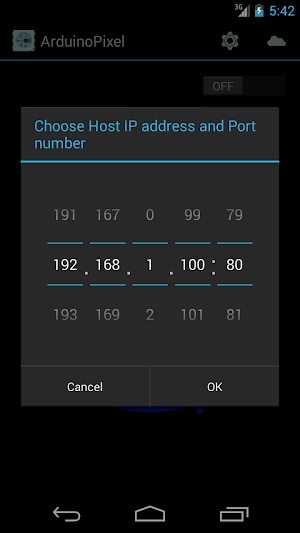
* Install the app, go to settings and specify the network parameters for your Arduino web server. If you see the "Hello from Arduino Server" message, then you know the setup is correct.
* That's it! Enjoy.
The code has been tested on Arduino Uno, Leonardo, and Mega. There is also experimental support for ESP32.
--------------------------------------------------------------------------------
Update:
I developed ArduinoPixel for personal use, but I decided to officially publish it. The app offers only those features I initially needed, realizing though that NeoPixels can do much more interesting things than simply light up. By now, enough people have used the app and responded with some positive feedback and ideas that I wanted to do something about it. So, I'll keep working on the app. If you have any requests or features you'd like to see implemented, please send me an email and tell me about them. I'll make sure to take your input into consideration.
Some ideas I have in mind about the project/app:
* Develop a web interface to allow the use from a web browser
* Provide turn on/off times for the strip in order to operate autonomously
* Allow the use of multiple strips
ArduinoPixel details
ArduinoPixel is a free Entertainment app for Android with 1,000+ installs on Google Play and a 3.4/5 average rating from 15 ratings. It was released on March 24, 2014 and last updated on March 24, 2014. It's developed by Nick Lamprianidis. It requires Android 4.0 or later.
- Category
- Entertainment
- Rating
- 3.4 / 5 (15 ratings)
- Installs
- 1,000+
- Price
- Free
- In-app purchases
- No
- Ads
- No ads
- Current version
- 1.0
- Requires Android
- 4.0
- Content rating
- Everyone
- Released
- March 24, 2014
- Last updated
- March 24, 2014
- Developer
- Nick Lamprianidis
Alternatives to ArduinoPixel
Looking for apps like ArduinoPixel? Here are 4 similar Android apps on Google Play. The highest rated is TXAdvance (5.0/5), and 3 of the 4 are free to download.

TXAdvance
TxAdvance is a radio frequency transmitter manager that helps you quickly get...

Coral FSG - Bluetooth Printer
Our cross-platform app allow small businesses to record and track sales, print...

Airrosti Remote Recovery
Airrosti Remote Recovery connects you with an experienced provider who will help...

Nedis SmartLife
Nedis SmartLife is a reliable and easy-to-use Smart Home system with an...
| App | Rating | Price | Installs | Last updated |
|---|---|---|---|---|
| ArduinoPixel | 3.4 / 5 | Free | 1,000+ | Mar 24, 2014 |
| TXAdvance | 5.0 / 5 | 49.99 USD | 100+ | – |
| Coral FSG - Bluetooth Printer | – | Free | 1,000+ | Sep 18, 2024 |
| Airrosti Remote Recovery | 4.5 / 5 | Free | 1,000+ | – |
| Nedis SmartLife | 2.7 / 5 | Free | 1,000,000+ | Sep 23, 2025 |