

Onsite Clocking
Sapient Software Productivity
Simple electronic timesheets for remote workers
- Downloads
- 12+
- on Google Play
- Price
- Free
- No in-app purchases
- Updated
- Nov 28
- 2025 · v3.2.9
Screenshots


About Onsite Clocking
Onsite Clocking is a proprietary offline-first app built for technicians who machine heavy equipment on customer sites, where internet connectivity may be intermittent or unavailable. The app replaces paper time sheets with a fast, reliable digital workflow that works anywhere.
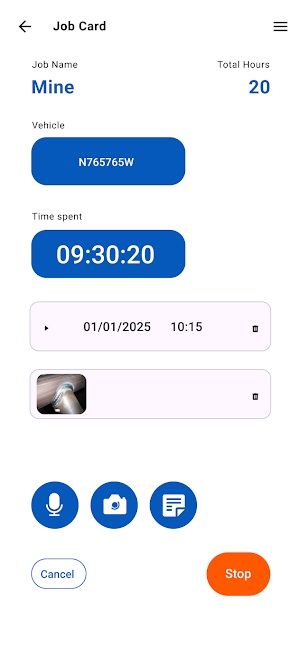
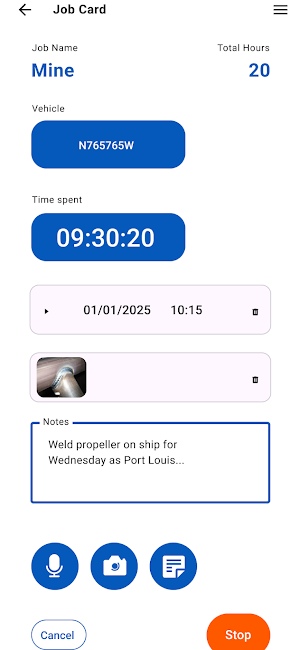
Capture each shift with minimal taps. Technicians can add a short text summary, attach photos, and record voice notes to describe work completed on every shift. The interface is simple and focused so entries can be made quickly in the field without navigating complex menus.
When connectivity is available, the app automatically synchronizes all captured data to the company’s secure cloud server. If a connection is not available, entries remain safely on the device and sync in the background as soon as the network returns—no extra steps required.
Back-office staff use the synchronized data to review and process submitted shifts. Approved records are then used to bill clients accurately and on time, reducing administrative delays and errors compared to paper forms or manual re-entry.
Key features
• Offline-first design for sites with limited or no connectivity
• Simple, minimal interface optimized for speed
• Capture text, photos, and voice notes per shift
• Background sync to the cloud when online
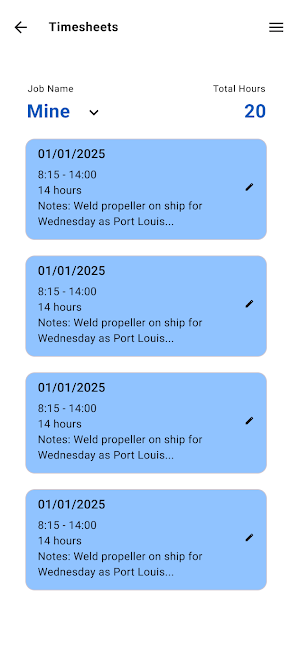
• Submission status so technicians know what is pending or approved
• Back-office review and processing to support accurate client billing
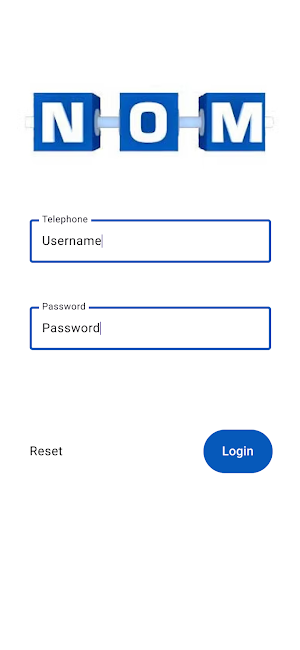
Note: This app is intended for Namibia On-site Machining personnel. A company account is required to sign in and use the app.
Capture each shift with minimal taps. Technicians can add a short text summary, attach photos, and record voice notes to describe work completed on every shift. The interface is simple and focused so entries can be made quickly in the field without navigating complex menus.
When connectivity is available, the app automatically synchronizes all captured data to the company’s secure cloud server. If a connection is not available, entries remain safely on the device and sync in the background as soon as the network returns—no extra steps required.
Back-office staff use the synchronized data to review and process submitted shifts. Approved records are then used to bill clients accurately and on time, reducing administrative delays and errors compared to paper forms or manual re-entry.
Key features
• Offline-first design for sites with limited or no connectivity
• Simple, minimal interface optimized for speed
• Capture text, photos, and voice notes per shift
• Background sync to the cloud when online
• Submission status so technicians know what is pending or approved
• Back-office review and processing to support accurate client billing
Note: This app is intended for Namibia On-site Machining personnel. A company account is required to sign in and use the app.
What’s new
Version 3.2.9 · Updated November 28, 2025
Live version, updated with dashboard, moved to dedicated backend server
Alternatives to Onsite Clocking
Looking for apps like Onsite Clocking? Here are 3 similar Android apps on Google Play. All of them are free to download.



| App | Rating | Price | Installs | Last updated | Compare |
|---|---|---|---|---|---|
| Onsite Clocking | – | Free | 10+ | Nov 28, 2025 | |
| WattCost | – | Free | 10+ | Dec 5, 2023 | Compare |
| Cronje Law | – | Free | 50+ | – | Compare |
| KuduKey | – | Free | 5,000+ | Jun 28, 2026 | Compare |
Compare Onsite Clocking with the top alternatives: ratings, updates, ASO score and keyword gaps →