
JSON File Opener - Json Viewer
Cloudzone Apps INC Productivity Contains ads
JSON Reader allows you to View Json File & Edit with JSON editor, JSON Converter
- Downloads
- 100+
- on Google Play
- Price
- Free
- No in-app purchases
- Updated
- Dec 27
- 2023 · v1.2
Screenshots
Save to Pinterest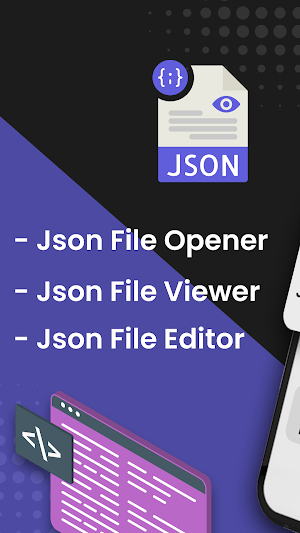


About JSON File Opener - Json Viewer
🇯 JSON Viewer helps you to Read, View, Create, Edit as well, and Convert any JSON File into PDF. Using the Jasn app, one can easily open JSON files stored in the device using JSON File Opener. JSON Parser lets the user browse complex JSON files. The Josn App allows users to Edit Json File & Make New Json files with JSON editor & JSON Converter.
📋 The JSON Reader feature of Jasn app lets the user view JSON files stored on the device. Similarly, JSON parser free lets the user edit already saved JSON file with just a click. Moreover, the JSON File Opener viewer authorizes the user to convert the JSON files into PDFs. This JSON Reader allows the user to browse files directly from the app JSON Viewer feature.
👨💻 Whether you're a developer working with JSON data or simply need to manage and view JSON files, JSON Converter has you covered with its comprehensive set of features. JSON parser, ✍🏻 Json Editor is a very useful app for editing and viewing Json files. JSON Genie is a lightweight app with a lot of features like syntax support, line numbers, etc. You can easily view your JSON File with Josn App. With the help of JSON Server, you can edit modify, and preview your JSON files.
🔄 JSON Viewer is a very useful tool for viewing JSON files. JSON editor will parse your JSON file into jsn string data and then convert Jasn string into a friendly readable format. JSON Reader or JSON Server will also allow you to convert your JSN to PDF in a user-friendly format.
🎯Features of JSON File Opener - Json Viewer🎯
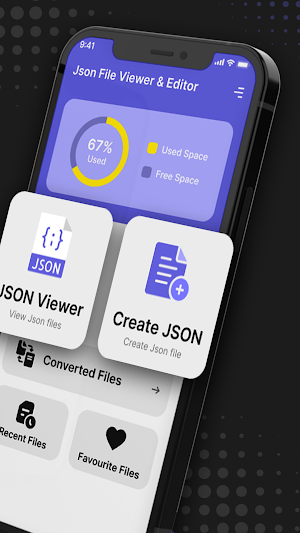
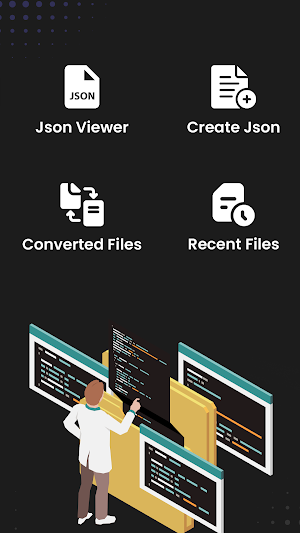
📖 1. JSON File Opener - This JSON Reader allows the user to open and view the JSON files stored on the device. Moreover, the JSON Server permits the user to convert JSON files into PDFs. The JSON Converter consists of four main features; JSON Viewer, JSON Editor, JSON Creator, and JSON Converter.
🖋️ 2. The JSON Editor JSON View feature of JSON file creator permits the user to open and view JSON files using a smartphone. With that Josn App allows you to Edit your JSON File within a JSN App. You can also Save that File in the Storage of your Device.
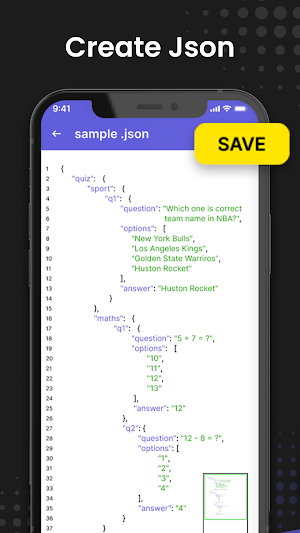
🆕 3. JSON Creator - This Feature allows users to Create a New JSON File from Scratch within their Smartphone using Json Parser. You can also Save your New Jsn File into the Storage of your Device with jansson or JSON viewer Url.
♻️ 4. JSON To PDF Converter - Using JSON Reader App users can convert their JSON Files to PDF and share them easily with Anyone. All Converted PDF Files found in Converted Files Tab of jansson or JSON Viewer URL.
❤️ 5. Favorite JSON Files - Your required JSON File can be Favourited using this feature. Now, Find & Read your Important or Favourite JSON Files easily.
⌛ 6. Recent Viewed Files - The Recent File feature of Jasn app allows users to Access Recently Viewed Files in one place. One can easily find all recently opened files without closing the Json Server app.
📥 Just Download JSON File Opener - JSON Viewer with All Features like JSON Reader, JSON Editor, JSON Creator, and JSON Converter for Free.
📋 The JSON Reader feature of Jasn app lets the user view JSON files stored on the device. Similarly, JSON parser free lets the user edit already saved JSON file with just a click. Moreover, the JSON File Opener viewer authorizes the user to convert the JSON files into PDFs. This JSON Reader allows the user to browse files directly from the app JSON Viewer feature.
👨💻 Whether you're a developer working with JSON data or simply need to manage and view JSON files, JSON Converter has you covered with its comprehensive set of features. JSON parser, ✍🏻 Json Editor is a very useful app for editing and viewing Json files. JSON Genie is a lightweight app with a lot of features like syntax support, line numbers, etc. You can easily view your JSON File with Josn App. With the help of JSON Server, you can edit modify, and preview your JSON files.
🔄 JSON Viewer is a very useful tool for viewing JSON files. JSON editor will parse your JSON file into jsn string data and then convert Jasn string into a friendly readable format. JSON Reader or JSON Server will also allow you to convert your JSN to PDF in a user-friendly format.
🎯Features of JSON File Opener - Json Viewer🎯
📖 1. JSON File Opener - This JSON Reader allows the user to open and view the JSON files stored on the device. Moreover, the JSON Server permits the user to convert JSON files into PDFs. The JSON Converter consists of four main features; JSON Viewer, JSON Editor, JSON Creator, and JSON Converter.
🖋️ 2. The JSON Editor JSON View feature of JSON file creator permits the user to open and view JSON files using a smartphone. With that Josn App allows you to Edit your JSON File within a JSN App. You can also Save that File in the Storage of your Device.
🆕 3. JSON Creator - This Feature allows users to Create a New JSON File from Scratch within their Smartphone using Json Parser. You can also Save your New Jsn File into the Storage of your Device with jansson or JSON viewer Url.
♻️ 4. JSON To PDF Converter - Using JSON Reader App users can convert their JSON Files to PDF and share them easily with Anyone. All Converted PDF Files found in Converted Files Tab of jansson or JSON Viewer URL.
❤️ 5. Favorite JSON Files - Your required JSON File can be Favourited using this feature. Now, Find & Read your Important or Favourite JSON Files easily.
⌛ 6. Recent Viewed Files - The Recent File feature of Jasn app allows users to Access Recently Viewed Files in one place. One can easily find all recently opened files without closing the Json Server app.
📥 Just Download JSON File Opener - JSON Viewer with All Features like JSON Reader, JSON Editor, JSON Creator, and JSON Converter for Free.
Alternatives to JSON File Opener - Json Viewer
Looking for apps like JSON File Opener - Json Viewer? Here are 6 similar Android apps on Google Play. The highest rated is Handwriting Keyboard (4.1/5), and all 6 are free to download.
-
Handwriting Keyboard 4.1
-
SVG Viewer & SVG Converter
-
Mouse Touchpad Mouse Cursor
-
Bin File Opener, Reader Editor
-
ICS File Viewer, ICS App, iCal
-
TIFF Reader - Tiff Converter


| App | Rating | Price | Installs | Last updated | Compare |
|---|---|---|---|---|---|
| JSON File Opener - Json Viewer | – | Free | 100+ | Dec 27, 2023 | |
| Handwriting Keyboard | 4.1 / 5 | Free | 1,000+ | Jan 11, 2024 | Compare |
| SVG Viewer & SVG Converter | – | Free | 100+ | Feb 3, 2024 | Compare |
| Mouse Touchpad Mouse Cursor | – | Free | 5,000+ | Feb 19, 2024 | Compare |
| Bin File Opener, Reader Editor | – | Free | 100+ | Jan 31, 2024 | Compare |
| ICS File Viewer, ICS App, iCal | – | Free | 50+ | Feb 7, 2024 | Compare |
| TIFF Reader - Tiff Converter | – | Free | 10+ | Feb 12, 2024 | Compare |


Similar apps on Google Play
- Handwriting Keyboard
- SVG Viewer & SVG Converter
- Mouse Touchpad Mouse Cursor
- Bin File Opener, Reader Editor
- ICS File Viewer, ICS App, iCal
- TIFF Reader - Tiff Converter
- View HEIC : HEIC To JPG
- PPT Viewer, PPTX: Presentation
- Funny Voice Changer Live Voice
- Bat File Opener: Bat Viewer
- VCF, Import & Export Contacts
- Notes - Notepad & Notebook
