About AsFWUpdater
This is an application for updating the firmware of AsReader devices.
How to update:
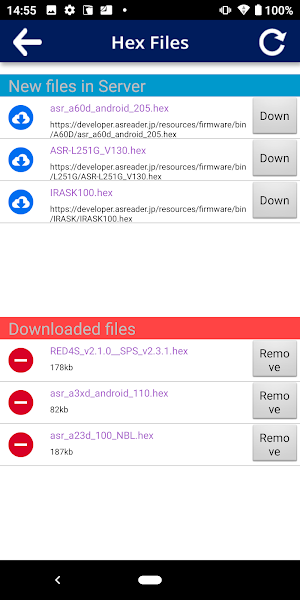
1. Download the necessary firmware using the "Check Hex Lists" screen and utilizing the refresh-button to see the newest versions available.
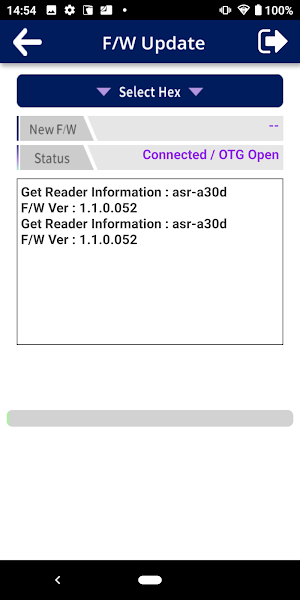
2. Connect the AsReader device you want to update to your Android device.
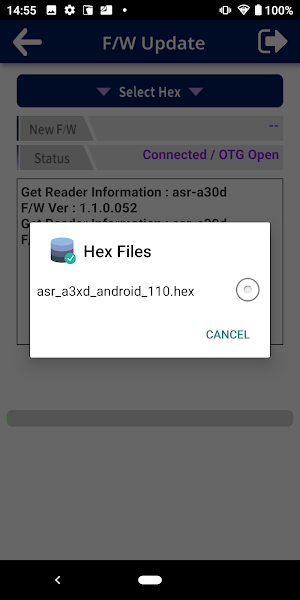
3. Select the firmware version you want to update to.
4. Tap the "Update" button to start the update. (Important: please do not interrupt or disconnect during this step. Wait for it to complete.)
5. After the update is successful, reconnect the AsReader device and enjoy your device's newly updated firmware.
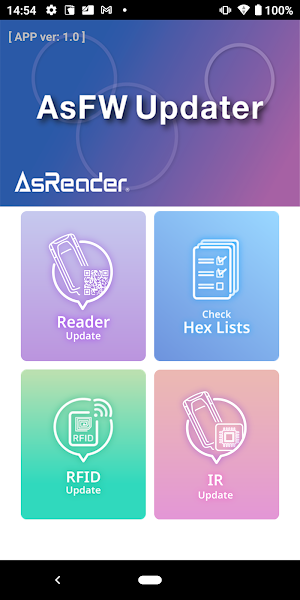
On the Reader Update screen, you can update the firmware of the AsReader device.
On the RFID Update screen, you can also update the firmware of the RFID module itself, when applicable. Note: this is in addition to the AsReader device update listed above.
On the IR Update screen, you can update the firmware of the IR module, when applicable.
============================
Supported Devices:
ASR-A23D
ASR-A30D
ASR-A31D
ASR-A60D
ASR-L251G
Similar Apps

AsReader SLIM Demo
二次元バーコードリーダーAsReader ASR-A25S専用のアプリになります。本アプリとASR-A25Sをセットでご利用すると、1次元・2次元バーコードを高速で読み取りすることが可能です。...
SdcO
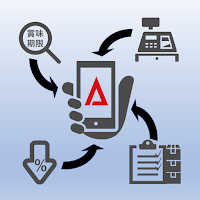
※ご利用にはライセンス情報が必要です※Android 13以上が必要ですSdcOは店頭商品の賞味期限管理を行うアプリです。商品に記載された賞味期限をOCRで読取・登録を行うことで、撤去日を算出し、チェックリストを作成することができます。チェックリストをもとに簡単な操作で、撤去商品の確認、新しい賞味期限の読取・登録作業ができます。...

A24D Inventory App
二次元バーコードリーダーAsReader ASR-A24D専用のアプリになります。本アプリとASR-A24Dをセットでご利用すると、1次元・2次元バーコードを高速で読み取りすることが可能です。また、エクスポート機能やテンキー機能が付いています。https://asreader.jp/products/asr-a24d/※「A24D Demo App」が同時にインストールされていると、本アプリの動作に影響が出る可能性があるため、この「A24D Demo App」は取り除くようにしてください。...
ASR-A3XDB Demo App
This app allows the users to try functions of AsReader ASR-A3XDB such...
H270_前捌き
バーコードリーダーRZ-H270シリーズ専用のアプリになります。本アプリとRZ-H270シリーズをセットでご利用すると、バーコードを高速で読み取り、商品を前捌きすることが可能です。...

AsCameraX Demo App
Android端末のカメラを使ってバーコードの読み取りができます。また、複数のバーコードを一括で読み取ったり、360°様々な方向からバーコードを高精度で読み取ることができます。...
