

Image to Video
Jai Parkash Photo & Video iPhoneiPadiPod touch
Image to Video is a free Photo & Video app for iPhone and iPad by Jai Parkash. Rated 3.8/5 from 18 ratings. Requires iOS 15.6. Updated February 28, 2026.
- Rating
- 3.8
- 18 ratings
- Price
- Free
- on the App Store
- Size
- 140 MB
- Age 4+
- Updated
- Feb 28
- 2026 · v1.6
Screenshots
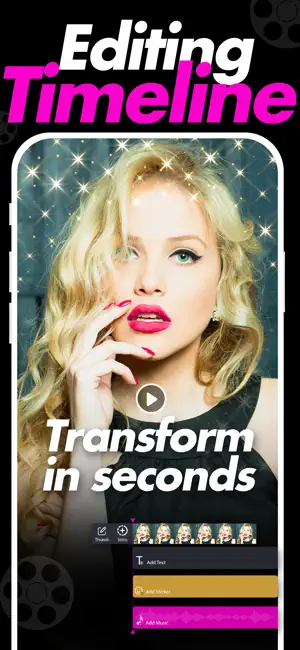


About Image to Video
Turn your memories into beautiful videos in minutes. Image To Video lets you combine photos, video clips, GIFs, and Live Images into one seamless movie. Whether you are creating social content, birthday highlights, travel stories, or promotional clips, everything you need is built right in. Create dynamic videos with smooth transitions, music, text, and creative effects. Arrange your media the way you want and export high quality results ready to share. Key Features • Combine Images, Videos, GIFs, and Live Images in one project • Add custom Intro and Outro videos • Apply stylish Filters and visual Effects • Add Stickers and Text with flexible positioning • Advanced Adjustments including brightness, contrast, saturation and more • Add background Music and control timing • Rearrange clips easily with simple controls • Select your preferred Thumbnail image for the final video • High quality video export • Clean and easy to use interface Perfect for social media posts, reels, stories, slideshows, and personal projects. Privacy Policy: https://jaiparkashappstore.blogspot.com/2020/05/privacy-policy.html Terms of use: https://jaiparkashappstore.blogspot.com/2020/05/terms-of-use.html
Ratings & reviews
3.8
18 ratings
What’s new
Version 1.6 · Updated February 28, 2026
• Added support to combine Images, Videos, GIFs, and Live Images in one timeline • New Intro and Outro video option • Custom thumbnail selection for exported videos • Performance improvements for faster rendering • Stability improvements and bug fixes Update now to create smoother, more dynamic videos with Image To Video.
App privacy
The developer, Jai Parkash, reported these privacy practices to Apple.
Data Used to Track You
The following data may be used to track you across apps and websites owned by other companies:
- Identifiers: Device ID
Data Not Linked to You
The following data, which may be collected but is not linked to your identity, may be used for the following purposes:
- Identifiers: Device ID
Used for: Third-Party Advertising, Developer’s Advertising or Marketing, Analytics, Product Personalization
Alternatives to Image to Video
Looking for apps like Image to Video? Here are 6 similar apps on the App Store. The highest rated is Image to Video with AI - Vidmo (4.6/5), and all 6 are free to download.
-
 AI Video: Image to Video Maker
4.1
AI Video: Image to Video Maker
4.1
-
 Video Maker : Image To Video
-
 AI Photo to Video Maker: Datai
1.0
AI Photo to Video Maker: Datai
1.0
-
 StillVideo - Photo to video
4.1
StillVideo - Photo to video
4.1
-
 Image to Video with AI - Vidmo
4.6
Image to Video with AI - Vidmo
4.6
-
 Photo to Video Ai
4.6
Photo to Video Ai
4.6
| App | Rating | Price | Last updated | Compare |
|---|---|---|---|---|
| Image to Video | 3.8 / 5 (18 ratings) | Free | February 28, 2026 | |
| AI Video: Image to Video Maker | 4.1 / 5 (15) | Free | Jan 20, 2026 | Compare |
| Video Maker : Image To Video | – | Free | Oct 20, 2025 | Compare |
| AI Photo to Video Maker: Datai | 1.0 / 5 (2) | Free | May 22, 2025 | Compare |
| StillVideo - Photo to video | 4.1 / 5 (77) | Free | Jun 7, 2026 | Compare |
| Image to Video with AI - Vidmo | 4.6 / 5 (36) | Free | Jan 20, 2026 | Compare |
| Photo to Video Ai | 4.6 / 5 (11) | Free | Jun 4, 2026 | Compare |
Compare Image to Video with the top alternatives: ratings, updates, ASO score and keyword gaps →