

Talking Typer
American Printing House for the Blind (APH) Education iPhoneiPadiPod touch
Talking Typer is a free Education app for iPhone and iPad by American Printing House for the Blind (APH). Rated 4.0/5 from 11 ratings. Requires iOS 12.0.
- Rating
- 4.0
- 11 ratings
- Price
- Free
- on the App Store
- Size
- 18 MB
- Age 4+
- Updated
- Apr 22
- 2024 · v1.96
Screenshots

About Talking Typer
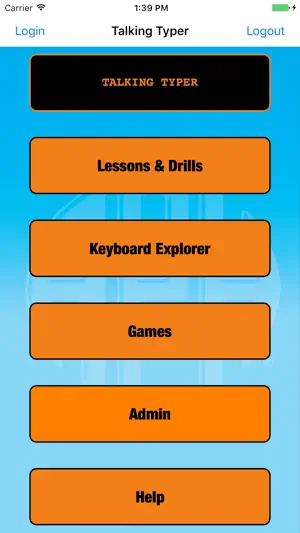
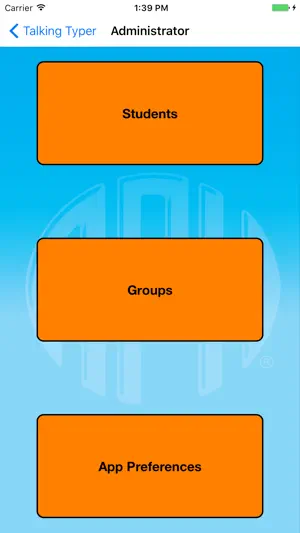
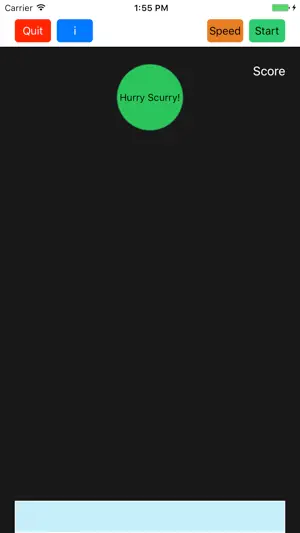
Talking Typer finally makes its way to iOS. Help students make typing progress with this fun-to-use self-voicing app! Talking Typer An accessible typing and computer keyboard tutorial app with a keyboard game to help increase speed and accuracy in a fun environment! Learn to type or improve your skills with drills, practice lessons, keyboard explorer, and an entertaining game. It is designed for blind and visually impaired students, but can be used by sighted students too. This makes it a great tool for the whole class. 35 Built-in Lessons Talking TyperTM for iOS devices comes with 35 built-in lessons at levels 1-10. Teachers and parents can create new lessons, edit lessons, and assign lessons to individual students or groups. Speed, accuracy, and typing level can also be set for individual students or groups. The app saves the results of each drill allowing students, teachers, and parents to monitor improvement. Hurry Scurry Game The app also includes the exciting game Hurry Scurry, where students earn points by typing letters before the ball drops. It’s fun for all ages and skill levels! Self-Voicing and Apple® VoiceOver Accessible The app is both self-voicing and accessible with Apple’s VoiceOver. The onboard keyboard of your device can be used with Talking Typer, but an external keyboard is recommended. The app can also be used with a refreshable braille display, like APH’s Refreshabraille 18TM Bluetooth®-enabled device, making it accessible for students who are deafblind as well. Recommended ages: All.
Ratings & reviews
4.0
11 ratings
What’s new
Version 1.96 · Updated April 22, 2024
- if you have the echo key option enabled within the app, it will no longer be dependent on VoiceOver status. In other words if it's enabled, then it will echo keys. - addresses some issues with certain symbol pronouncements. notes: Using the default voice will provide the best results. If your device is in silent mode, you will not be able to hear any self-voicing features of the app
App privacy
The developer, American Printing House for the Blind (APH), reported these privacy practices to Apple.
Data Not Collected
The developer does not collect any data from this app.
Alternatives to Talking Typer
Looking for apps like Talking Typer? Here are 6 similar apps on the App Store. The highest rated is CViConnect Pro (5.0/5), and all 6 are free to download.
-
 CViConnect Pro
5.0
CViConnect Pro
5.0
-
 Braille Typing
4.7
Braille Typing
4.7
-
 CViConnect
4.2
CViConnect
4.2
-
 ObjectiveEd Games
3.7
ObjectiveEd Games
3.7
-
 ScreenReader - Learn VoiceOver
4.3
ScreenReader - Learn VoiceOver
4.3
-
 EchoVis Street
4.0
EchoVis Street
4.0
| App | Rating | Price | Last updated | Compare |
|---|---|---|---|---|
| Talking Typer | 4.0 / 5 (11 ratings) | Free | April 22, 2024 | |
| CViConnect Pro | 5.0 / 5 (5) | Free | Sep 17, 2026 | Compare |
| Braille Typing | 4.7 / 5 (10) | Free | Sep 2, 2026 | Compare |
| CViConnect | 4.3 / 5 (4) | Free | Aug 26, 2025 | Compare |
| ObjectiveEd Games | 3.7 / 5 (17) | Free | Mar 23, 2026 | Compare |
| ScreenReader - Learn VoiceOver | 4.3 / 5 (12) | Free | Jan 29, 2026 | Compare |
| EchoVis Street | 4.0 / 5 (2) | Free | Oct 17, 2025 | Compare |
Compare Talking Typer with the top alternatives: ratings, updates, ASO score and keyword gaps →