

RISO PRINT-S
RISO KAGAKU CORPORATION Utilities iPhoneiPadiPod touch
RISO PRINT-S is a free Utilities app for iPhone and iPad by RISO KAGAKU CORPORATION. Rated 5.0/5 from 1 ratings. Requires iOS 15.6. Updated July 23, 2026.
- Rating
- 5.0
- 1 ratings
- Price
- Free
- on the App Store
- Size
- 12 MB
- Age 4+
- Updated
- Jul 23
- 2026 · v6.1.1
Screenshots


About RISO PRINT-S
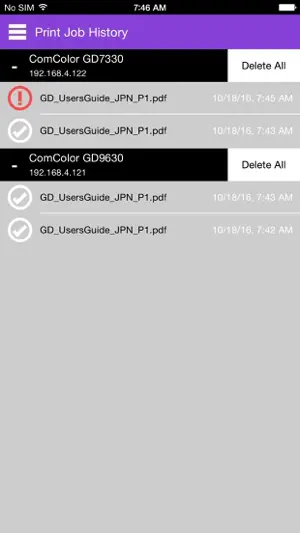
RISO PRINT-S is an application to print PDF, text, or photo/image data directly from tablets or smartphones. You can print PDF, text, or photo/image data saved in your devices. You can also configure several print settings like duplex print, imposition, punch and staple by using RISO PRINT-S. [Features] ・Registering/Managing Printers Up to 10 printers can be registered. ・Previewing a PDF, text, or photo/image The PDF, text, or photo/image is displayed on the preview area of RISO PRINT-S. ・Configuring the Print Settings on RISO PRINT-S You can configure the print settings on RISO PRINT-S by a PDF, text, photo/image or a printer. [Basic] Color Mode Copies Duplex print Paper Size Scale to Fit Paper Type Input Tray [Layout] Imposition Layout order [Finishing] Collate Booklet Booklet binding Layout order Binding side Staple Punch Output Tray [Authentication] Secure Print PIN Code ・Printable Data PDF*1 (versions 1.3, 1.4, 1.5, 1.6, 1.7*2) TXT*3 PNG JPEG/JPG GIF BMP *1: Encrypted PDF documents are not supported. *2: Extended features are not supported. *3: Character codes other than UTF-8 are not supported. [Supported printers] ComColor FW Series *1 SHAN CAI YIN WANG FW Series *1 ComColor GD Series *1 SHAN CAI YIN WANG GD Series *1 ComColor FT Series *1 SHAN CAI YIN WANG FT Series *1 ComColor FT EII Series *1 SHAN CAI YIN WANG FT EII Series *1 ComColor GL Series *1 SHAN CAI YIN WANG GL Series *1 ComColor GN Series *1 SHAN CAI YIN WANG GN Series *1 *1:Optional PS kit is required. [Tested OS] iOS 15, 16, 17, 18, 26 iPadOS 15, 16, 17, 18, 26 [Supported languages] Japanese, English, French [Precautions for use] ・The available features vary depending on your printer and optional devices. ・PDF documents cannot be displayed directly on RISO PRINT-S. Please open a PDF document with other viewer application beforehand. For details, see [HELP] screen. ・When RISO PRINT-S is started after opening a PDF document, the document is displayed on the preview area of the [Home] screen. ・Wireless LAN (Wi-Fi) connection environment is required beforehand. Please refer to the instructions prepared for your wireless LAN (Wi-Fi) environment to connect and configure it. ・The screens displayed vary depending on the device.
What’s new
Version 6.1.1 · Updated July 23, 2026
Now available on iOS 26, iPadOS 26.
App privacy
The developer, RISO KAGAKU CORPORATION, reported these privacy practices to Apple.
Data Not Collected
The developer does not collect any data from this app.
Alternatives to RISO PRINT-S
Looking for apps like RISO PRINT-S? Here are 6 similar apps on the App Store. The highest rated is Jamf Return to Service (5.0/5), and all 6 are free to download.
-
 Spectrolite
4.8
Spectrolite
4.8
-
 Prime Print Lite
4.3
Prime Print Lite
4.3
-
 Jamf Return to Service
5.0
Jamf Return to Service
5.0
-
 QR提出物チェッカー
-
 バスキャッチロケーター
-
 (職員用)コドモンポケット2
| App | Rating | Price | Last updated | Compare |
|---|---|---|---|---|
| RISO PRINT-S | 5.0 / 5 (1 rating) | Free | July 23, 2026 | |
| Spectrolite | 4.8 / 5 (65) | Free | Oct 10, 2026 | Compare |
| Prime Print Lite | 4.3 / 5 (52) | Free | Dec 5, 2023 | Compare |
| Jamf Return to Service | 5.0 / 5 (2) | Free | Aug 31, 2026 | Compare |
| QR提出物チェッカー | – | Free | Aug 18, 2026 | Compare |
| バスキャッチロケーター | – | Free | Oct 31, 2025 | Compare |
| (職員用)コドモンポケット2 | – | Free | Oct 20, 2026 | Compare |
Compare RISO PRINT-S with the top alternatives: ratings, updates, ASO score and keyword gaps →