

DroneDeploy Flight App
DroneDeploy Photo & Video iPhoneiPadiPod touch
DroneDeploy Flight App is a free Photo & Video app for iPhone and iPad by DroneDeploy. Rated 4.7/5 from 5,329 ratings. Requires iOS 16.0.
- Rating
- 4.7
- 5.3K ratings
- Price
- Free
- on the App Store
- Size
- 387 MB
- Age 4+
- Updated
- Jun 15
- 2026 · v5.137.0
Screenshots
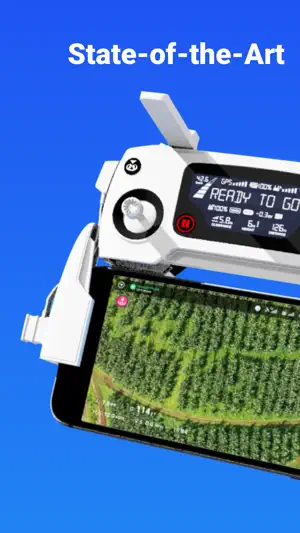
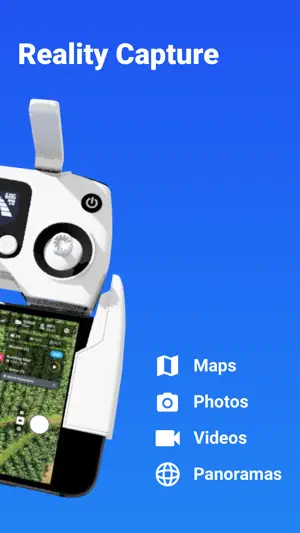

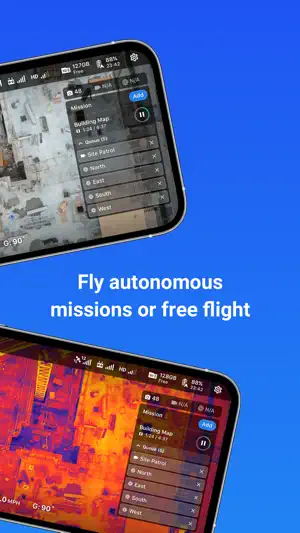
About DroneDeploy Flight App
DroneDeploy is the leading flight app for drones with millions of missions flown by over 130,000 pilots. DroneDeploy is the leading cloud software platform for commercial drones, making the power of aerial data accessible and productive for everyone. The free DroneDeploy app provides easy automated flight and data capture, and enables you to create, explore and share high-quality interactive maps, orthomosaics and 3D models directly from your mobile device. Fly your DJI drone autonomously with just two taps on your iOS device. Quickly process your imagery with DroneDeploy to generate accurate, high-resolution maps and 3D models. Analyze, annotate and share your maps with others directly from within the app. Extend your capabilities and take your analysis to the next level with AI reporting and over 80 best-in-class apps available for install within DroneDeploy’s App Market. DroneDeploy is the ultimate app for a wide range of high-accuracy aerial imaging and mapping applications in construction, solar, agriculture, surveying, mining, insurance, inspection and more. DroneDeploy has empowered users to map and analyze over 30 million acres in more than 160 countries. DRONE SUPPORT • Mavic 2 Pro / Zoom / Enterprise / Dual (thermal) • Mavic Air 2 • DJI Air 2S • Phantom 4 Pro V1 / V2 • Phantom 4 • Inspire 2 • Matrice 200 / 210 / 210 RTK V1 / V2 • Matrice 300 RTK Not compatible with the following hardware: • DJI Mavic Mini series HIGHLIGHTS • Easily plan and schedule repeatable flights • Fly and capture massive areas • Disable auto-flight with a single tap • Includes a full featured manual flight mode • Film professional quality video hands-free • Create automated spherical panoramas • Record all your flight logs in one place • Measure elevation, distance, volumes, surface area and roof geometry (roof reports) • Quickly create survey-grade maps and models with ground control points • Collaborate with teams through shared maps, annotations and comments • Wirelessly upload images from the drone • Export data in the format you need - JPG, Geotiff, OBJ, XYZ, LAS • Explore orthomosaic, NDVI, VARI, digital elevation maps and 3D models - - - Find out more at www.dronedeploy.com Please join us in improving and discussing the app at http://forum.dronedeploy.com
Ratings & reviews
4.7
5.3K ratings
What’s new
Version 5.137.0 · Updated June 15, 2026
New Features - RTK connect in flight — Drones can now connect to RTK mid-flight by pausing at the first waypoint, suspending, then resuming - Starting waypoint offset slider — New planning UI control to calibrate the starting waypoint position on long flight legs - Terrain Awareness — Expanded acreage limit for terrain awareness missions - Flight log timestamps — Timestamps now shown alongside entries in the timeline viewer Improvements - Firmware alerts — Only flags firmware that is genuinely older than required, reducing false update prompts - Camera display names — All supported cameras now show human-readable names throughout the app - Travel altitude — Resets automatically when switching back to automatic altitude settings - RTK stability — Consolidated connection paths and prompts drone reset when RTK datum changes mid-connection - Mission reliability — Flight path changes are now applied synchronously; numeric values in mission JSON rounded to prevent floating-point drift Bug Fixes - App startup & navigation — Fixed 60-second startup delay on legacy-auth devices and unsigned sessions; fixed invisible text on the active mobile nav tab - Missions & planning — Fixed geofence RTH marked as failed when all waypoints completed; fixed image count using stale data after flight path changes; fixed non-resumable missions appearing in the queue; fixed approach waypoint heading - Capture — Fixed pano missions capturing half the expected photos on thermal drones; fixed Progress Video recording before the gimbal reached its planned angle - Stand assessment — Fixed markers not loading, gimbal angle on first photo, and PDF reports downloading as 0 bytes - Map & visualization — Fixed FPV view maximizing to map instead of camera from vertical layout; fixed wrong direction in aircraft detection messages
App privacy
The developer, DroneDeploy, reported these privacy practices to Apple.
Data Linked to You
The following data, which may be collected and linked to your identity, may be used for the following purposes:
- Purchases: Purchase History
- Location: Precise Location, Coarse Location
- Contact Info: Email Address, Name, Phone Number
- User Content: Photos or Videos, Customer Support, Other User Content
- Identifiers: User ID, Device ID
- Usage Data: Product Interaction
- Diagnostics: Crash Data, Performance Data, Other Diagnostic Data
Used for: App Functionality
Alternatives to DroneDeploy Flight App
Looking for apps like DroneDeploy Flight App? Here are 6 similar apps on the App Store. The highest rated is Map Pilot Pro (4.6/5), and 5 of the 6 are free to download.
-
 Map Pilot Pro
4.6
Map Pilot Pro
4.6
-
 Go Fly for DJI Drones
3.8
Go Fly for DJI Drones
3.8
-
 DJI Go4
3.0
DJI Go4
3.0
-
 Fly Go 4: Drone Mobile Camera
4.1
Fly Go 4: Drone Mobile Camera
4.1
-
 Litchi for DJI Drones
4.6
Litchi for DJI Drones
4.6
-
 DJI Fly
3.7
DJI Fly
3.7
| App | Rating | Price | Last updated | Compare |
|---|---|---|---|---|
| DroneDeploy Flight App | 4.7 / 5 (5,329 ratings) | Free | June 15, 2026 | |
| Map Pilot Pro | 4.6 / 5 (258) | Free | Apr 10, 2026 | Compare |
| Go Fly for DJI Drones | 3.8 / 5 (1,035) | Free | Aug 7, 2026 | Compare |
| DJI Go4 | 3.0 / 5 (6,642) | Free | Nov 24, 2025 | Compare |
| Fly Go 4: Drone Mobile Camera | 4.1 / 5 (101) | Free | Feb 25, 2026 | Compare |
| Litchi for DJI Drones | 4.6 / 5 (2,272) | 24.99 USD | Apr 2, 2026 | Compare |
| DJI Fly | 3.7 / 5 (4,830) | Free | Sep 22, 2026 | Compare |