

Indigo Nav
American Printing House for the Blind (APH) Navigation iPhoneiPadiPod touch
Indigo Nav is a free Navigation app for iPhone and iPad by American Printing House for the Blind (APH). Rated 4.0/5 from 27 ratings. Requires iOS 15.0.
- Rating
- 4.0
- 27 ratings
- Price
- Free
- on the App Store
- Size
- 53 MB
- Age 4+
- Updated
- Jul 1
- 2026 · v6.2.0
Screenshots



About Indigo Nav
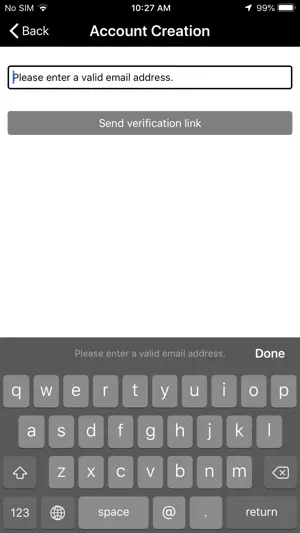
Indigo is a fully accessible turn-by-turn GPS app. It has all the outdoor navigation features you expect plus unique offerings you cannot get anywhere else including extra verbosity for blind users. Features: Four main tabs are easy to access at the bottom of the screen. Routes, Location, POIs and settings Indigo has the option to explore POIs or route turning points virtually. Transit Routes can be created and nearby transit stops will be announced. A unique Indigo feature: record a route using breadcrumbs called Waypoints. No other accessible app has this. You can add these waypoints with the Add Button or you can shake the phone to create a waypoint. It also automatically records a point after you have gone a certain distance. These waypoint routes can be saved for future use. The LookAround Wand in the upper right corner tells you what is in the direction your phone is pointing. The More Info button on the Location screen gives the altitude and speed. Create your own POIs and share your POIs with others or keep them private with a shortcut on the Location page or from the POIs page. POI categories are announced with search results and make finding your destination easier. Audio tones and vibrations give feedback throughout the app letting you know about upcoming turns, critical intersection information and when search is loading A robust route menu includes multiple methods of choosing a destination starting with a POI and an address from your contact list, your route history and many more. Settings include many customization options like vibrations, vision contrast, color settings and distance units. There are announcement options like right/left, clockface, or both.
Ratings & reviews
4.0
27 ratings
What’s new
Version 6.2.0 · Updated July 1, 2026
Indigo Nav 6.2 New Features, June 26, 2026 Find the free Indigo Nav in the app stores. Make sure to use both words, Indigo Nav when searching. There are several improvements in Indigo under the hood in addition to the following new features: You now have a choice of Google Places for Points of Interest. Foursquare POIs is the default. You can change to Google POIs in the Settings LookAround menu. In addition to calling Aira for visual assistance, you now have the option to call a Be My Eyes volunteer. These buttons are at the top of the Routes screen. When Indigo gets you near your final destination, you have both services for visual assistance to pinpoint your destination. Location, intersection and turn-around announcements have been improved. You will get one intersection announcement when approaching an intersection and another when you are near it. You can shake the phone to trigger the Location screen announcements. You can “favorite” a point of interest by flicking up on the action list. You also have “set as Virtual Position” and Activate in this action list. There is now a Favorite POIs category where these favorites can be found. Tap on Favorite to add it to the list. When you create a User point of interest, the city where you are located is automatically added to that User POI name. A few reminders: You can find the Indigo User Guide and Audio Tutorial in English and Spanish at http://www.APH.org/Indigo under the downloads section. Links in English are also under Indigo Settings, Help in the app. You can launch Indigo routes using Siri. It is essential to use exact language in your prompt based on the Siri Configuration under Settings. Important! If you check your Settings Siri Configuration and the shortcuts refer to GoodMaps Outdoors, remove those old versions , close and reopen Indigo and check that the shortcuts now say Indigo. The shortcut to create a User POI is to double tap and hold with one finger on the Location screen Info button. The shortcut to generate a full list of nearby POIs in all categories is double tap and hold with one finger on the POI Tab. To contact Customer Service about Indigo, Email [email protected]
App privacy
The developer, American Printing House for the Blind (APH), reported these privacy practices to Apple.
Data Not Collected
The developer does not collect any data from this app.
Alternatives to Indigo Nav
Looking for apps like Indigo Nav? Here are 6 similar apps on the App Store. The highest rated is VoiceVista: Blind Navigation (4.7/5), and all 6 are free to download.
-
 VoiceVista: Blind Navigation
4.7
VoiceVista: Blind Navigation
4.7
-
 Lazarillo - Accessible GPS
3.6
Lazarillo - Accessible GPS
3.6
-
 CurbToCar
4.5
CurbToCar
4.5
-
 GoodMaps: Indoor Navigation
4.1
GoodMaps: Indoor Navigation
4.1
-
 WeWALK Navigation & Assistance
4.5
WeWALK Navigation & Assistance
4.5
-
 Intersector
| App | Rating | Price | Last updated | Compare |
|---|---|---|---|---|
| Indigo Nav | 4.0 / 5 (27 ratings) | Free | July 1, 2026 | |
| VoiceVista: Blind Navigation | 4.7 / 5 (207) | Free | Oct 22, 2026 | Compare |
| Lazarillo - Accessible GPS | 3.6 / 5 (34) | Free | Nov 25, 2025 | Compare |
| CurbToCar | 4.5 / 5 (8) | Free | Oct 29, 2026 | Compare |
| GoodMaps: Indoor Navigation | 4.1 / 5 (17) | Free | Oct 13, 2026 | Compare |
| WeWALK Navigation & Assistance | 4.5 / 5 (52) | Free | Oct 23, 2026 | Compare |
| Intersector | – | Free | Oct 24, 2026 | Compare |
Compare Indigo Nav with the top alternatives: ratings, updates, ASO score and keyword gaps →