

ONLYOFFICE Documents
Ascensio System SIA Productivity iPhoneiPadiPod touch
ONLYOFFICE Documents is a free Productivity app for iPhone and iPad by Ascensio System SIA. Rated 3.6/5 from 175 ratings. Requires iOS 14.0.
- Rating
- 3.6
- 175 ratings
- Price
- Free
- on the App Store
- Size
- 417 MB
- Age 4+
- Updated
- May 28
- 2026 · v9.4.0
Screenshots



About ONLYOFFICE Documents
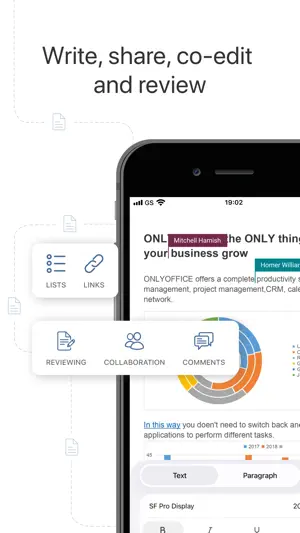
ONLYOFFICE Documents - Your mobile office for iOS ONLYOFFICE Docs for iOS is a free office app allowing you to create and edit documents, spreadsheets, presentations, forms, and PDFs on your iPhone or iPad. Work locally or connect the app to your favourite cloud: ONLYOFFICE DocSpace or Workspace, Dropbox, Box, iCloud, Nextcloud, ownCloud, or kDrive. ONLYOFFICE Documents for iOS offers wide format compatibility from MS Office formats (DOCX, XLSX, PPTX) to Apple files (Pages, Numbers, Keynote), Hangul Word Processor formats (HWP, HWPX), ODG drawings, Markdown files, and even media files. Connect to your DocSpace hub to collaborate with your teammates in real time. Leave comments, track changes, manage versions, and assign flexible permissions for viewing, commenting, or editing. You can also share documents with external collaborators via link, accept or reject their changes, and fill out role-based forms in secure Virtual Data Rooms (VDRs). Scan paper documents with your camera, extract text, and convert them into editable files. With powerful collaboration features and superb format compatibility, ONLYOFFICE Documents helps you stay connected and efficient on the go. Key features for better produсtivity Real-time collaboration • Comment, track and review changes • Fill out role-based forms in VDR • Control access with read, review, or full rights • Easy sharing, even with external collaborators Document Editor • Insert tables, autoshapes, images, charts • Recognize handwritten text to create notes • Add graphic annotations and markup • Insert footnotes, endnotes, page numbers, section breaks • Set font type, size, and colour • Change text wrapping • Protect documents with a password Spreadsheet Editor • Select, cut, copy, paste data • Set font type, size, and colour. • Apply cell style, add cell borders, align data in cells • Wrap text in a cell. • Insert tables, autoshapes, images, charts, formulas • Resize, move, rotate objects, reshape autoshapes • Add annotations and free-hand drawings • Protect spreadsheets with a password • Sort and filter data • Work collaboratively on spreadsheets Presentation Editor • Mobile presentation viewer • Select, cut, copy, paste text and objects • Change slide layout, background, parameters, theme • Apply transitions • Insert tables, autoshapes, images, charts • Add annotations and free-hand drawings • Create lists • Discuss slides in real-time • Protect presentations with a password • Download and print presentations PDF form filler • Open and fill out forms stored on your device. • Use ready templates from the template library • Protect forms with a password • Export ready forms in DOCX or PDF. Why Choose ONLYOFFICE Documents? • No need to install additional apps for editing docs • Clear, user-friendly interface • Work anywhere, anytime • Robust collaboration tools • Support for all key document formats • Absolutely free • No ads or in-app purchases Enjoy smooth editing and seamless document collaboration with ONLYOFFICE Documents. Your mobile office is just one tap away—download it today! Download Now
Ratings & reviews
3.6
175 ratings
What’s new
Version 9.4.0 · Updated May 28, 2026
• Added the ability to disable autosave for cloud files and manage saving in manual mode. • Added the ability to sort and filter comments. • Added the ability to number lines in the Document Editor. • Redesigned the quick actions structure and expanded the set of quick actions in editors on iPhone. • Added the ability to insert multiple images at once in editors. • Added the ability to change slide orientation in the Presentation Editor. • Added the ability to manage sheet order via the sheet panel in the Spreadsheet Editor. • Expanded the set of presentation themes. • Added the Mistral AI provider for use in Document Editor and Spreadsheet Editor. We are constantly enhancing ONLYOFFICE. If you have any questions or comments, leave your review at ONLYOFFICE Documents page in App Store. We appreciate your feedback!
App privacy
The developer, Ascensio System SIA, reported these privacy practices to Apple.
Data Not Linked to You
The following data, which may be collected but is not linked to your identity, may be used for the following purposes:
- Usage Data: Product Interaction
- Diagnostics: Crash Data, Other Diagnostic Data
Used for: Analytics
Alternatives to ONLYOFFICE Documents
Looking for apps like ONLYOFFICE Documents? Here are 6 similar apps on the App Store. The highest rated is Nextcloud (4.7/5), and all 6 are free to download.
-
 Collabora Office
3.3
Collabora Office
3.3
-
 AO Office
4.3
AO Office
4.3
-
 Nextcloud Notes
2.2
Nextcloud Notes
2.2
-
 OpenDocument Reader - view ODT
4.5
OpenDocument Reader - view ODT
4.5
-
 Nextcloud
4.7
Nextcloud
4.7
-
 TextMaker
4.7
TextMaker
4.7
| App | Rating | Price | Last updated | Compare |
|---|---|---|---|---|
| ONLYOFFICE Documents | 3.6 / 5 (175 ratings) | Free | May 28, 2026 | |
| Collabora Office | 3.3 / 5 (119) | Free | Sep 8, 2026 | Compare |
| AO Office | 4.3 / 5 (1,495) | Free | Aug 24, 2026 | Compare |
| Nextcloud Notes | 2.2 / 5 (93) | Free | Sep 22, 2026 | Compare |
| OpenDocument Reader - view ODT | 4.5 / 5 (902) | Free | Sep 24, 2026 | Compare |
| Nextcloud | 4.7 / 5 (10,377) | Free | Sep 16, 2026 | Compare |
| TextMaker | 4.7 / 5 (510) | Free | Mar 16, 2026 | Compare |