

Quick Notes with widget
Michal Kos Productivity iPhoneiPadiPod touchApple Watch
Quick Notes with widget is a free Productivity app for iPhone and iPad by Michal Kos. Rated 4.1/5 from 95 ratings. Requires iOS 17.6.
- Rating
- 4.1
- 95 ratings
- Price
- Free
- on the App Store
- Size
- 20 MB
- Age 4+
- Updated
- Oct 11
- 2026 · v3.1.0
Screenshots
About Quick Notes with widget
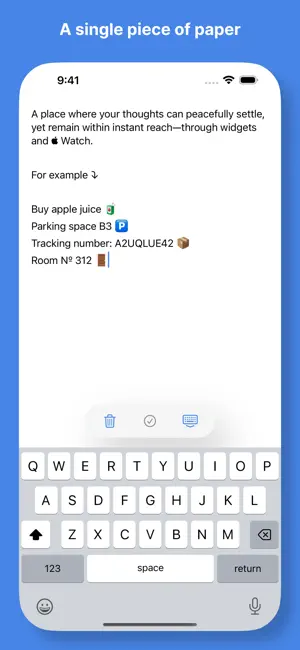
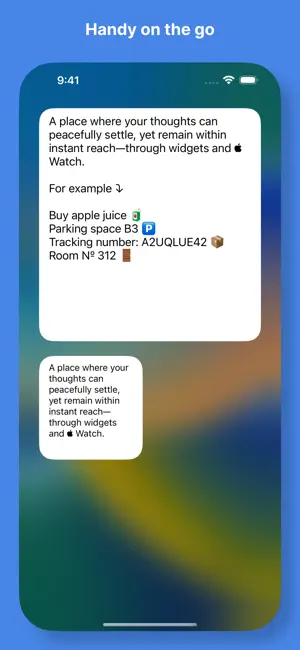
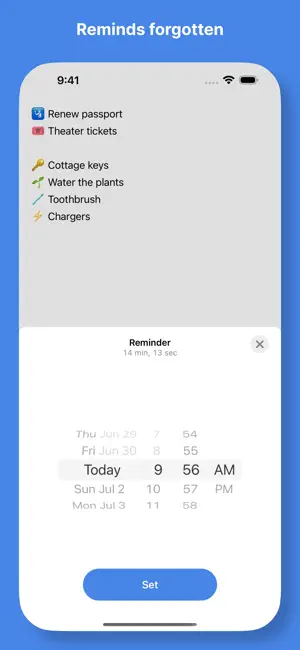
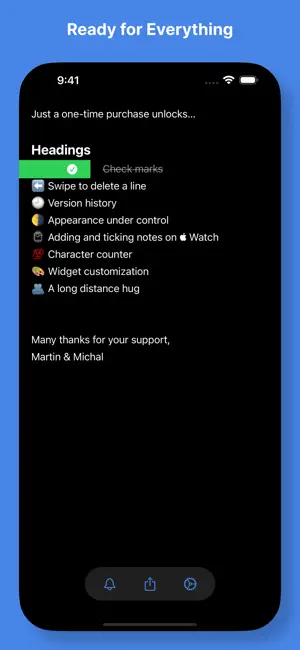
A single piece of paper for your peace of mind. That's exactly what Quick Notes is all about – a nifty place to jot down your thoughts as quickly as possible so you can let them go and decide what to do with them later. No lists, no excessive clutter – just open and take notes. Practicality and simplicity is deeply rooted in Quick Notes. Its meticulously arranged main screen, along with Home Screen Widgets, Apple Watch Complications, and Notifications keep you up to date efficiently. In addition, you can use Headings and Check marks to make your notes clearer at a glance, add a new note directly on your Apple Watch, customize the Widgets, or take control over the Dark Mode – all this and more with just a one-time purchase we call Everything. Features: • Single sheet for your quick notes and drafts • iCloud synchronization • Home Screen Widgets • Apple Watch Complications • Reminder Additionally with Everything (a one-time in-app purchase): • Headings • Check marks • Swipe left to delete a line • Version history • Appearance under control • Adding and ticking notes on Apple Watch • Character counter • Widget customization The app is ideal for things like to-do lists, grocery lists, packing lists, room numbers, tracking codes, or to remember your parking space. ---- Privacy Policy: https://quicknotesapp.net/privacy-policy.html
Ratings & reviews
4.1
95 ratings
What’s new
Version 3.1.0 · Updated October 11, 2026
Quick Notes 3.1 makes iCloud sync much more reliable and makes sure your notes stay safe. More reliable iCloud sync - Notes now sync between your devices more dependably, and the app no longer gets stuck on "Syncing…". - If you edit a note while changes arrive from another device, your edits are merged with them and nothing gets overwritten. Your cursor stays where it was. - Your latest changes finish saving and syncing even if you leave the app right after typing. Your notes, protected - If a sync conflict happens, Quick Notes keeps a copy of your text and lets you know, so you can review it. - It's now easier to find and restore notes from versions before 3.0. Sync status and help - The app shows clearer messages when it's syncing or when something needs your attention. - The Sync settings now show your iCloud account status, and you can copy diagnostics if you need to contact support. Other improvements - Better layout on iPhone Duo. - Bug fixes and stability improvements.
App privacy
The developer, Michal Kos, reported these privacy practices to Apple.
Data Linked to You
The following data, which may be collected and linked to your identity, may be used for the following purposes:
- Identifiers: Device ID
Used for: App Functionality
Data Not Linked to You
The following data, which may be collected but is not linked to your identity, may be used for the following purposes:
- Identifiers: Device ID
- Diagnostics: Other Diagnostic Data, Crash Data
Used for: Analytics, App Functionality
Alternatives to Quick Notes with widget
Looking for apps like Quick Notes with widget? Here are 6 similar apps on the App Store. The highest rated is Quick Notes - Capture (4.8/5), and all 6 are free to download.
-
 Quick Notes - Capture
4.8
-
 Sticky Notes Widget. Stickies
4.6
-
 Sticky Note Widget Memo Pad
4.7
-
 Plain Note: Notes Widget
4.6
-
 Audio Notes | Email Me
4.8
-
 Note!
4.7
| App | Rating | Price | Last updated | Compare |
|---|---|---|---|---|
| Quick Notes with widget | 4.1 / 5 (95 ratings) | Free | October 11, 2026 | |
| Quick Notes - Capture | 4.8 / 5 (315) | Free | Oct 27, 2026 | Compare |
| Sticky Notes Widget. Stickies | 4.6 / 5 (103) | Free | Aug 3, 2026 | Compare |
| Sticky Note Widget Memo Pad | 4.7 / 5 (282) | Free | Oct 10, 2026 | Compare |
| Plain Note: Notes Widget | 4.6 / 5 (1,091) | Free | Oct 29, 2026 | Compare |
| Audio Notes | Email Me | 4.8 / 5 (675) | Free | Oct 31, 2026 | Compare |
| Note! | 4.7 / 5 (1,053) | Free | Jul 10, 2024 | Compare |