

flick(フリック)
IO Inc. Utilities iPhoneiPadiPod touch
flick(フリック) is a free Utilities app for iPhone and iPad by IO Inc. Rated 4.7/5 from 61 ratings. Requires iOS 16.6. Updated October 4, 2026.
- Rating
- 4.7
- 61 ratings
- Price
- Free
- on the App Store
- Size
- 130 MB
- Age 4+
- Updated
- Oct 4
- 2026 · v7.1.4
Screenshots

About flick(フリック)
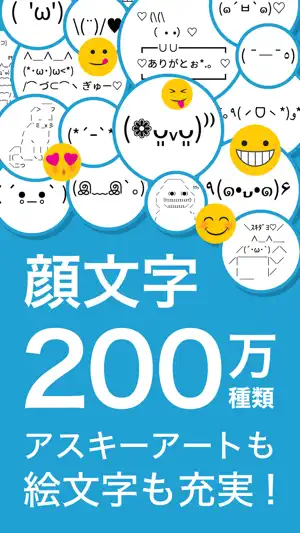
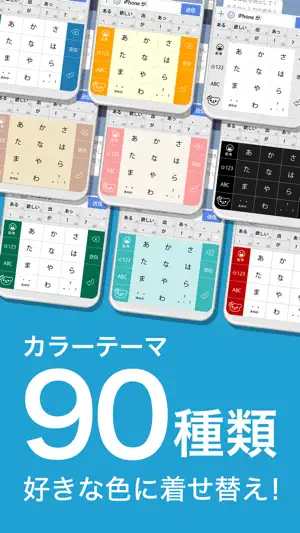
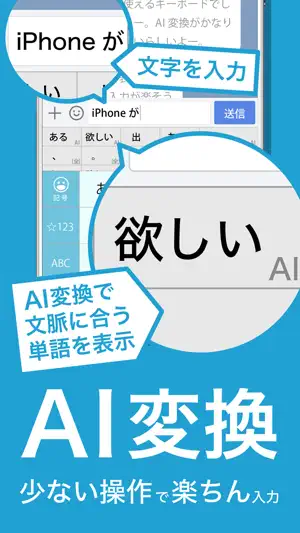
[3 Key Features of flick] - AI Conversion: Intelligent Japanese text input fits the context, whether for casual chats with friends or professional business communication. - Emoticon Function: Search and use from over 2 million emoticons and ASCII art to express your feelings. - Theme Function: Create a one-of-a-kind keyboard using your favorite images and videos. It is easy to input half-width katakana and symbols such as heart and smile. [How to use] 1. Download. 2. Launch flick from the home screen icon. 3. Set up. [About AI Conversion] This function provides predictive conversion that considers context, which was challenging with traditional kanji conversion and Japanese input methods. Since this process is computationally intensive on smartphones, the conversion is handled by AI operated by IO Inc. on servers within Japan. Input data is processed solely by AI, with no human access. Additionally, this input key is used only for conversion purposes and not for any other use. All data utilized by the AI is processed exclusively within Japan and is promptly discarded after use. [How to Search Emoticons] 1. "わ", "ら", "う". 2. Tap the bear/search icon on the left side of the keyboard before committing. *:..。*゚¨゚゚・*:..。*゚¨゚゚・*:..。*:..。*゚¨゚゚・*:..。*゚¨゚゚・*:..。 [About Full Access] The full access is used for the following functions: - Searching and downloading emoticons. - Searching and downloading GIF images. - Using the preferences' values that are set on the preference screen. - (If AI conversion is enabled) Sending and receiving the AI kanji conversion. Please note that the AI conversion process does not share any sensitive data, including contact information, with external parties. [About the Dialog on Switching Full Access] "This could include sensitive information such as your credit card number or street address." This notification text is not a warning only for this app. This is an explanation of the risk of allowing full access to keyboard applications that have not been installed initially on the device. This is shown even for any other keyboard applications. Unlike a part of Chinese keyboard applications, this app does not collect sensitive information such as credit card numbers and addresses. *:..。*゚¨゚゚・*:..。*゚¨゚゚・*:..。*:..。*゚¨゚゚・*:..。*゚¨゚゚・*:..。 [FAQ] Q: Use an image in the background. A: Choose [Theme > My theme > Use own image]. Q: Change the background color. A: Choose [Theme > My theme > Color theme]. Q: Type the same character quickly. A: Choose [Setting > Software keyboard advanced settings > Input style > Flick]. Q: Change the font size of candidates. A: Choose [Setting > Font size of candidate words]. Q: Use the same key layout as iPhone A: Choose [Setting > Keyboard layout > iPhone]. Q: Use the same key layout as a smartphone A: Choose [Setting > Keyboard layout > 12 keys]. Q: Use new lines in LINE A: Open LINE and change the setting. *:..。*゚¨゚゚・*:..。*゚¨゚゚・*:..。*:..。*゚¨゚゚・*:..。*゚¨゚゚・*:..。 flick was developed based on Mozc, one of Google's OSS software. *:..。*゚¨゚゚・*:..。*゚¨゚゚・*:..。*:..。*゚¨゚゚・*:..。*゚¨゚゚・*:..。 [About Premium Service] Price and term: 240 yen / 6 months Service: Unlimited emoticon search, No ads [About AI Conversion] Price and term: 360 yen / 1 month Service: AI conversion and prediction -Billing Billing will be made to your iTunes account. - Automatic Renewal Details Unless you cancel your subscription at least 24 hours before your current billing period ends, it will automatically renew. The renewal fee will be charged to your iTunes Account within 24 hours prior to the end of the current period. - Cancellation Mid-Term Cancellation mid-term is not accepted. - Confirmation and cancellation of auto-renewal [AppStore > Your Account > Subscriptions] - Privacy Policy https://kaomoji.tokyo/privacy-policy/ - Terms of Use https://kaomoji.tokyo/terms_of_use/ *:..。*゚¨゚゚・*:..。*゚¨゚゚・*:..。*:..。*゚¨゚゚・*:..。*゚¨゚゚・*:..。 [Twitter/X] https://x.com/eqrobot
Ratings & reviews
4.7
61 ratings
What’s new
Version 7.1.4 · Updated October 4, 2026
Updated conversion dictionary. Fixed some bugs. Fixed some bugs for iOS 27.
App privacy
The developer, IO Inc., reported these privacy practices to Apple.
Data Used to Track You
The following data may be used to track you across apps and websites owned by other companies:
- Usage Data: Advertising Data
Data Not Linked to You
The following data, which may be collected but is not linked to your identity, may be used for the following purposes:
- Usage Data: Advertising Data, Product Interaction
- Diagnostics: Crash Data, Performance Data
- User Content: Photos or Videos, Other User Content
- Identifiers: User ID
Used for: Third-Party Advertising, Analytics, App Functionality
Alternatives to flick(フリック)
Looking for apps like flick(フリック)? Here are 6 similar apps on the App Store. The highest rated is Symbol Keyboard for Message (4.7/5), and all 6 are free to download.
-
 Simeji
4.6
Simeji
4.6
-
 Emoji Keyboard for Texting
4.5
Emoji Keyboard for Texting
4.5
-
 All Symbol Keyboard Text Fonts
4.5
All Symbol Keyboard Text Fonts
4.5
-
 Symbol Keyboard for Message
4.7
Symbol Keyboard for Message
4.7
-
 azooKey - Flex Japanese Input
4.2
azooKey - Flex Japanese Input
4.2
-
 Cool Symbols Keyboard & Fonts
4.6
Cool Symbols Keyboard & Fonts
4.6
| App | Rating | Price | Last updated | Compare |
|---|---|---|---|---|
| flick(フリック) | 4.7 / 5 (61 ratings) | Free | October 4, 2026 | |
| Simeji | 4.6 / 5 (1,193) | Free | Sep 24, 2026 | Compare |
| Emoji Keyboard for Texting | 4.5 / 5 (1,113) | Free | Apr 14, 2025 | Compare |
| All Symbol Keyboard Text Fonts | 4.5 / 5 (7,400) | Free | Oct 7, 2026 | Compare |
| Symbol Keyboard for Message | 4.7 / 5 (75) | Free | May 1, 2025 | Compare |
| azooKey - Flex Japanese Input | 4.2 / 5 (5) | Free | Sep 27, 2026 | Compare |
| Cool Symbols Keyboard & Fonts | 4.6 / 5 (3,705) | Free | Jul 4, 2026 | Compare |
Compare flick(フリック) with the top alternatives: ratings, updates, ASO score and keyword gaps →