

Garage Door Control
Vitalij Schaefer Utilities iPhoneiPadiPod touchApple Watch
Garage Door Control is a free Utilities app for iPhone and iPad by Vitalij Schaefer. Rated 3.9/5 from 20 ratings. Requires iOS 18.0.
- Rating
- 3.9
- 20 ratings
- Price
- Free
- on the App Store
- Size
- 43 MB
- Age 4+
- Updated
- Sep 2
- 2026 · v7.0
Screenshots
About Garage Door Control
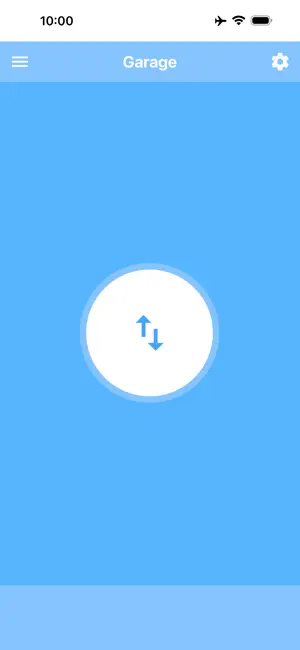
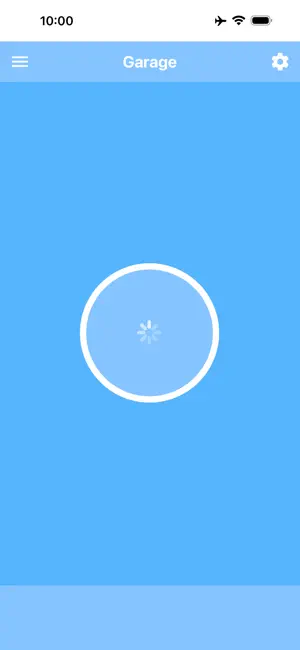
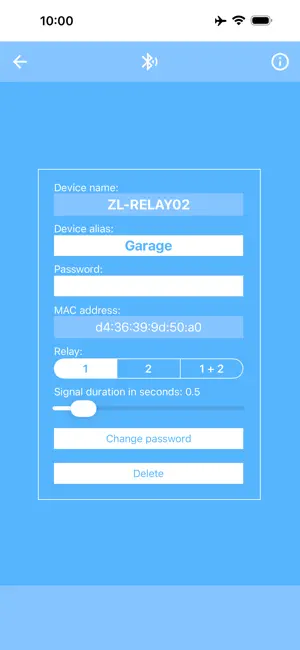
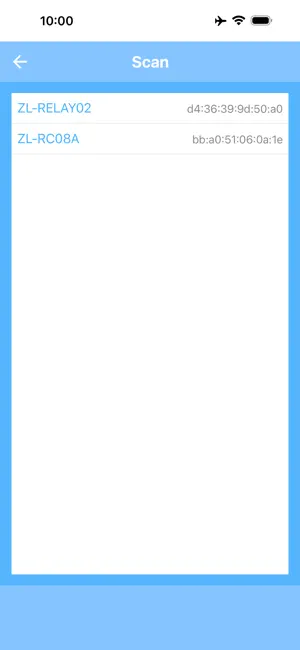
With this app, you can easily open and close your garage door using your iPhone, iPad, or Apple Watch. To use the app, you will need a garage door with an electric drive as well as a 2-channel relay module with Bluetooth BLE (“2 Channel Relay Module Bluetooth BLE”). This module is inexpensive and available in many online shops. Use an Internet search engine to find it. More information about the app and the relay module can be found on this website: garage-door-app.com The app can be connected to any number of modules. This way, you can equip several garage doors with a relay module each and conveniently control them all through a single app. By assigning an alias, each module can be clearly named and easily identified – for example: “Home garage,” “Workshop garage,” “Left garage door,” “Right garage door,” or “Parents’ garage.” The app also lets you set the signal duration and choose the relay number individually. For a double garage with two doors, both relays can be controlled separately. In this case, two buttons will appear: one for Door 1 and one for Door 2. The default password for these modules is “12345678.” For added security, you can change the password directly in the app. The password must be exactly eight digits long. With this app, you can also open and close your garage directly from the Apple Watch. The connection to the relay module only needs to be set up once via the iPhone. Afterwards, the control works directly from the Apple Watch, even without the iPhone. The Apple Watch app must be unlocked via a one-time in-app purchase. Additionally, you can create a Shortcut to open and close the garage. This allows you to control the door with Siri voice commands or via a shortcut on the Home Screen. The best way is to create two Shortcuts – for example, one named “Open garage” and one named “Close garage.” That way, you can use these exact commands with Siri. To use Shortcuts, you must either remove the ads or unlock the Apple Watch app – both are done with a one-time in-app purchase.
Ratings & reviews
3.9
20 ratings
What’s new
Version 7.0 · Updated September 2, 2026
Bug fixes and improvements
App privacy
The developer, Vitalij Schaefer, reported these privacy practices to Apple.
Data Used to Track You
The following data may be used to track you across apps and websites owned by other companies:
- Usage Data: Advertising Data
Data Not Linked to You
The following data, which may be collected but is not linked to your identity, may be used for the following purposes:
- Usage Data: Advertising Data
Used for: Third-Party Advertising, Analytics
Alternatives to Garage Door Control
Looking for apps like Garage Door Control? Here are 6 similar apps on the App Store. The highest rated is GarageMax (4.4/5), and all 6 are free to download.
-
 DoorRemote
3.0
DoorRemote
3.0
-
 Bluetooth Garagedoor Remote
-
 Garage Door Mate
-
 GarageDoorBuddy Monitor
4.3
GarageDoorBuddy Monitor
4.3
-
 GarageMax
4.4
GarageMax
4.4
-
 Gate Unlock
4.3
Gate Unlock
4.3
| App | Rating | Price | Last updated | Compare |
|---|---|---|---|---|
| Garage Door Control | 3.9 / 5 (20 ratings) | Free | September 2, 2026 | |
| DoorRemote | 3.0 / 5 (4) | Free | Apr 18, 2024 | Compare |
| Bluetooth Garagedoor Remote | – | Free | Oct 7, 2026 | Compare |
| Garage Door Mate | – | Free | Oct 21, 2023 | Compare |
| GarageDoorBuddy Monitor | 4.3 / 5 (20) | Free | Oct 14, 2025 | Compare |
| GarageMax | 4.4 / 5 (25) | Free | Oct 29, 2022 | Compare |
| Gate Unlock | 4.3 / 5 (3) | Free | May 20, 2026 | Compare |