

Classkick
Classwork Co Education iPad
Classkick is a free Education app for iPad by Classwork Co. Rated 3.1/5 from 728 ratings. Requires iOS 15. Updated September 29, 2026.
- Rating
- 3.1
- 728 ratings
- Price
- Free
- on the App Store
- Size
- 73 MB
- Age 4+
- Updated
- Sep 29
- 2026 · v4.128.0
Screenshots

About Classkick
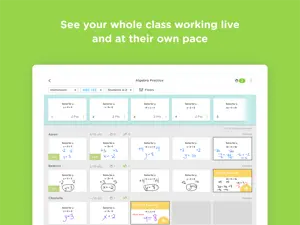
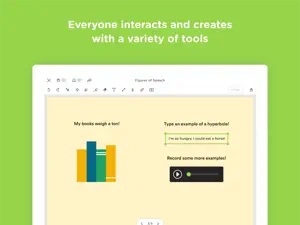
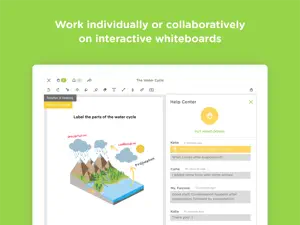
Classkick is a free app that students work on and get help instantly from their teacher and peers. Students work on assignments with their Chromebooks, laptops, or iPads, while getting help from teachers and peers instantly. Teachers create assignments, see all their students’ work in real-time, and give LOTS of student feedback. Best of all, students can help each other anonymously. Using Classkick, feedback to students increases by 300% and grading time is cut in half. “Classkick is every teacher’s dream.” - Lynne Shalman, Chapin School “Students love Classkick...it was magic!” - Greg Port, Seton College TEACHERS... - CREATE paperless assignments using existing worksheets, audio, video or web content. - SEE every students’ work simultaneously. - GIVE instant feedback when it is most important. - FACILITATE peer-to-peer feedback and learning. STUDENTS... - WORK at their own pace and even on their own time. - ASK for help privately. - HELP their peers. USE IT... - in class or at home. - in traditional or flipped classrooms. - as a group together or on your own time individually. FOR… - assignments - quizzes - station work - do nows/exit slips - guided practice - independent practice - homework
Ratings & reviews
3.1
728 ratings
What’s new
Version 4.128.0 · Updated September 29, 2026
New in this release: • Control who sees audio transcripts — turn transcriptions on or off for a whole roster assignment, and override that setting on individual recordings. • AI fill-in-the-blank questions — support for collapsible fill-in-the-blank questions, with easier-to-grab handles. • Bug fix to restore support for deep links and Google Classroom links. New in recent releases: • Bring students to this slide: Teachers can now pull the whole class to the question they're talking about. • The whole class view now supports animated gifs! • Performance updates and improvements. • Lasso tool: Adds a basic lasso selection tool to the legacy teacher canvas. (Lasso is now available for students in the Classkick Student app). • Adds support for read only AI Fill In The Blank (Students have access to AI Fill In The Blank in the Classkick Student app). • Legacy app can now read calligraphic pen strokes and render oversized textboxes created in the new app. • Classkick now proudly offers support for the following languages: Arabic, Chinese (Hong Kong), French, French (Canadian), German, Japanese, Korean, Spanish, and Spanish (United States). • Student Helper is now live. Now with dramatically improved launch times for teachers and students alike! • Updates brand colors throughout the app. • Student Helper • Turning it on applies to that specific roster on that specific assignment. You can turn it off at any time, and all conversations on that assignment and roster will end. • When you turn it on, your students can summon an Instant Helper. • It looks at the assignment and the student's work and helps them where they're stuck! • It takes them one step closer to the correct answer at a time. • Instant Helper speaks to students on their level. • Instant Helper does not give students the answer. • All conversations occur in the student work chat history and can be reviewed by the teacher at any time. • You spoke, we listened. The math keyboard now boasts increased compatibility and stability with assignments created on the web! • Image caching added for newly uploaded images, saving time on downloads! • Adds Assignments in this Class. Now the Manage Roster View has a tab devoted specifically to handing out and viewing assignments in this class. • Fix for the math tool. • Fix for PDF Export affecting a good number of teachers and students. • Fix for an old bug causing the cover slide to temporarily expose the contents of a slide when students first visit it. Recent bug fixes: • Other stability fixes and improvements.
App privacy
The developer, Classwork Co, reported these privacy practices to Apple.
Data Not Linked to You
The following data, which may be collected but is not linked to your identity, may be used for the following purposes:
- Usage Data: Product Interaction
- Diagnostics: Crash Data, Performance Data
Used for: Analytics, App Functionality
Alternatives to Classkick
Looking for apps like Classkick? Here are 6 similar apps on the App Store. The highest rated is Educreations Whiteboard (4.8/5), and all 6 are free to download.
-
 Educreations Whiteboard
4.8
Educreations Whiteboard
4.8
-
 Mosyle School
1.8
Mosyle School
1.8
-
 Freckle by Renaissance
3.3
Freckle by Renaissance
3.3
-
 NWEA Secure Testing
1.5
NWEA Secure Testing
1.5
-
 TestNav
1.6
TestNav
1.6
-
 Socrative Teacher
3.2
Socrative Teacher
3.2
| App | Rating | Price | Last updated | Compare |
|---|---|---|---|---|
| Classkick | 3.1 / 5 (728 ratings) | Free | September 29, 2026 | |
| Educreations Whiteboard | 4.8 / 5 (11,802) | Free | Dec 17, 2025 | Compare |
| Mosyle School | 1.8 / 5 (92) | Free | Jun 8, 2026 | Compare |
| Freckle by Renaissance | 3.3 / 5 (522) | Free | Feb 8, 2024 | Compare |
| NWEA Secure Testing | 1.5 / 5 (1,354) | Free | Oct 14, 2026 | Compare |
| TestNav | 1.6 / 5 (104) | Free | Jul 1, 2026 | Compare |
| Socrative Teacher | 3.2 / 5 (29) | Free | May 23, 2024 | Compare |
Compare Classkick with the top alternatives: ratings, updates, ASO score and keyword gaps →