

PDF Studio Editor: Scan & Sign
MULTI MOBILE Ltd Business iPhoneiPadiPod touch
PDF Studio Editor: Scan & Sign is a paid Business app for iPhone and iPad by MULTI MOBILE Ltd. Rated 3.0/5 from 22 ratings. Requires iOS 17.0.
- Rating
- 3.0
- 22 ratings
- Price
- 0.99 USD
- on the App Store
- Size
- 7 MB
- Age 4+
- Updated
- Aug 11
- 2026 · v2.1.0
Screenshots


About PDF Studio Editor: Scan & Sign
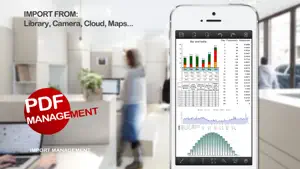
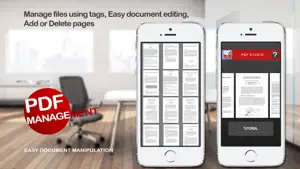
Create, scan and edit PDFs in a modern workspace built for iPhone and iPad. PDF Studio Editor brings documents, scans, photos, templates and markup into one editable project. Imported PDF pages stay intact as backgrounds while your additions remain editable. CREATE AND IMPORT • Start with blank A4, US Letter, Legal or custom pages • Use templates for notes, reports, presentations, checklists and more • Scan multi-page documents with edge detection, crop, rotation and image filters • Use on-device OCR to make supported scans searchable • Turn photos into ordered PDF pages • Import PDFs through Files, iCloud Drive, OneDrive, Google Drive, Dropbox and other installed File Providers EDIT AND ANNOTATE • Draw with pen or Apple Pencil and add highlights, lines, arrows, shapes and whiteout • Add movable text boxes with font, color, alignment and opacity controls • Draw, import, save and place signatures locally • Add photos, stamps, map snapshots, templates and backgrounds • Move, resize, rotate, duplicate, lock, hide and reorder editable layers • Apply secure redactions when exporting sensitive content ORGANIZE PAGES • Reorder, rotate, duplicate, delete and insert pages • Add blank, template, scan, photo or imported PDF pages • Add bookmarks and select multiple pages for batch actions EXPORT AND SHARE • Export a standard PDF with compatible annotations • Create a flattened PDF for consistent viewing • Save an editable PDF Studio project • Export selected or all pages as PNG or JPEG • Share through Files, Mail, AirDrop, printing and other installed apps RELIABLE LOCAL WORK Projects autosave with recovery support. OCR, document processing and stored signatures stay on your device until you choose to export or share them.
Ratings & reviews
3.0
22 ratings
What’s new
Version 2.1.0 · Updated August 11, 2026
Version 2.1.0 brings a rebuilt design, scanning with on-device OCR, improved annotation and signing tools, page organization, flexible export options, autosave and reliability improvements.
App privacy
The developer, MULTI MOBILE Ltd, reported these privacy practices to Apple.
Data Not Collected
The developer does not collect any data from this app.
Alternatives to PDF Studio Editor: Scan & Sign
Looking for apps like PDF Studio Editor: Scan & Sign? Here are 6 similar apps on the App Store. The highest rated is Ideon: Scroll Your Own Ideas (5.0/5), and all 6 are free to download.
-
 Papriva: PDF Converter
-
 QR Forge - QR Code Creator
-
 SuperShot: Screenshot & Markup
3.9
-
 DocLens - OCR
-
 Ideon: Scroll Your Own Ideas
5.0
-
 AllSwipe: Swipe Photo Cleaner
4.6
| App | Rating | Price | Last updated | Compare |
|---|---|---|---|---|
| PDF Studio Editor: Scan & Sign | 3.0 / 5 (22 ratings) | 0.99 USD | August 11, 2026 | |
| Papriva: PDF Converter | – | Free | Aug 17, 2026 | Compare |
| QR Forge - QR Code Creator | – | Free | Sep 1, 2026 | Compare |
| SuperShot: Screenshot & Markup | 3.9 / 5 (7) | Free | Oct 19, 2026 | Compare |
| DocLens - OCR | – | Free | Sep 14, 2026 | Compare |
| Ideon: Scroll Your Own Ideas | 5.0 / 5 (2) | Free | Oct 24, 2026 | Compare |
| AllSwipe: Swipe Photo Cleaner | 4.6 / 5 (7) | Free | Aug 6, 2026 | Compare |