

Pixel Art Maker
Nekomimimi Lifestyle iPhoneiPadiPod touch
Pixel Art Maker is a free Lifestyle app for iPhone and iPad by Nekomimimi. Rated 4.8/5 from 10,571 ratings. Requires iOS 15.5. Updated October 2, 2026.
- Rating
- 4.8
- 10.5K ratings
- Price
- Free
- on the App Store
- Size
- 15 MB
- Age 4+
- Updated
- Oct 2
- 2026 · v3.0.6
Screenshots

About Pixel Art Maker
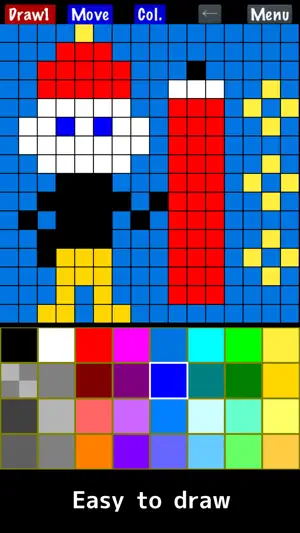
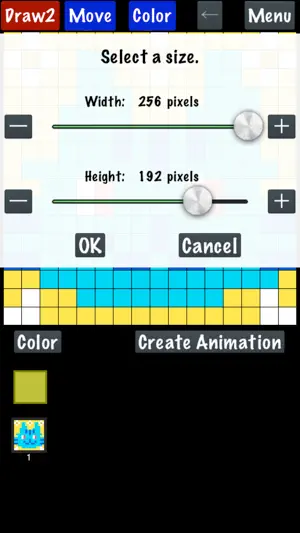
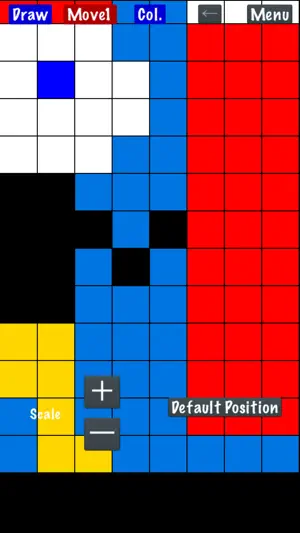
"Pixel Art Maker" is a drawing tool for pixel art like retro games. ◇ Easy to use You can start drawing pixel art immediately after launching the app. The canvas can also be resized while drawing. ◇ Import a photo Convert photos into pixel art. ◇ Create animated pixel art Draw one pixel art image, duplicate it, and create animations. Features: - Draw pixel art on canvases from 1×1 up to 256×256 pixels. - Change the color palette (up to 256 colors). The basic palette includes 32 colors. The free version supports up to 65 colors. *Each palette color can be set to transparent or opaque. - Save your color palettes and reuse them in other artworks or when importing photos. - Watch an ad to temporarily unlock: • 256-color palette • Canvas size up to 1024×1024 - Premium Removes ads and permanently unlocks the full 256-color palette and canvas sizes up to 1024×1024. - Zoom in and out with two-finger pinch. - Save, load, and delete your drawings. - Import photos and animated GIFs. APNG animation is not supported; only the first frame is imported. - Import photos with built-in retro-style palettes and adjustable dithering. Indexed PNG files keep their original palette. - Import images from other apps via the Share sheet. - Export with transparency. - Scale your artwork on export from 1× to 64×, depending on canvas size, up to 4096×4096. - Save to Photos. - Share with other apps. - Create and export animated GIFs. *GIFs may not animate in Photos. - Finger Mode Draw directly with your finger. - Cursor Mode Move a cursor and place pixels with the "PIXEL" button. (Menu → Settings → Change Drawing Mode) * On Apple Silicon Macs (iPad version), animated image import may be limited, and photos may be imported at reduced resolution.
Ratings & reviews
4.8
10.5K ratings
What’s new
Version 3.0.6 · Updated October 2, 2026
This update makes it easier to find artworks on the Load screen, especially if you have saved many. • Move artworks to the top On the Load screen, choose "To Top" and tap an artwork to move it to the top. • Color labels and filtering On the Load screen, choose "Color" to mark artworks with one of 6 colors, then use the color buttons above the list to show only that color. • Fixed the palette selection frame sometimes appearing on the wrong color after importing a photo. • Fixed minor issues.
App privacy
The developer, Nekomimimi, reported these privacy practices to Apple.
Data Used to Track You
The following data may be used to track you across apps and websites owned by other companies:
- Location: Coarse Location
- Identifiers: Device ID
- Usage Data: Product Interaction, Advertising Data
- Diagnostics: Crash Data, Performance Data
Data Linked to You
The following data, which may be collected and linked to your identity, may be used for the following purposes:
- Location: Coarse Location
- Identifiers: Device ID
- Usage Data: Product Interaction, Advertising Data
- Diagnostics: Performance Data
Used for: Third-Party Advertising, Analytics
Data Not Linked to You
The following data, which may be collected but is not linked to your identity, may be used for the following purposes:
- Diagnostics: Crash Data
Used for: Third-Party Advertising, App Functionality
Alternatives to Pixel Art Maker
Looking for apps like Pixel Art Maker? Here are 6 similar apps on the App Store. The highest rated is Stitchly: Cross stitch (4.8/5), and all 6 are free to download.
-
 Stitchly: Cross stitch
4.8
Stitchly: Cross stitch
4.8
-
 Emoji & Sticker Design Lab
4.6
Emoji & Sticker Design Lab
4.6
-
 Loomerly: Loom, peyote & brick
4.8
Loomerly: Loom, peyote & brick
4.8
-
 Perlypop: Perler beads
4.7
Perlypop: Perler beads
4.7
-
 Ribblr - Crochet & Knitting
4.2
Ribblr - Crochet & Knitting
4.2
-
 Draw Editor - Drawing On Pics
4.4
Draw Editor - Drawing On Pics
4.4
| App | Rating | Price | Last updated | Compare |
|---|---|---|---|---|
| Pixel Art Maker | 4.8 / 5 (10,571 ratings) | Free | October 2, 2026 | |
| Stitchly: Cross stitch | 4.8 / 5 (2,245) | Free | Sep 21, 2026 | Compare |
| Emoji & Sticker Design Lab | 4.6 / 5 (10,365) | Free | Mar 5, 2025 | Compare |
| Loomerly: Loom, peyote & brick | 4.8 / 5 (798) | Free | Sep 30, 2026 | Compare |
| Perlypop: Perler beads | 4.7 / 5 (452) | Free | Sep 8, 2026 | Compare |
| Ribblr - Crochet & Knitting | 4.2 / 5 (541) | Free | Oct 2, 2026 | Compare |
| Draw Editor - Drawing On Pics | 4.4 / 5 (30,137) | Free | Mar 20, 2026 | Compare |
Compare Pixel Art Maker with the top alternatives: ratings, updates, ASO score and keyword gaps →