

Speak4Me Text to Speech Reader
MIRO CONSULTING SRL Utilities iPhoneiPadiPod touch
Speak4Me Text to Speech Reader is a free Utilities app for iPhone and iPad by MIRO CONSULTING SRL. Rated 4.5/5 from 13,629 ratings. Requires iOS 15.0.
- Rating
- 4.5
- 13.6K ratings
- Price
- Free
- on the App Store
- Size
- 134 MB
- Age 4+
- Updated
- Oct 1
- 2026 · v6.3.3
Screenshots
About Speak4Me Text to Speech Reader
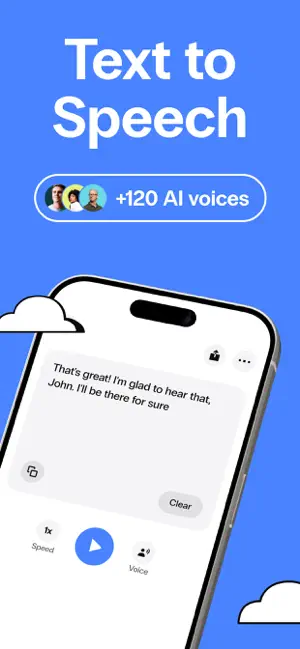
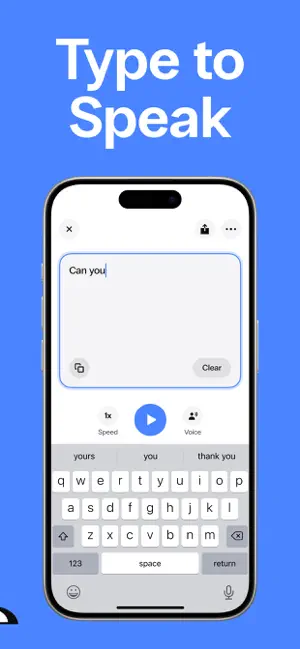
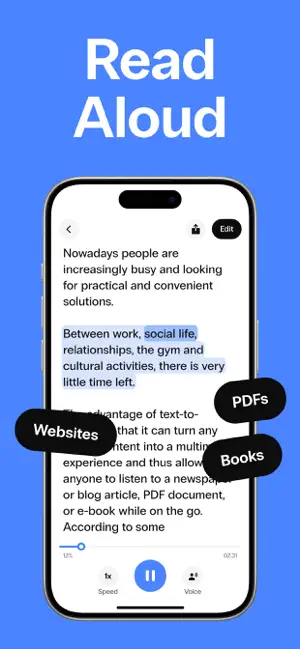
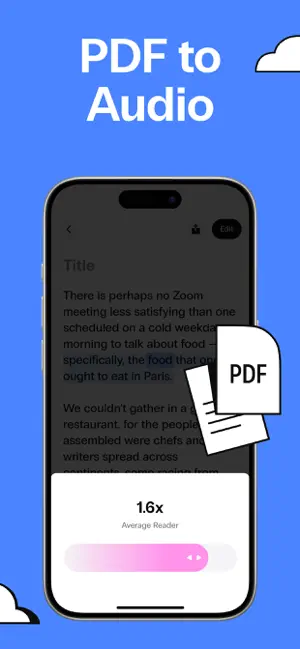
Speak4Me is a text to speech app that does two things: it reads aloud anything you want to listen to, and it speaks out loud anything you type. Listen to PDFs, documents, books, web articles and photos of printed pages – or type a message and let Speak4Me say it for you, in 120+ natural AI voices. LISTEN: READ ALOUD ANYTHING • PDF to audio – Import any PDF from Files or iCloud Drive and listen to it like an audiobook. Headers and footers are skipped automatically, so you only hear the content. • Documents and books – Turn long documents, book chapters, study notes and reports into audio. Follow along with real-time text highlighting. • Web articles – Listen to articles, blog posts and newsletters instead of reading them on screen. • Scan and listen – Take a photo of a printed page, a book, a letter or a menu, and Speak4Me reads the text out loud. • Listen anywhere – Keep listening while you commute, walk, work out or cook. Speed up the voice to get through your reading list faster. SPEAK: TYPE TO SPEAK • Type and Speak4Me talks for you – Write what you want to say and it is spoken out loud instantly, in the voice and language you choose. • A voice when you need one – Made for people who have lost their voice, have a speech disability, are recovering from a stroke, or find it hard to speak in some moments. Use it to talk face to face, at the doctor, in a shop or on the phone. • Favorite phrases – Save the sentences you use most and play them with one tap. • AI voice-overs – Use Speak4Me as an AI voice generator and narrator: type a script and export it as an MP3 for videos, TikTok, Reels, podcasts, presentations and customer support. NATURAL AI VOICES • 120+ lifelike AI voices, male and female, in 20+ languages and accents. • Ultra voices: our most human, expressive and fluid voices. • Adjust voice speed and font size to fit the way you read. MADE FOR EVERY READER • Dyslexia-friendly font and text highlighting to make reading easier. • Helpful for dyslexia, ADHD, low vision, language learners and anyone who prefers listening to reading. • Save any audio and share it via iMessage, WhatsApp, email and more. WHO USES SPEAK4ME Students who listen to their notes and PDFs. Professionals who turn reports and emails into audio. Book lovers who listen to what they read. People who use their phone as a voice to communicate. Creators who need quick voice-overs. FAQ • Can Speak4Me read PDFs aloud? Yes. Import any PDF and listen to it like an audiobook, with headers and footers skipped. • Can it read a printed book or document? Yes. Take a photo of the page and Speak4Me reads the text out loud. • Can it read web articles? Yes. Listen to articles, blog posts and newsletters instead of reading them on screen. • Can it speak for me? Yes. Type any sentence and it is spoken out loud instantly. Save the phrases you use most for one-tap access. • Can I use it as an AAC app? Yes. Speak4Me works as a simple type-to-speak communication tool for people who can't speak or find it hard to. • Can I create AI voice-overs? Yes. Type a script, pick one of 120+ AI voices and export it as an MP3. • Does it help with dyslexia? Yes. It offers a dyslexia-friendly font and highlights the text as it reads. • Can I change the reading speed? Yes. Slow it down or speed it up to fit the way you listen. • Which languages does it support? 20+ languages and accents, including American, British and Australian English, Spanish, French, German, Chinese and Japanese. Questions or feature requests? Write to us at [email protected] SUBSCRIPTION Monthly and yearly plans renew automatically unless cancelled at least 24 hours before the end of the period. Payment is charged to your Apple Account. Manage or cancel anytime in Account Settings. Any unused free trial ends when you subscribe. Privacy Policy: https://speak4me-3ac5f.web.app/policy/policy.html Terms of Use: https://speak4me-3ac5f.web.app/policy/terms.html
Ratings & reviews
4.5
13.6K ratings
What’s new
Version 6.3.3 · Updated October 1, 2026
Performance improvements that make the app feel faster and more responsive. Expect smoother navigation, quicker load times, and more reliable day-to-day use, so you can spend less time waiting and more time getting things done.
App privacy
The developer, MIRO CONSULTING SRL, reported these privacy practices to Apple.
Data Not Linked to You
The following data, which may be collected but is not linked to your identity, may be used for the following purposes:
- Usage Data: Product Interaction
- Diagnostics: Crash Data, Performance Data, Other Diagnostic Data
Used for: Analytics
Alternatives to Speak4Me Text to Speech Reader
Looking for apps like Speak4Me Text to Speech Reader? Here are 6 similar apps on the App Store. The highest rated is Speak • Speech Synthesizer (4.6/5), and all 6 are free to download.
-
 Text to Speech – Reading Aloud
4.5
Text to Speech – Reading Aloud
4.5
-
 Read4Me - Talk Browser PDF DOC
4.5
Read4Me - Talk Browser PDF DOC
4.5
-
 Text to Speech: Voice Reader
4.5
Text to Speech: Voice Reader
4.5
-
 Speak • Speech Synthesizer
4.6
Speak • Speech Synthesizer
4.6
-
 Text to Speech: AI Book Reader
4.4
Text to Speech: AI Book Reader
4.4
-
 ESET VPN
4.3
ESET VPN
4.3
| App | Rating | Price | Last updated | Compare |
|---|---|---|---|---|
| Speak4Me Text to Speech Reader | 4.5 / 5 (13,629 ratings) | Free | October 1, 2026 | |
| Text to Speech – Reading Aloud | 4.5 / 5 (528) | Free | Aug 19, 2026 | Compare |
| Read4Me - Talk Browser PDF DOC | 4.5 / 5 (5,293) | Free | Feb 7, 2025 | Compare |
| Text to Speech: Voice Reader | 4.5 / 5 (1,355) | Free | Dec 16, 2024 | Compare |
| Speak • Speech Synthesizer | 4.6 / 5 (3,344) | Free | Jul 7, 2025 | Compare |
| Text to Speech: AI Book Reader | 4.4 / 5 (667) | Free | Apr 27, 2026 | Compare |
| ESET VPN | 4.3 / 5 (559) | Free | Jun 11, 2026 | Compare |