

Simple Timer & Alarm ListTimer
Lemon LLC Utilities iPhoneiPadiPod touch
Simple Timer & Alarm ListTimer is a free Utilities app for iPhone and iPad by Lemon LLC. Rated 4.6/5 from 303 ratings. Requires iOS 15.6.
- Rating
- 4.6
- 303 ratings
- Price
- Free
- on the App Store
- Size
- 36 MB
- Age 4+
- Updated
- Oct 17
- 2026 · v2.7.31
Screenshots
About Simple Timer & Alarm ListTimer
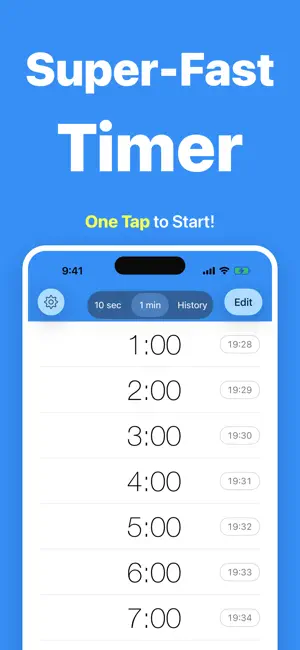
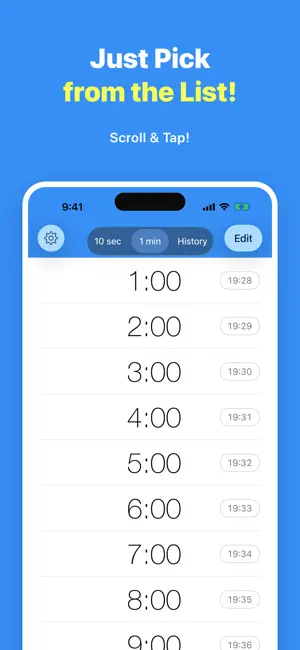
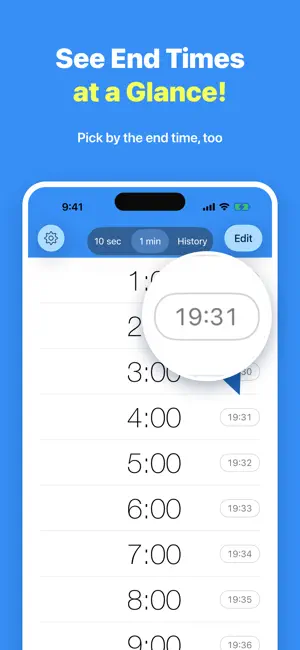
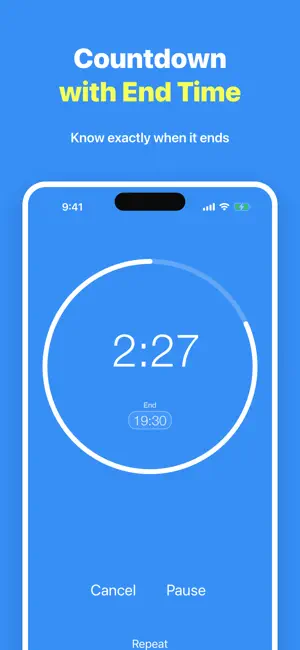
ListTimer is a free timer app that can be started with just one tap. It displays end times and works in the background. ●One Tap to Start All you have to do is tap it once. ●Finish Times Displayed on Screen It shows the time your alarm will finish. ●Notifies You in Background When the timer ends, ListTimer also notifies you in the background. ●Vibration ListTimer vibrates your device so you can also use it in silent mode. ●Repeat Easily Tap the repeat button to repeat the timer at intervals. ●Battery Friendly ListTimer doesn't consume your battery power in the background because it notifies you after you close the app. URL Scheme = "listtimer:" @http://icons8.com/ ■■ Upgrade ■■ - No Ads - Countdown on Lock Screen - Change Alarm Sound - Customize Theme Color - Longer Interval Settings - Save 2 or More Favorites 【Privacy Policy and Term of Use】 https://texttospeech.helpshift.com/a/timerapp/?l=en&s=help&f=privacy-policy
Ratings & reviews
4.6
303 ratings
What’s new
Version 2.7.31 · Updated October 17, 2026
Hi, I bought some mont-bell socks. In this update, I've added support for iPhone Duo. I've also fixed what's shown when you rotate the screen while a timer is paused, along with the guidance around Theme Color and In-App Purchases. New - Added support for iPhone Duo (the layout fits the screen whether it's open or closed) - Changed the elapsed time in the completion alert to smaller, subtler text than the end time Fix - Fixed an issue where rotating the screen while paused changed the “Start” button back to “Pause” - Fixed an issue on iOS 17 and later where “View Plus plans” in Theme Color opened the old purchase screen - Updated the guidance shown when In-App Purchases are restricted so it points to where the setting is in iOS 27 - Fixed an issue on iPad where “NEW” remained after closing the “Edit” screen If anything concerns you, please feel free to contact me through “Settings=>Send Feedback”. Your bug reports and feature requests are always a big help. If you enjoy the app, I'd be happy if you could leave a review. See you next time!
App privacy
The developer, Lemon LLC, reported these privacy practices to Apple.
Data Used to Track You
The following data may be used to track you across apps and websites owned by other companies:
- Usage Data: Advertising Data
Data Not Linked to You
The following data, which may be collected but is not linked to your identity, may be used for the following purposes:
- Usage Data: Advertising Data
- Diagnostics: Performance Data, Crash Data
Used for: Third-Party Advertising, Analytics, App Functionality
Alternatives to Simple Timer & Alarm ListTimer
Looking for apps like Simple Timer & Alarm ListTimer? Here are 6 similar apps on the App Store. The highest rated is MultiTimer: Stopwatch + Timer (4.8/5), and all 6 are free to download.
-
 Weekly Alarm Clock
4.4
Weekly Alarm Clock
4.4
-
 Timer-Kitchen timer&Stopwatch
4.5
Timer-Kitchen timer&Stopwatch
4.5
-
 Timer ٞ
4.4
Timer ٞ
4.4
-
 Repeat Timer
4.1
Repeat Timer
4.1
-
 MultiTimer: Stopwatch + Timer
4.8
MultiTimer: Stopwatch + Timer
4.8
-
 Big Timer - Simple
3.3
Big Timer - Simple
3.3
| App | Rating | Price | Last updated | Compare |
|---|---|---|---|---|
| Simple Timer & Alarm ListTimer | 4.6 / 5 (303 ratings) | Free | October 17, 2026 | |
| Weekly Alarm Clock | 4.4 / 5 (370) | Free | Dec 15, 2025 | Compare |
| Timer-Kitchen timer&Stopwatch | 4.5 / 5 (82) | Free | May 6, 2026 | Compare |
| Timer ٞ | 4.4 / 5 (1,186) | Free | Jul 31, 2025 | Compare |
| Repeat Timer | 4.1 / 5 (549) | Free | Oct 11, 2026 | Compare |
| MultiTimer: Stopwatch + Timer | 4.8 / 5 (77) | Free | Jul 28, 2026 | Compare |
| Big Timer - Simple | 3.3 / 5 (7) | Free | Jul 23, 2026 | Compare |